Marketing is one of the key things that personal trainers need to be proficient in if they want to expand their client base. As competition increases, skills alone will not be sufficient. A good marketing strategy helps a personal training business stay ahead of the competition, keeps them getting new clients, and retains the old ones.
In this saturated market, with many trainers providing identical services, even the best and brightest professionals have trouble getting noticed without successful marketing. Planning your marketing approach will help you be visible to the right audience. It will also develop credibility, create your brand’s personality, and help solidify business growth in the long term.
Online marketing has a vital place in the world of digitalization. Social media, professional websites, and search engine optimization (SEO) enable trainers to interact with prospective clients. Visitors who come across an attractive copy are likelier to believe in the possibilities, creating trust and leading to sign-ups.
But offline marketing is equally relevant. Strong relationships are developed for trainers through word-of-mouth referrals, local partnerships, and community events. Both approaches will bring in a steady flow of new clients and keep existing clients engaged.
Confused about where to start? Don’t worry. This blog offers online and offline strategies for growing your business and attracting new clients. Now, let’s discuss the best ways to market personal training services.
Essential Marketing Tips for Personal Training Business
1. Defining Your Brand as a Personal Trainer
Personal trainers can use a strong brand to bring the right clients to them and distinguish themselves from the competition. It defines what you know and believe in and your unique approach to fitness. Here is how you can build your brand:
a. Identify Your Niche
This allows you to focus your marketing on your ideal clients. Specializing in the type of clientele you will help, whether that’s strength training, weight loss, rehabilitation, or senior fitness, enables you to establish authority. But why is this important? Clients search for trainers who will help with their fitness regime and understand their needs, goals, and problems. Hence, identifying your niche is a great starting point.
b. Build a Unique Selling Proposition (USP)
Your unique selling proposition sets you apart from other trainers. Ask yourself: How does my training approach stand out? Maybe it’s a results-oriented approach, customized coaching approach, or niche programs. Your USP (Unique Selling Proposition) is the differentiator that makes you stand out from the competition and, more importantly, an indispensable part of marketing to encourage potential clients to see your worth.
c. Develop a Personal Brand
A strong brand identity creates recognizability and trust. Create your logo, pick your business colors, and write a great tagline that captures your training ethos. Use the same tone with clients on websites and social media, whether your brand voice is motivational, friendly, or professional.
When you define your brand, you build credibility and attract clients who connect with your fitness philosophy. In the vast sea of competition, an effectively built-out brand allows for sustainable business growth within the fitness realm.
2. Building a Strong Online Presence
A strong online presence helps personal trainers attract more clients and establish credibility. A professional website, active social media, and strategic email marketing create visibility and engagement.
a. Build a professional website
Your website is your online presence, available 24/7 for prospective clients to visit and learn about you and your services. Hence, it should be attractive, intuitive, and mobile responsive. A few basic pages include:
Home: Explain what you do and share client success stories.
About: List your qualifications, experiences, and training philosophy.
Services: Describe what you are offering, price, and package information.
Testimonials: Showcase client reviews to build trust.
Contact: Provide a simple form, email, and phone number for inquiries.
You must also focus on SEO optimizing your website using relevant keywords such as “personal trainer near me” to rank in the SERPs for relevant keywords. The addition of booking functionality streamlines sign-ups in one go, providing potential clients a hassle-free experience to schedule sessions.
b. Use Social Media to Scale
Social media helps trainers to reach a wider audience. The best platforms include:
Instagram & YouTube: Short workout videos, before and after videos, fitness challenges
Facebook: Ideal for testimonials, live workouts and group challenges.
LinkedIn: Ideal for networking and establishing yourself as a brand in the fitness industry.
Engage followers with content strategies, including workout videos, fitness tips, and client success stories. Increase engagement by hosting question-and-answer sessions, polls, and contests to capture their interest and create a following base.
c. Email Marketing Strategies
Email marketing will assist in the nurturing of your leads. Build an email list through free resources like fitness guides or meal plans. Once subscribed, engage clients with weekly newsletters featuring:
Workout routines and fitness tips
Client success stories for motivation
Special offers and exclusive discounts
Send welcome emails, follow-ups, and reminders using automation tools. Customized messages help build relationships with customers and promote loyalty.
Through a website, social media, and email marketing, personal trainers can create a powerful online presence that attracts and retains clients.
3. Effective Content Marketing Strategies
Content marketing can help personal trainers build authority, engage with their audience, and get clients. Blogging, video marketing, and podcasting help with visibility and credibility. But how? Let’s understand:
a. Authority and SEO through Blogging
A blog establishes you as the expert in your niche and helps with search rankings. Fitness trends, workout routines, nutrition tips, health information – you can cover a lot of blogs on this. To rank higher on Google, use long-tail keywords like “best strength training for beginners” and so on.
Submit guest posts on popular websites in the fitness industry to increase credibility and traffic. Well-researched and informative content encourages trust and leads prospects to book sessions.
b. Leverage the Power of Video Marketing
Videos are beautiful and great for demonstrating exercises. Start a YouTube channel in:
Tutorials: Guidelines on how to do a workout step by step.
Challenges: 30 days of fitness program for better engagement.
Trainer Insights: Backstage glimpses of your approach to training.
Quick fitness hacks, corrective guidance, and motivational content work well in short-form videos on TikTok and Instagram Reels. Live sessions allow you to engage in real-time and directly answer fitness-related questions from your audience.
c. Podcasting for Thought Leadership
You establish authority and broaden your audience through a podcast—for example, topics such as training techniques, industry insights, and client success stories.
Share your podcast on social media and cross-promote with other fitness professionals. This will increase your reach and add strong credibility.
4. Leveraging Paid Advertising
A paid advertisement campaign helps to gain clients faster by increasing interaction and awareness. Social platforms, such as Facebook, Instagram, and Google ads, are instrumental in reaching potential clients, while partnerships with influencers broaden reach and credibility.
a. Facebook and Instagram Ads
Local Fitness Seekers are Targeted through Social Media Ads. Develop geo-targeted campaigns to bring in clients from your region. Testimonial quotes, before-and-after shots and snippets of workout footage all help to engender trust and interest.
Reduce ad spend with A/B testing, testing various headlines, images, and calls to action (CTA) buttons. Retargeting ads remind previous visitors to register for sessions.
b. Google Ads for Local Visibility
Google Ads ensures you show up whenever people search for “personal trainer near me” and its variants. Google My Business: With Google, you can rank for local searches with your services, reviews, and contact details.
You can run Google Search Ads for high-intent keywords, such as “best personal trainer for weight loss.” Success starts with your landing pages, which you should optimize by offering compelling CTAs.
c. Influencer & Affiliate Marketing
Work with micro-influencers in the fitness space to gain credibility. Engaged audiences of influencers can help you promote your services through shoutouts, reviews, or workout collaborations.
An affiliate program encourages referrals by providing discounts or commissions to influencers and repeat customers who attract new sign-ups.
Paid advertising allows personal trainers to maximize their reach, engagement, and clientele efficiently.
5. Client Retention and Referral Strategies
Retaining clients is as important as attracting new ones. Personalized training, community engagement, and referral incentives build long-term loyalty.
a. Offering Personalized Training Programs
Clients stay committed when they see results. Create custom fitness plans tailored to individual goals for weight loss, strength training, or rehabilitation.
Track progress using fitness apps or spreadsheets to keep clients motivated. Regular assessments and adjustments ensure continuous improvement.
b. Building a Strong Community
A supportive environment encourages consistency. To engage clients outside of regular sessions, host workshops, boot camps, or fitness challenges.
A private Facebook group allows clients to share progress, ask questions, and receive motivation. Community engagement strengthens relationships and improves retention.
c. Encouraging Referrals & Loyalty Programs
Word-of-mouth marketing is powerful. Offer discounts or free sessions for successful referrals.
A loyalty program rewards long-term clients, such as a free session after 10 paid sessions or exclusive perks for returning customers.
Personal trainers can increase retention rates and build a thriving fitness business by prioritizing personalization, community, and rewards.
6. Measuring and Improving Marketing Efforts
Let’s now see why tracking performance matters for personal trainers. A data-driven decision-making process guarantees sustainable growth and client onboarding.
Analyze website traffic, social media interactions, and conversion rates to measure the campaign’s success. Track which platforms provide the most leads and tailor your efforts.
Tracked and analyzed website visits, user behavior, and lead generation using tools like Google Analytics. You can use various social media platforms like Facebook, Instagram, YouTube, etc., insights that offer in-depth social media metrics, such as post reach, engagement, and ad performance.
Take the time to analyze your data and optimize your strategies by:
Improving ad targeting for higher returns on investment
Creating more content that attracts engagement.
Tailoring offers after client feedback.
Through a data-driven marketing approach, personal trainers can provide the right solution to their audience at the right time and place. This will help them maximize visibility, attract a more extensive client base, and grow their business.
Conclusion
Effective marketing is essential for personal trainers to attract clients, establish credibility, and expand their business. A combination of branding, online presence, content marketing, paid advertising, and client retention approaches will continue to allow them to succeed long term.
Be consistent—monitor results, adjust strategies, and maintain listener contact. The fitness industry has many players; a good marketing plan can help you stand out.
What marketing strategies have you seen that work? Share your experiences and tips in the comments!
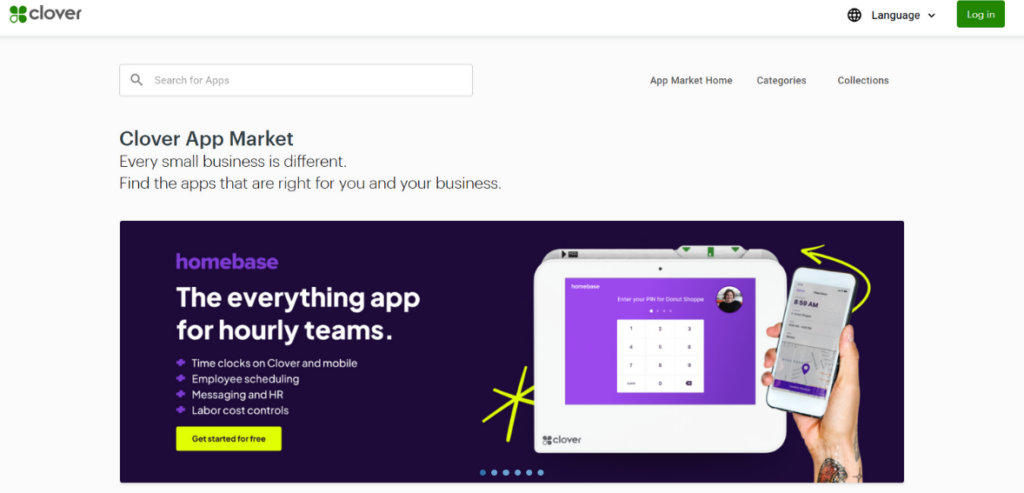
Clover is one of the most popular point-of-sale systems used by businesses of all sizes. It streamlines payment processing, inventory management, and customer engagement, among other things. While these features significantly boost a business’s efficiency, the wide range of third-party applications available in its app marketplace adds to its capabilities.
These applications further improve operations and efficiency and enhance the customer experience. With time, new applications are introduced with better features and integration capabilities—choosing the right ones out of its repository of 280+ applications becomes a question of enhancing current efficiency. So, this blog has you covered whether you are looking for marketing apps, applications to manage employees and inventory, or apps for data analytics and finances. Below, we look at the Clover App Market and the top Clover apps across categories like sales, marketing, accounting, and customer loyalty.
In basic terms, Clover App Market is a dynamic, cloud‐based ecosystem designed to “one-up” the functionalities of Clover’s existing point‐of-sale systems through third-party integrations. The marketplace currently hosts 283 live listings from 195 different independent software vendor (ISV) partners—predominantly from the United States, which accounts for over 80% of all partners.
Offering both paid and free application options, this centralized digital directory allows businesses to customize their POS experience. The platform supports everything from real‑time analytics to streamlined inventory management and enhanced customer engagement. The platform continues to innovate with emerging trends such as AI-driven enhancements. This steady integration of advanced technologies underlines Clover’s commitment to evolving its service offerings and meeting the diverse needs of small and medium-sized businesses.
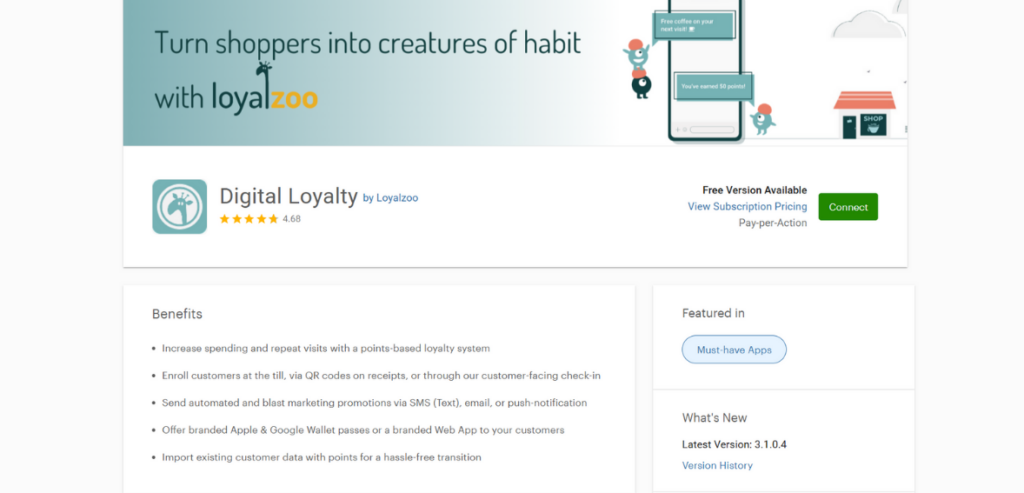
Digital Loyalty by Loyalzoo is a points-based loyalty system designed to help businesses increase customer spending and encourage repeat visits. It offers several features that streamline customer engagement and make loyalty management more effective.
The app makes customer enrollment quick and easy. Businesses can sign up customers directly at the till, through QR codes printed on receipts, or via a customer-facing check-in. This flexibility ensures that more customers can join the loyalty program with minimal effort.
To boost engagement, Loyalzoo offers automated marketing promotions. Businesses can send personalized offers and updates through SMS, email, or push notifications, helping them stay connected with their customers.
Additionally, the app provides branded digital passes for Apple and Google Wallet or a custom web app. This allows customers to access their loyalty information conveniently without downloading a separate app. For businesses switching from another loyalty program, Loyalzoo supports a smooth transition by allowing the import of existing customer data, including their accumulated points.
Merchants can choose from several flexible pricing models—a pay‑per‑active customer plan (around $0.15 per active customer per month) or an unlimited plan starting at approximately $127 per month after a free trial. Its seamless integration with Clover helps boost customer retention and revenue while providing actionable insights into customer behavior.
2. Time Clock by Homebase
Time Clock by Homebase offers automated time tracking by turning your POS into a free time clock. It logs employee hours, breaks, and overtime automatically, reducing the need for manual record-keeping.
The app includes scheduling features with shift reminders, helping businesses keep their teams on track and informed about their work hours.
For payroll management, Homebase streamlines the process by converting timesheets directly into payroll data, eliminating the need for manual entry. It also offers built-in team communication, allowing staff to stay connected without relying on group chats or emails.
The app is available in multiple tiers—from a free Basic plan to Essentials at around $19.95 per month, Plus at roughly $49.95 per month, and an All‑in‑One plan for about $99.95 per month—ensuring businesses can choose the level of functionality that best fits their operational needs.
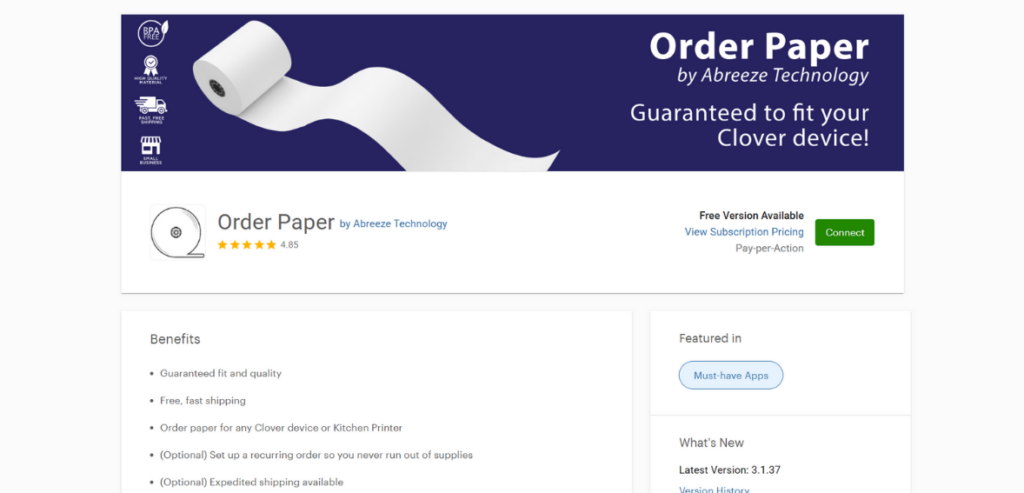
Order Paper by Abreeze Technology simplifies purchasing paper supplies for Clover devices and kitchen printers. It guarantees a proper fit and consistent quality for all compatible equipment.
The app offers fast, free shipping with options for recurring orders and expedited delivery, ensuring businesses receive their supplies quickly.
Users can set up recurring orders for automatic replenishment to prevent running out of essential materials. With just three clicks, staff can order receipt rolls or ribbons by selecting the type and quantity and confirming the shipping address. Orders are billed directly through the app and include free shipping. For example, you might pay around £15.99 for a pack of 20 2‑ply paper rolls (complete with a ribbon), streamlining inventory management and eliminating last‑minute paper shortages that disrupt operations.
4. QuickBooks by Commerce Sync
QuickBooks by Commerce Sync automates the syncing of daily sales data, eliminating the need for manual data entry. It processes unlimited sales, making it suitable for businesses of any size.
The app supports multi-location management, allowing businesses to track sales data across multiple locations from a single platform.
It offers custom sync options for flexibility, enabling users to transfer data as daily summaries, by customer, or by categories. The app categorizes sales, applies sales tax correctly, and even reconciles after‑hours transactions, saving users up to 300 hours a year. This integration minimizes data entry errors and keeps your financial records consistently up‑to‑date. Subscription pricing is typically set in the mid‑range (often starting around $29–$49 per month), making it an essential tool for small businesses looking to streamline their accounting processes.
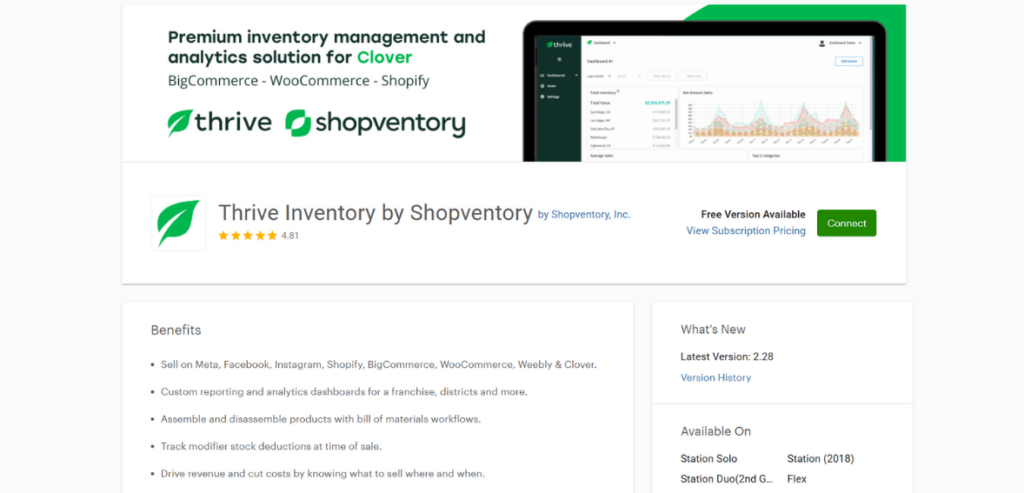
Thrive Inventory by Shopventory enables multi-channel sales by syncing Clover with platforms like Meta, Facebook, Instagram, Shopify, and more. This ensures consistent inventory management across all sales channels.
The app offers advanced reporting with customizable analytics dashboards, making it ideal for franchises or multi-location businesses.
It includes a bill of materials workflow for inventory management, allowing businesses to assemble or disassemble products and track modifier stock deductions accurately.
With data-driven insights, businesses can identify which products to sell, where, and when—helping them maximize revenue and reduce costs. Plus, features like smartphone barcode scanning and customizable reports help businesses optimize their supply chain and reduce waste. Pricing is flexible, with a free basic plan available for smaller operations, a Pro Plan of around £19.99 per month, and Enterprise plans that offer custom pricing for more prominent, multi‑site businesses.
6. Analytics BusinessQ by Qualia
Analytics BusinessQ by Qualia uses AI and machine learning to provide actionable insights from business data. It offers comprehensive reporting with over 50 columns covering items, orders, employees, etc.
Businesses can set up scheduled reports to receive automated emails and manage inventory with custom reporting tools.
The app is designed for flexibility, allowing users to access all features on any device. Pricing is typically subscription‑based—with plans scaling according to report complexity and multi‑location support—and is available upon request, making it a valuable tool for data‑driven decision-making.
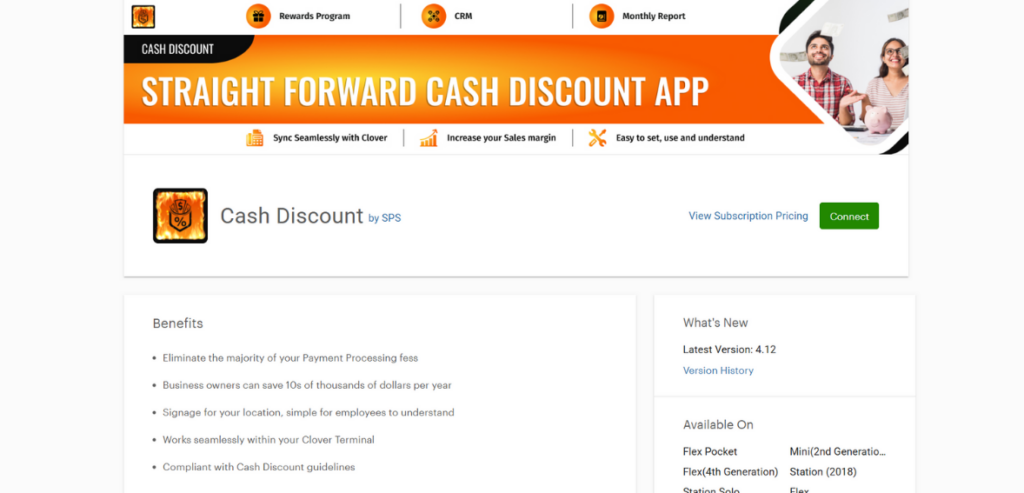
Cash Discount #1 by SPS helps businesses reduce processing fees by setting their cash discount rate, allowing them to save up to 4% on transactions.
The app offers flexible payment collection through e-invoices, making accepting payments from any location easy. It also includes integrated rewards and CRM features to enhance customer retention and strengthen relationships.
Businesses can see an immediate impact on their bottom line by lowering costs and boosting savings. This functionality not only improves profit margins but also simplifies fee management. The pricing model is designed to be cost‑effective—often featuring a low monthly subscription or a per‑transaction fee—so that even small merchants can benefit without significant overhead.
Real-Time Inventory Sync keeps inventory data synchronized across retail and eCommerce platforms, preventing discrepancies. It offers real-time reporting, combining Point-of-Sale and eCommerce sales data for accurate, up-to-date insights.
Users receive a free one-on-one consultation with a sync expert to optimize the setup and maximize efficiency. The app integrates with major platforms, including Shopify, WooCommerce, Wix, BigCommerce, and Squarespace, ensuring broad compatibility.
9. Subscriptions, Memberships & Card-on-File by Loyalzoo
Subscriptions, Memberships & Card-on-File by Loyalzoo helps businesses generate recurring revenue through subscription and membership plans.
It offers seamless customer enrollment via POS, QR codes, or secure SMS and email links. The app speeds up checkout by storing cards on file, allowing faster and more convenient payments.
Automated management features handle card updates and declined payments, reducing manual work. Businesses can also send promotional messages to enhance customer engagement and improve retention.
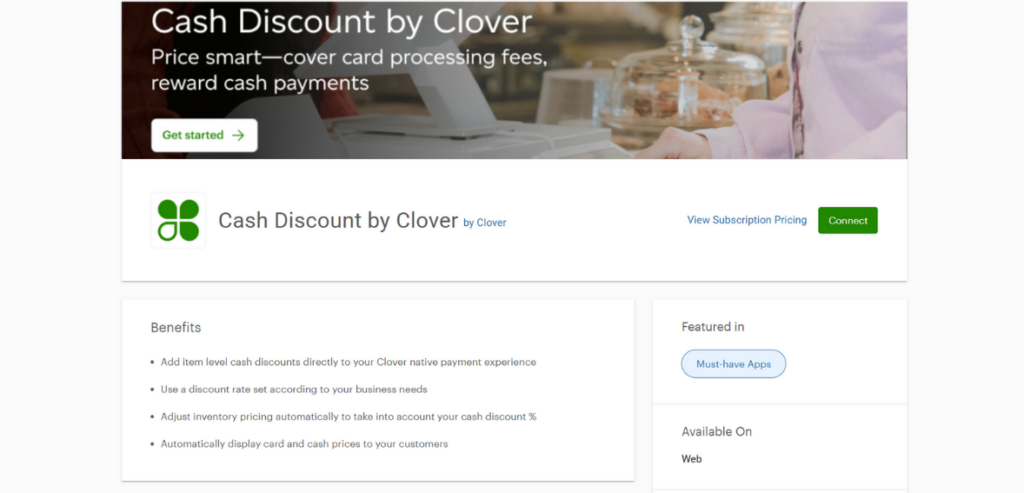
Cash Discount by Clover integrates natively with the Clover payment system, allowing businesses to apply item-level cash discounts directly.
It offers dynamic pricing by automatically adjusting inventory prices based on the set cash discount percentage.
The app displays dual pricing, clearly showing customers’ card and cash prices. Businesses can customize discount rates to meet their specific needs, offering flexibility in pricing strategies.
11. Fun and Games by Abreeze Technology
Fun and Games by Abreeze Technology enhances the customer experience by allowing businesses to print free games and coloring sheets directly from their Clover POS receipt printer.
It helps keep children entertained, adding a family-friendly touch to the service.
Whether printed on receipts or displayed on digital screens, the app entertains customers while subtly promoting special offers or loyalty rewards. Its customizable templates allow you to align the games with your brand’s theme. Although free, businesses can request custom-designed coloring sheets featuring their brand logo and theme for an additional fee, creating a personalized experience.
12. Samsung Ordering Kiosk by Nanonation
Samsung Ordering Kiosk by Nanonation improves efficiency with easy-to-set-up, commercial-grade self-service kiosks that reduce wait times. The kiosks sync seamlessly with Clover Menu and Modifiers data, ensuring real-time pricing accuracy.
They support multiple order types, including dine-in and take-out, with direct order submissions to the Clover POS. Built for reliability, the kiosks are designed to handle high-volume use in busy restaurants and cafés.
Pricing is typically subscription‑based, with a free trial to help businesses assess its benefits before committing to a mid‑range monthly fee.
13. RACS by Infuse
RACS by Infuse automates compliance for age-restricted products by enforcing ID verification and volume limits. It uses a barcode scanner to verify customer IDs, automatically removing products if age requirements aren’t met.
The app also enforces volume restrictions, removing excess products to comply with regulations (e.g., 2 devices and 5 pod packs per transaction). During the initial setup, it automatically populates your inventory with supported age-restricted products, streamlining the process.
While specific pricing details are available upon inquiry, the app is generally offered on a subscription basis with scalable features that suit both single‑location and multi‑location operations.
14. Commissions by Zoomifi
Commissions by Zoomifi allows businesses to create custom commission structures, offering percentage-based or flat-rate plans for each employee. It generates detailed commission reports that can be exported for record-keeping and payroll purposes.
The app simplifies commission tracking and management with an easy-to-use interface. Pricing is typically available on a subscription or per‑location basis (often in the mid‑range), and merchants can usually request a demo or quote for exact details.
15. Returns by Abreeze Technology
Returns by Abreeze Technology streamlines the refund and exchange process by automatically returning items to inventory. It offers pre-selected options and simplifies partial refunds by automatically identifying the returned items.
The app allows businesses to retrieve historical return data, making processing repeat or related refunds easy. It also helps maintain precise stock counts by accurately adjusting inventory with each return.
With a user‑friendly interface and clear audit trails, the app reduces manual errors and improves overall efficiency in handling returns. Pricing is generally modest—designed to suit small and medium‑sized retailers—with options including a low monthly fee or a per‑transaction rate. A free trial is often available to test its functionality.
16. Shipping Labels & Delivery UPS, USPS, FedEx by SPS
This app enables businesses to generate shipping labels directly from their Clover device. It offers order tracking, allowing users to monitor the status of shipped orders in real-time. The app includes automated shipping calculations and label creation, reducing manual work.
It supports multiple carriers, including UPS, USPS, and FedEx, providing flexible delivery options.
17. Payroll by Gusto
Payroll by Gusto simplifies payroll processing, allowing businesses to pay employees and contractors in just a few clicks. It handles tax compliance by automatically filing local, state, and federal payroll taxes.
Businesses can take advantage of a 3-month free trial to explore the service. The app syncs with Homebase, integrating time tracking for a streamlined payroll process.
18. Reminders by PayPlaxe
Reminders by PayPlaxe keep employees informed with timely alerts displayed throughout the day. It syncs reminders across multiple devices, ensuring consistent notifications. The app offers simple configuration options, making scheduling and customizing alerts easy.
It can trigger reminders for appointments, payment deadlines, or follow‑up actions directly from your Clover system. This helps reduce no‑shows, ensures timely service, and improves overall customer engagement. The app offers customization options for message timing and content, typically at a low monthly subscription fee, which makes it an affordable add‑on for businesses of all sizes.
19. Remote Invoice Payments by Zaytech
Remote Invoice Payments by Zaytech enables businesses to accept remote payments via email or text links sent directly from the register. It provides real-time status updates, showing when emails are read and payments are made.
Payments are deposited directly into the business’s Clover merchant account. The app also supports tip integration, allowing customers to add gratuity with remote payments.
The process is simple: select Remote Pay on the register, enter the customer’s contact details, and they can complete the payment on their smartphone or computer.
It simplifies follow‑up on outstanding invoices and enhances cash flow management. Pricing is generally subscription‑based, with plans that vary according to the level of features and the volume of transactions—making it a flexible solution for both small and growing businesses.
20. Main Street Insights
Main Street Insights offers data-driven analytics, providing visual updates and performance metrics to help businesses track growth and compare against competitors. It features comprehensive dashboards with charts and graphs detailing top-selling products, revenue streams, and customer trends.
The app includes local competition data, giving businesses insights into market dynamics. With In Stock Reporting and Insights Unlocked, companies can access deeper financial and inventory analysis for more intelligent decision-making.
The app is handy for local businesses wanting to benchmark performance against competitors. Pricing is competitive and often offered on a scalable subscription model—with a basic free version available and premium options for more advanced reporting needs.
21. Yelp for Business Owners
Yelp for Business Owners is a free tool designed to help merchants manage and improve their online reputation directly through Yelp’s extensive review network. This app enables business owners to quickly view and respond to customer reviews, track trends in customer feedback, and update key business information such as operating hours, services, and promotions.
Its intuitive dashboard provides real‑time insights into review patterns and customer engagement, helping businesses identify areas for improvement and capitalize on positive experiences. While the basic app is free, Yelp offers premium advertising solutions that boost businesses’ visibility and reach targeted audiences.
Conclusion
The Clover App Market offers various third-party applications that help businesses enhance their point-of-sale systems, streamline operations, and improve customer experiences. From managing inventory and automating payroll to offering loyalty programs and simplifying accounting, these apps provide valuable tools for boosting efficiency and driving growth.
As Clover expands its marketplace and integrates advanced technologies like AI and machine learning, businesses can expect even more powerful and customizable solutions. By carefully selecting the right apps, companies can optimize their workflows, reduce manual tasks, and gain deeper insights into their operations—all while delivering better service to their customers.
Payment systems are often the hidden engine behind business growth. Many small-to-medium businesses focus on products and marketing, but forget that a smooth payment experience can ignite sales and retention. Digital wallets and diverse payment methods are reshaping commerce. For example, digital wallets account for 50% of all e-commerce transactions today, and 41% of consumers plan to use only digital payment. This means businesses that accept multiple payment options – mobile wallets, contactless pay, BNPL plans, and more – can reach far more customers.
Optimized payment processing strategies give smaller merchants a competitive advantage, turning every checkout into a loyalty opportunity. Consumers today expect a flexible, frictionless checkout. Offering a range of e-commerce payment methods (credit card, debit, digital wallets like Apple Pay or Google Pay, even cryptocurrency and BNPL) can dramatically improve conversion rates. At the same time, coupling payments with loyalty programs and subscription offerings deepens customer relationships.
Merchant services growth isn’t just about processing transactions – it’s about using payment solutions to boost sales and build long-term customer value. In this blog, we explore how tweaking your payment system can be one of the best payment processing hacks for growth.
The Growth Bottleneck Most Businesses Overlook
Inefficient Checkout Experiences
A common bottleneck is the checkout itself. Clunky or lengthy payment flows kill sales: customers abandon carts if checkout is slow, confusing, or missing their preferred method. For example, if your online store only accepts a couple of card types, you risk losing customers who want to use digital wallets or mobile pay.
With 50% of online purchases made via mobile wallets, failing to offer those options is like turning away half your market. Merchants should aim for a one-page, optimized checkout that supports all major payment methods – credit, debit, PayPal, Apple Pay, Android Pay, and even local e-wallets in different regions. Enabling multiple payment options means fewer lost sales and happier customers.
It also builds trust: shoppers are more confident when they see familiar logos (Visa, MasterCard, AmEx, digital wallet brands, etc.) at checkout. And on the operational side, a modern payment system lets you quickly update your payment options or interface as trends change.
Hidden Costs Draining Profit Margins
Many businesses overlook how processing fees and hidden charges erode profit. Traditional merchant accounts and payment gateways often bury extra fees in every transaction, monthly, or annually: interchange fees, assessment fees, gateway fees, PCI compliance fees, chargeback fines, and more. Even a seemingly small credit card rate of 2.5% on sales can add up to thousands in fees each year. Over time, those costs quietly drain margins. Savvy competitors reduce these costs through smarter pricing and service choices.
For example, instead of blindly accepting all card fees, some businesses use dual pricing (cash discounting) or surcharging to shift costs. Others negotiate interchange-plus pricing or switch to processors who waive monthly minimums and limit hidden fees. By uncovering and trimming these costs, you not only improve margin on every sale but also free up budget to reinvest in growth activities like marketing or product development.
In the next section, we’ll cover specific hacks – including dual pricing – that turn these pain points into opportunities.
5 Merchant Services Hacks Driving Business Growth
Efficient payment processing strategies play a major role in helping businesses grow and stay competitive. From improving cash flow to enhancing the customer experience, how a company handles transactions can make a real difference.
Here are five merchant services hacks that are helping businesses boost growth, reduce costs, and operate more effectively.
Hack #1: Dual Pricing to Boost Margins
Dual pricing, often called cash discounting, is a smart way for businesses to cover credit card processing fees without directly charging customers extra. It works by offering two prices: a lower price for those paying with cash or check, and a slightly higher price for those paying by card. Cash customers receive a modest discount, usually around 3–5%, while card users pay the full posted price, which includes the cost of processing fees. This approach allows merchants to offset their transaction costs. Dual pricing involves adjusting your listed prices upward by the same percentage as the cash discount, ensuring cash buyers benefit from savings while card sales recover the necessary fees.
This hack works because credit card companies allow it (all 50 states permit cash discounting), and it’s easy to implement with a modern POS. Gas stations, small retailers, and restaurants use dual pricing to keep headline prices low and pass card fees to users. The benefit is that every card transaction effectively costs you zero (or very little). In practice, if your average card fee is 2.5%, you might list all prices 2.5% higher and give 2.5% off for cash payments.
You still save the 2.5% fee on card sales, but your prices appear normal to card users. The revenue impact can be significant: over a year, those few percentage points add to large savings. The extra margin can be reinvested into marketing or rewards. However, it must be done transparently: display both prices clearly and train staff to explain it politely. When done right, dual pricing is a merchant service tip for small businesses that can quietly boost profitability without alienating customers. (Just ensure you comply with card brand rules: don’t accept cards, simply offer the discount to cash buyers.)
Hack #2: Integrate Recurring Billing for Customer Retention
Shifting customers to subscriptions or payment plans is a powerful growth lever. Recurring billing – from monthly product subscriptions to annual service renewals – turns one-time buyers into loyal fans. If your business has any repeatable offering (software, consumables, memberships, maintenance services, etc.), give customers the option to pay automatically on a schedule.
These secure customer retention payments, a set-it-and-forget-it payment processing strategy, lock in revenue. The subscription economy is booming. A recent study found that subscription-based companies are outgrowing the market: businesses in the “Subscription Economy Index” saw 11% faster revenue growth over two years than the S&P 500. And consumers are increasingly comfortable with pay-over-time: in 2024, 68% of U.S. adults subscribed to a new service for the first time. Not only this, 25% more unique subscribers were added across top subscription businesses in the past two years, indicating strong demand.
What does this mean for small merchants? By offering recurring billing, you make the buying process effortless for customers. They no longer have to remember to reorder or renew, and you benefit from predictable, automated cash flow. It’s like turning part of your sales funnel into a retention engine.
And since 18% of consumers use subscriptions to express loyalty to a brand, integrating loyalty and payments creates a virtuous cycle: the longer they stay subscribed, the higher their lifetime value. To implement this hack, set up a payment gateway with subscription support (Stripe, PayPal, Square, and many others offer built-in recurring billing). Offer perks for sign-ups – a discount on the first term, bonus loyalty points, or exclusive content – to encourage take-up. Ensure customers can manage their payments easily (change card, pause/cancel). Over time, a higher percentage of your customers paying on autopay means steadier revenue, better cash flow forecasting, and lower churn.
Hack #3: Offer Buy Now, Pay Later (BNPL) to Increase Conversions
Offering Buy Now, Pay Later plans (like Klarna, Affirm, Afterpay, etc.) can meaningfully lift sales, especially for mid-priced to high-ticket items. BNPL is effectively a short-term credit at checkout, letting customers split a purchase into interest-free installments. This appeals to shoppers who might hesitate at the full price or don’t have a credit card. While still a fraction of overall payments, BNPL is growing fast.
About 9% of U.S. consumers were using BNPL as of late 2023 (and usage rose 40% in two years). Among younger and digitally-savvy shoppers, the figure is even higher. Adding BNPL to your payment options removes a price objection for these buyers. A customer who balks at a $200 purchase might go ahead if they can pay $50 four times.
In fact, some retailers report higher average order values once BNPL is available. For implementation, partner with one or more BNPL providers and display their logos at checkout. Since BNPL acts like a credit card (many providers handle the credit risk), you get paid up front (minus the provider’s fee), and the BNPL company collects from the consumer.
Note that BNPL providers charge a transaction fee (often 4-6%), which may be slightly higher than a standard card fee, but the trade-off is a higher conversion rate and access to new customers. Integrating loyalty and payments also matters here: some BNPL firms allow loyalty points to be applied to purchases, making the deal even sweeter for customers. Keep in mind regulatory changes: as of 2025, BNPL lenders in the U.S. are treated similarly to credit card issuers, meaning consumers have similar protections (chargebacks, etc.). It means that BNPL is mainstream now. By adopting BNPL, you capture sales that might otherwise be lost, boosting overall revenue with minimal effort.
Hack #4: Use AI to Reduce Chargebacks and Fraud
Fraud and chargebacks are silent growth-killers, eating away at revenue and adding hours of admin work. Fortunately, modern merchant services use AI and machine learning to fight back. AI fraud engines analyze transaction data in real time, spotting suspicious patterns that rule-based filters might miss.
For example, they can flag slight anomalies in user behavior, device fingerprinting, or past transaction history, and automatically challenge or decline risky orders. Research shows the payment industry is quickly adopting AI for this purpose. Investment bankers note that advanced AI (including generative models) can “turbocharge” fraud detection beyond existing systems.
In practice, AI-based solutions can catch fraud faster and more accurately than manual reviews. This means fewer fraudulent orders processed (saving the cost of goods and chargeback fees) and fewer false declines of legitimate customers (which would have hurt sales and loyalty). Beyond fraud, AI also helps automate reconciliation and customer support. For instance, AI bots can match payments to invoices, send reminders for subscriptions, and even help resolve disputes. All of these improvements reduce overhead.
Hack #5: Leverage Next-day Funding to Improve Cash Flow
Cash flow is the lifeblood of any business, especially small ones. If you wait days for sales revenue to hit your bank, you may miss opportunities or struggle with expenses. Many traditional processors settle funds in 2–3 business days by default. A simple hack to unlock growth is to speed up the settlement. Modern merchant services often offer next-day or even same-day payouts (Square and Stripe have options for near-instant transfers). Switching to a provider that offers next-day funding means every sale becomes working capital sooner. Faster cash allows you to reinvest quickly: buy inventory, pay bills, run flash sales, or take advantage of bulk discounts.
When competitors are stuck waiting on payments, you can move first. To take advantage of this hack, compare payment partners’ funding times and fees. Some will enable free next-day deposits if you settle daily, while others charge a small premium for instant deposits. For many small businesses, paying a tiny fee for urgency is worth it for the added flexibility.
How to Implement These Hacks Without Disrupting Operations
Choose the Right Processor with Modern Tools
Not all payment providers are created equal. The first step is to audit your current setup: list what tools and fees you have today, and identify gaps (missing payment methods, high costs, lack of analytics, etc.). Then look for a merchant service provider that has the features you need. Many new cloud-based gateways and POS systems bundle everything: they support credit/debit cards, ACH/ACH debit, e-wallets, BNPL partners, and even cryptocurrency.
They often include subscription billing modules and built-in fraud detection powered by AI. When evaluating processors, consider those catering to small businesses with transparent pricing. Look for mentions of “interchange-plus” pricing (more straightforward fees) and low monthly costs. Test that they can integrate loyalty programs or CRM, so payments tie into rewards. For example, some systems automatically add loyalty points on checkout, or let customers pay with points + card.
Being able to integrate loyalty and payments means you turn each transaction into a retention touchpoint. Also, check their speed of payouts: if fast cash is important, verify next-day funding options. Many processors advertise ”instant payouts” or daily automatic transfers. Don’t forget support: choose a provider that offers tech support and training, since new systems can trip up staff at first.
Pick a processor that works with you, not against you – one that provides the advanced tools (multi-method checkout, AI analytics, loyalty integration, fast funding) that your business needs to scale.
Map Your Current System to Future Improvements
For example, if you have many return customers, start with recurring billing or loyalty integration. If you sell big-ticket items, try BNPL on those first. Upgrade incrementally. You might begin by enabling Apple Pay or Google Pay (digital wallets) on your online store – a quick win that can boost conversion without confusing customers.
Implementing new hacks shouldn’t mean ripping everything out overnight. Instead, map your existing payment flow from start to finish: list all points of payment (online checkout, in-store POS, phone orders, invoice billing, etc.) and current pain points in each. Then prioritize which hack to test first, where it makes sense.
Next, roll out a subscription plan for one of your products. Meanwhile, slip in a cash discount signage if you go the dual pricing route, perhaps on a single location or product line at first. Always communicate changes to customers clearly: update your website, train staff on talking points, and post notices about new payment features (e.g., “Now accept PayPal and Visa, or save 3% when you pay with cash!”).
During this process, treat it like a project plan. Set goals (e.g., “increase conversion by 5%” or “reduce average settlement time to 1 day”) and assign responsibilities (who will configure the system, who will monitor results). The key is to align your systems gradually with your growth hacks so you can measure impact.
Train Staff and Monitor KPIs
No tech solution can reach its potential without people behind it. Train your staff on any new payment feature. For example, if you start dual pricing, employees should know how to explain it: that cash payers get a small discount and that pricing differences aren’t hidden. If you roll out subscriptions or BNPL, staff should know how customers sign up and how it affects invoicing. Even a quick 10-minute training or cheat sheet can make a big difference in smooth adoption.
Set up metrics (KPIs) to watch the effects. Useful metrics include conversion rate, average order value, customer lifetime value, processing fees paid, and rate of chargebacks. For example, after adding BNPL, you might see a bump in average sale size; after enabling digital wallets, check if cart abandonment falls. If you implement loyalty points, track the repeat purchase rate. Modern merchant dashboards usually have these reports built in.
Regularly review the data to ensure each hack is delivering results. If something isn’t working (e.g., customers aren’t using a new feature), you can tweak or try a different approach. Ultimately, treat these hacks as an ongoing experiment. The beauty of modern payment platforms is that they are modular and data-driven. By monitoring KPIs, you can double down on what works. Over time, these small changes – extra payment options, smarter pricing, faster payouts – will compound into explosive growth.
Final Thoughts: Start Small, Scale Fast
Don’t try to overhaul everything at once. Pick one hack that aligns with your biggest weakness and run a pilot. It could be as simple as adding digital wallets and watching if sales tick up. Or offering a subscription for your top-selling product. Once you see positive results, layer in the next idea. The goal is steady improvement: as you expand payment options and optimize processing, each sale becomes more profitable and each customer more loyal. These merchant service tips for small businesses are practical and low-risk.
The modern payment landscape is rich with tools that can “plug and play” in your operations. By treating your payment system as a growth tool, not just a cash register, you unlock a hidden engine for sales and loyalty. Remember: Payment processing hacks for growth don’t require an extravagant marketing spend – they leverage technology to work smarter. Start small, measure outcomes, and let the momentum snowball. Before long, you’ll be outpacing competitors who stuck with the status quo.
Frequently Asked Questions
What is dual pricing, and how does it work?
Dual pricing lists two prices: a lower one for cash payments and a higher one for card payments to cover processing fees. It’s legal if both prices are clearly displayed, helping businesses avoid paying card fees out of pocket.
How does BNPL impact small business operations?
Buy Now, Pay Later (BNPL) can boost sales and average order values by letting customers pay in installments. Merchants get paid upfront but should account for slightly higher fees and follow updated dispute and return rules.
Is AI integration in payment processing expensive?
AI fraud tools are now common and often included in payment platforms with little or no extra cost. They quickly pay off by reducing fraud and false declines, making them a cost-effective choice for most businesses.
If you’re a small business owner in the U.S., chances are you accept credit or debit card payments – and pay for the privilege through “merchant services.” Unfortunately, a majority of small businesses are overpaying for merchant services more than they should for these services. Various surveys suggest that roughly 3 out of 4 small businesses are overpaying on credit card processing fees. One report found that over 90% of businesses end up paying more in processing fees than they initially expected. Another survey revealed 52% of business owners believe they’re overpaying each month, and 32% admit they don’t even review their processing statements (essentially paying blindly).
All those extra charges add up – U.S. small businesses were hit with an estimated $153 billion in hidden or unexpected fees in 2024 alone, with over $53.8 billion of that coming just from credit card processing fees. The typical entrepreneur loses around $4,400 per year to these sneaky costs, and for 1 in 5 businesses, those fees were so high they pushed the business into the red (unprofitability). The bottom line? Merchant processing fees are a big drain on small business profits, often a silent one. But it doesn’t have to be this way.
Below, we’ll explain what merchant services are and the common fees involved, why so many businesses overpay (think hidden fees, opaque contracts, bad pricing models), and – most importantly – how you can avoid these pitfalls.
What Are “Merchant Services” (and What Fees Do You Pay)?
“Merchant services” is an umbrella term for the financial services that enable a business to accept customer payments via credit cards, debit cards, and other electronic payments. This includes setting up a merchant account and using a payment processor or provider to handle transactions.
Whenever you swipe a customer’s card or they click “Pay” on your website, multiple parties are involved (banks, card networks, processors) – and each may take a small cut via fees. For a small business, these fees show up as your credit card processing costs. They can be surprisingly complex.
What Are Some Common Merchant Services Fees?
Here are some of the common fees you might see in your merchant services agreement or monthly statements:
Interchange Fees: This is the base fee paid to the customer’s card-issuing bank on each transaction. It’s usually 1.5%–3.5% of the sale amount plus a small fixed amount (around $0.10–$0.30 per swipe). Interchange rates vary by card type and transaction method (e.g., chip, tap, online), and they’re non-negotiable – Visa and Mastercard set these.
Assessment Fees: A small percentage charged by the card networks (Visa, Mastercard, etc.) on each transaction, often around 0.13%–0.15%. This is another “built-in” cost from the networks themselves.
Processor Markup (Service Fee): This is your payment processor’s charge on top of the interchange. It’s the portion you can negotiate or shop around for. It might be quoted as a percentage (e.g., 0.3% above interchange) plus a per-transaction fee, or bundled into other rates. Markups vary widely – some processors take only ~0.1%, while others add 1% or more. This is where a lot of extra cost can hide.
Transaction Fees: Many providers charge a flat fee per transaction (often $0.05 to $0.30 each), which may be in addition to percentages. For example, you might pay 2.2% + $0.20 on each sale.
Monthly & Annual Fees: Fixed fees for maintaining your account or providing services. Common ones include a monthly statement fee or account fee (which could be $10–$40 per month), and annual fees for things like account maintenance.
Payment Gateway Fee: If you accept online payments, there may be a monthly gateway fee (say $5–$25 per month) and maybe a tiny fee per online transaction. This covers the software that securely transmits the card data online.
PCI Compliance Fee: Often around $100+ per year, this is charged to help cover the cost of maintaining PCI DSS compliance (industry-mandated security standards). Sometimes it’s billed monthly (e.g., ~$10/month). If you don’t complete the required compliance steps, you might also get hit with PCI non-compliance fees on top, essentially a penalty.
Address Verification Service (AVS) Fee: Usually 1–10 cents per transaction when you use AVS (the system that verifies billing addresses for fraud prevention on card-not-present transactions). Just a few pennies, but for high-volume business, it can add up.
“Non-Qualified” Surcharge: If you’re on a certain pricing plan, some transactions that are considered higher risk or rewards cards can incur an extra surcharge above your base rate. This could be an extra 1%–3% on those transactions. It’s often not obvious until you see the statement.
Chargeback Fee: If a customer disputes a charge and it’s reversed (a chargeback), you’ll pay a fee, typically $15–$40 per incident (regardless of whether you win the dispute or not). This is to cover the admin work of the dispute process.
Early Termination Fee: A penalty for canceling your merchant account contract early. These can range from a couple of hundred dollars to $500+, and are usually buried in the fine print of your contract. Not all providers have this, but many traditional processors do enforce it.
Your total effective rate (the percentage of each sale that you lose to fees) is the sum of all these pieces. With so many moving parts, it’s easy for extra costs to hide in the shadows. On average, a small business loses about $2,400 per year to these hidden processing fees – money that could be funding your business growth instead.
Why Do Most Small Businesses End Up Overpaying for Merchant Services?
If the fees above made your head spin, you’re not alone. The complexity of merchant services is one big reason many businesses overpay. Providers don’t always make it easy to understand what you’re paying for, and busy business owners have a million other things to worry about. Here are the common reasons why so many small businesses overpay for merchant services:
Hidden Fees and Surcharges
A big culprit is fees that are not immediately obvious. Payment processors might advertise a super low rate (like “1.69% for qualified transactions!”) but bury additional fees in the contract or statement details. For instance, you might sign up for what looks like a 1.69% rate, only to later find many transactions are categorized as “non-qualified” and charged 3 %+, plus monthly fees you didn’t realize. Merchant providers often lump fees under generic labels (“service fee,” “processing fee”,) which makes it hard to tell what you’re paying.
Hidden fees like those for PCI compliance, equipment, or statement charges can quietly inflate your costs without you noticing immediately. Over time, these little charges add up, which is exactly why small businesses collectively paid tens of billions in such fees last year.
Lack of Transparency (Confusing Pricing Models)
Not all pricing plans are created equal. Many small businesses are put on tiered pricing plans, where transactions are grouped into categories like “qualified,” “mid-qualified,” and “non-qualified” with different rates. Tiered pricing is notoriously confusing and often more expensive because it’s hard to know which sales got downgraded to a higher rate. Your statement might just show a blended rate or a few line items that obscure the true markup. Interchange-plus pricing (also known as cost-plus) is much more transparent – it separates the exact interchange fees and the processor’s margin on your bill.
But if your provider hasn’t put you on interchange-plus, you might be paying a padded rate. The complexity of fees in general also hurts transparency – different cards (Visa, Amex, rewards cards, corporate cards) all have different costs. Many merchants simply throw up their hands. In one study, 73% of people don’t fully read the terms when signing up online (and 17% of those who do read them don’t understand them) – meaning business owners often agree to processing contracts without digesting all the cost details. An opaque contract is the perfect place for a provider to hide fees or less favorable terms that lead to overpayment.
Bad Contracts and Gotchas
Speaking of contracts, a lot of small businesses get locked into multi-year merchant services agreements that have stiff early termination fees. This means even if you discover you’re overpaying, it’s painful to switch providers. Some contracts also auto-renew annually without clear notice, extending your commitment (and fees) unless you cancel within a small window. Additionally, some providers enforce monthly minimums – if you don’t process a certain amount, they charge you extra to make up the difference.
These contract tricks ensure the processor gets paid (and you potentially overpay) even when it’s not in your best interest.
Inattention or Lack of Awareness
Most small business owners aren’t payment experts, nor do they have time to scrutinize every line of a merchant statement each month. Many simply pay the bill without question. In that Fattmerchant survey, 32% of owners said they don’t even look at their merchant processing bill before paying it. If fees inch up or new charges appear, they go unnoticed. Also, if you’re not comparing your rates to market standards, you might assume “that’s just what it costs.”
Over the years, a processor might increase your rates or add fees, and without vigilant monitoring, you end up overpaying by inertia. Hidden fee creep is real – a slight 0.5% increase in fees can cost a business thousands of dollars annually, yet it might slip by if you aren’t watching.
Misleading Sales Tactics
Unfortunately, some merchant service sales reps use tactics that can lead to overpayment. They might highlight a low headline rate but gloss over the surcharges or the fact that the rate only applies to a narrow set of transactions. Or they might promise “no upfront cost” by giving you a “free” card terminal, which locks you into a higher processing rate or a costly lease in the fine print.
We’ve all heard the phrase “if it sounds too good to be true, it probably is”. Many small businesses learn this the hard way with merchant accounts. A lack of industry knowledge can make it easy to agree to a deal that isn’t truly cost-effective. By the time the first statement arrives and reality hits, you’re already locked in.
How to Stop Overpaying: Tips to Lower Your Merchant Fees
So, how can you avoid overpaying for merchant services? The key is to be proactive, informed, and willing to make changes. Here are some clear, actionable tips for small businesses to ensure you get a fair deal on payment processing:
Review Your Statements Regularly:
It all starts with awareness. Make it a habit to actually read your monthly merchant account statements (or online reports). Look for any unfamiliar charges or surcharges. Are there line items labeled in cryptic ways like “BT Fee,” “Batch Fee,” or “Regulatory Compliance Fee”? Don’t just shrug and assume they’re inevitable.
Call your processor and ask them to explain every fee you don’t recognize. You might discover fees for services you don’t use or mistakes that can be corrected. Regular reviews also help you notice if your rates creep up over time. The simple act of monitoring can save you money – you can’t fix what you don’t know is there.
Understand Your Pricing Model (and Consider Interchange-Plus):
Find out how your processor is charging you. Are you on a tiered plan, flat-rate, or interchange-plus? This might be indicated on your statement or in your contract. If you see terms like “qualified”/“non-qualified” or a three-tier structure, you’re on a tiered plan. Interchange-plus is generally the most transparent and often the cheapest for growing businesses, because you pay the true interchange costs plus a fixed markup.
Whereas, tiered pricing can mask high markups, and flat-rate providers (like some popular app-based processors) may charge a comfortable margin to cover all scenarios. If you suspect your plan is expensive or opaque, ask your provider if they offer interchange-plus pricing. Getting a transparent breakdown of fees can immediately reveal where you might save. Many savvy businesses have saved a lot by switching from a tiered plan (full of hidden surcharges) to a straightforward interchange-plus plan.
Compare Providers and Rates:
Don’t assume your current processor is giving you the best deal – shop around. It’s easy to get quotes from other merchant service providers. You can often send them a recent processing statement and they’ll analyze it to show what you’d pay them. This outside comparison will show if you’re overpaying.
Competitive pressure works: if Provider B offers a much lower rate or fewer fees than Provider A, you either switch to B or use that info to negotiate with A. Keep an eye on reputable, transparent providers (look for no long-term contracts, clear pricing, and good reviews). Even if you prefer to stay with your current company, knowing the market rates gives you leverage. Remember, nearly 37% of business owners who faced high fees decided to switch providers in one survey – you’re not married to a bad deal forever.
Negotiate Your Fees:
You might not realize it, but many processing fees are negotiable, especially the processor’s markup and those ancillary fees. If you have a decent volume of sales or have been a loyal customer, call up your processor and ask for a better deal. You can request lower rates, or ask them to waive certain monthly fees or the annual PCI fee, etc.
The worst they can say is no. In fact, about 65% of merchants who tried to negotiate succeeded in lowering at least one fee. It’s common to negotiate things like monthly statement fees, gateway fees, or even the percentage markup if you can demonstrate that you could get better elsewhere. Also, if your contract is coming up for renewal, that’s a prime time to negotiate – they’d rather keep you at a lower rate than lose you entirely.
Watch Out for Contract Traps:
Before you sign any merchant agreement, read the fine print (or have someone tech-savvy/financially savvy review it). Specifically, look for terms about the length of the contract, auto-renewal, and cancellation fees. Ideally, choose providers that offer month-to-month service with no early termination fee.
They are out there – many modern merchant service companies tout “no contracts” or no cancellation penalties as a selling point. If you’re currently stuck in a contract, mark your calendar for when it ends so you can renegotiate or shop around at that time. Don’t let it silently renew for another term. By avoiding long commitments, you keep your freedom to switch if fees become unreasonable.
Optimize Your Processing (Avoid Costly Mistakes):
Sometimes you can cut costs by changing how you process payments. For example, always use chip or tap (EMV) transactions in-person – they typically have lower fraud risk and thus lower interchange rates than keyed-in manual entries (plus you avoid liability for fraud). If you key in a lot of cards, consider investing in a card reader or a better POS to lower those rates. For online transactions, use tools like Address Verification (AVS) and CVV checks – not only do they reduce fraud, but they can also help prevent transactions from downgrading to higher fee tiers.
If you do B2B or B2G sales, look into providing Level II/III data (like invoice numbers, tax info) with the transactions – this can qualify you for lower interchange rates on corporate or purchasing cards. Also, ensure you remain PCI compliant – complete your annual SAQ (Self-Assessment Questionnaire) and maintain good security practices. This avoids any monthly non-compliance fines and also reduces the risk of a costly breach.
Cut Out Unneeded Services:
Check if you’re paying for add-ons you don’t use. For instance, some processors charge for premium reporting tools, business coaching services, or other add-ons bundled in. If you’re not using them, try to remove them.
Similarly, equipment leasing is often a big money sink – if you’re leasing a credit card terminal for $30 a month, you might save by returning it and buying one outright (many modern terminals can be bought for a few hundred dollars or less). The goal is to streamline your setup to only pay for what you actually need.
Consider Newer Pricing Models:
In recent years, alternatives to the traditional per-transaction model have emerged. Some providers offer membership or subscription-based pricing – for example, you pay a flat monthly fee and then only the direct interchange costs with no markup. These can be cost-effective for businesses with higher volume.
Others have cash discount or surcharge programs (where you pass on the fee to customers who pay with cards, as long as it’s done within legal rules). 34% of merchants now add surcharges to customer card transactions to offset processing costs, though be careful, as this can affect customer experience. The point is: be open to different models that might suit your business. Just ensure they are transparent and compliant with card network rules and state laws.
Conclusion
Most small businesses are paying more than necessary for merchant services — not because they’re careless, but because the system is complex, full of hidden charges, and often designed to benefit the provider more than the customer. From confusing pricing models and padded contracts to subtle fee increases and hard-to-understand statements, it’s easy for unnecessary costs to slip through the cracks.
But once you understand how these fees work and where they’re coming from, you can take steps to reduce them. Whether it’s switching to interchange-plus pricing, regularly reviewing your statements, negotiating with your provider, or exploring newer pricing models, even small changes can lead to real savings. Merchant services are a necessary part of doing business, but overpaying doesn’t have to be.
Merchant services are progressing at an inconceivable rate, backed by technological advancements, changing consumer preferences, and data-driven personalization, forcing even traditional players to step up their game. Whether it’s the recent increase in BNPL adoption, contactless payments, digital wallets, or the rise of AI and ML-backed systems for better security and efficiency, today’s consumers want fast, lean, secure, and streamlined solutions for their day-to-day lives.
For small and medium-sized businesses, these developments present both opportunities and challenges. Staying updated on these trends is crucial for maintaining competitiveness and ensuring smooth operations.
Below, we provide a clear overview of the key changes in merchant services and offer practical insights to help businesses navigate the industry effectively as we approach 2026.
Key Changes in Merchant Services
1. Invisible Payments Are Reshaping Checkout
Invisible payments are transactions processed so seamlessly that customers scarcely notice them, as steps like credential entry, authentication, and authorization occur entirely in the background. This model leverages pre-stored payment credentials, network tokenization, and unified checkout orchestration to eliminate friction at the point of sale.
Underpinning invisible payments is tokenization, where sensitive card data is replaced with secure network tokens. Research forecasts that tokenized payment transactions will exceed 1 trillion globally by 2026, up 58% from 2022, an indicator of merchant reliance on background-billing mechanisms that both streamline checkout and reduce fraud.
Equally critical is the rise of digital wallets; the total number of wallet users is expected to surpass 5.2 billion by 2026, representing over 60% of the global population. By storing wallet credentials on file, merchants can charge consumers automatically for one-click purchases, subscriptions, and renewals without ever re-prompting for payment details.
Real-world examples abound. Ride-hailing platforms like Uber handle billions of trips through a Unified Checkout layer that abstracts dozens of payment endpoints, where riders simply tap “end trip,” and the charge is settled automatically. In brick-and-mortar, Amazon Go’s Just Walk Out technology combines computer vision and sensor fusion so shoppers enter, select items, and leave while their Amazon account is billed behind the scenes.
The Internet of Things (IoT) and wearables further extend invisible payments beyond traditional screens. IoT-enabled devices, from smart coffee machines that reorder beans automatically to in-car commerce systems, are projected to process $89 billion in payments by 2026, while the broader IoT payments market reached $27.6 billion in 2023. Wearable devices such as rings and watches – hands-free payment conduits – surpassed 1.1 billion units in service by 2022, embedding payments into everyday activities.
Furthermore, e-commerce retailers report cart abandonment reductions of up to 35% when checkout steps are minimized. Plus, as network tokenization doubles by 2029, merchants will enjoy even higher authorization rates and lower fraud losses, making invisible payments both a customer-experience boon and a revenue accelerator.
2. Digital Billing Gains Ground as E-Invoicing Becomes the New Standard
Paper invoicing is rapidly giving way to fully digital billing – by 2025, the global e-invoicing market is expected to grow from $19.64 billion in 2024 to $24.28 billion, a 23.6% year-on-year increase driven by digital transformation and regulatory mandates. Governments worldwide are accelerating e-invoicing adoption. The EU’s Directive 2014/55/EU has required all central government bodies to accept electronic invoices in public procurement since April 2019, and member states such as Belgium will extend mandatory PEPPOL-format e-invoices to all B2B suppliers by January 2026.
The North American e-invoicing market is experiencing explosive growth, having reached $3.72 billion in 2023 and projected to climb to $19.10 billion by 2031 at a 22.7% CAGR as organizations across retail, manufacturing, and government sectors digitize their billing flows.
3. Contactless and Biometric Payments Are Becoming Standard
Contactless payment adoption exploded during the COVID-19 pandemic as consumers and merchants sought touch-free transactions to minimize contagion risk. In 2024, the total value of contactless payment transactions reached $7.4 trillion and is projected to more than double, growing by 113% to over $15.7 trillion by 2029, reflecting the technology’s entrenched role in in-store and transit payments. Concurrently, 81% of consumer payment cards globally are forecast to be contactless by 2026, up from just 44% in 2019, enabling seamless “tap-and-go” checkouts across retail, hospitality, and public transportation networks.
The underlying infrastructure is now ubiquitous as 97% of point-of-sale terminals worldwide support NFC-enabled contactless payments, and digital wallets like Apple Pay, Google Pay, and Samsung Pay are capturing an ever-larger share of transactions. Apple Pay alone is expected to account for 10% of all global card transactions by 2025, doubling its current footprint amid rising merchant acceptance and consumer preference for wallet-based checkout flows.
Parallel to contactless taps, biometric authentication is emerging as a cornerstone of secure payments. The global biometric payment market will expand from $42.9 billion in 2024 to $46.6 billion in 2025 – a 8.7% year-over-year increase – and is projected to reach $66.7 billion by 2029 as banks and retailers upgrade terminals and apps to support fingerprint, facial, and vein-pattern scanning.
Plus, over 30 million POS terminals worldwide are slated to support biometric payments by 2024, and by 2025, contactless biometric methods – such as facial recognition – could underwrite 68% of all payment transactions, marrying speed with fraud resilience.
Multiple biometric modalities are gaining traction across sectors. In banking, fingerprint authentication leads with 76% adoption, followed by facial recognition at 54%, voice recognition at 32%, and behavioral biometrics (typing patterns, gesture analysis) at 27%, with an overall biometric implementation CAGR of 22.8% between 2020 and 2025. Payment card manufacturers are also innovating as a report forecasts that by 2026, at least 20% of all newly issued payment cards will embed biometric sensors (e.g., fingerprint readers), enabling truly on-card authentication without any additional hardware.
For merchants, integrated contactless-biometric checkouts translate into faster throughput and enhanced security. Banks implementing multimodal biometric authentication have reported a 66% reduction in account-takeover fraud within a year, while 60% of consumers in Latin America – and growing percentages globally – express comfort using biometrics for both in-store and online payments.
As regulations like PSD2’s Strong Customer Authentication mandate more robust identity checks in Europe, adopting contactless payments paired with biometric authentication will be essential for businesses to stay compliant, reduce liability, and meet rising consumer expectations by 2026.
4. Gen Zs Are Redefining Consumer Spending and Payment Preferences
Generation Z, born between the mid-to-late 1990s and early 2010s, now makes up about 32% of the global population and nearly 40% of consumers worldwide. Their spending power is expected to grow significantly, from $2.7 trillion in 2024 to $12.6 trillion by 2030, making them a key group for businesses to watch.
Gen Z’s approach to payments stands apart from previous generations. In 2023, over 85% used their smartphones for purchases, whether online or in-store. More than half regularly use mobile wallets like Apple Pay and Google Pay, compared to just 15% of Millennials. Peer-to-peer payment apps are also gaining traction, with Gen Z adoption projected to reach 83% by 2028, up from 48% in 2023.
Tap-to-pay cards are another favorite, where 80% of Gen Z prefer contactless card payments for speed and convenience. When it comes to spending habits, 65% choose debit over credit to avoid debt. They are also early adopters of Buy Now, Pay Later (BNPL) services, with 42% using platforms like Afterpay or Klarna. Gen Z and Millennials account for three-quarters of all BNPL users in the U.S.
Cash is increasingly rare in their transactions as 70% prefer cashless payments, and only 10% say cash is their main method. Their mobile habits extend into entertainment, too: 43% of Gen Z mobile gamers aged 18–24 make at least one in-app purchase each month. Social media also influences their buying choices, with 63% reporting they’ve purchased products they found on platforms like Instagram or TikTok.
In comparison, Millennials rely more on traditional payment methods like debit (41%) and credit cards (34%), and Baby Boomers remain cautious about digital wallets, with only 35% trusting their security versus 48% of Gen Z.
As Gen Z’s income grows and their influence expands, businesses will need to align with their digital-first mindset, offering fast mobile checkouts, P2P and BNPL options, and social commerce features to stay competitive through 2026.
5. Privacy and Payment Regulations Are Evolving
The regulatory landscape around payments and data privacy is rapidly evolving. In the United States, the California Privacy Rights Act (CPRA) – which amended the CCPA effective January 1, 2023 and became enforceable by the California Privacy Protection Agency on July 1, 2023 – has expanded consumer rights (including the “right to limit” and “right to correct”) and authorizes fines of up to $7,988 per intentional violation and $2,500 per unintentional violation. In Europe, the General Data Protection Regulation (GDPR) continues to impose stringent data‐protection obligations, with penalties reaching €20 million or 4% of worldwide annual turnover for serious infringements.
On the payments side, the EU’s PSD2 directive introduced Strong Customer Authentication (SCA) in September 2019, mandating two‐factor authentication for most online card payments – a measure that cut fraud volumes by roughly 50% and fraud value by 33% between December 2020 and April 2021. Meanwhile, card networks have tightened subscription‐billing rules: Visa’s free‐trial guidelines (effective April 18, 2020) and Mastercard’s negative‐option rules now require express cardholder consent, enhanced disclosures (trial terms, renewal dates, billing frequency), clear statement descriptors, and easy cancellation links to reduce disputes and enhance transparency.
To comply, merchants must overhaul checkout and subscription flows – deploying consent‐management platforms and privacy controls that address CPRA/CCPA and GDPR requirements, integrating frictionless 3DS2 authentication for SCA, and embedding clear billing and cancellation mechanisms to satisfy Visa and Mastercard mandates. Failure to stay ahead of these mandates exposes businesses to hefty penalties – CPRA fines up to $7,988 per intentional violation, GDPR fines up to €20 million or 4% of turnover, and proactive monitoring or chargeback reviews by card networks – so merchants should track upcoming regulations like the EU’s forthcoming ePrivacy Regulation, the UK Data Reform Bill, and PSD3 revisions to remain compliant through 2026.
6. BNPL Growth Reshapes E-Commerce
Buy Now Pay Later has evolved from a niche financing tool into a mainstream payment method: global BNPL transaction values are forecast to rise by nearly $450 billion between 2021 and 2026, and by 2026 BNPL is expected to account for nearly 25% of all e-commerce sales, up from just 9% in 2021.
In the United States, user numbers are projected to more than double, from 50 million in 2021 to over 100 million by 2026, while BNPL lending volumes will exceed $100 billion as early as 2024. Driving this surge, Insider Intelligence forecasts that by 2026, 59% of Gen Z and 53% of Millennials will use BNPL at least once, compared with just 41% of Gen X and 24% of Baby Boomers.
Merchants offering BNPL see clear upside in conversion and spend: retailers using Zip’s BNPL solutions report a 20% lift in checkout conversions and a 46% jump in average order value, Affirm’s merchant partners experienced a 70% boost in cart sizes and nearly 30% fewer declines in fiscal 2024, and PayPal Pay Later users spend about 20% more per order compared to standard checkout flows.
While providers typically charge merchants fees of 2–8% per transaction, the revenue gains from higher ticket sizes and lower abandonment often outweigh these costs. That said, merchants should monitor tightening oversight, regulators such as the UK’s Financial Conduct Authority are moving to require BNPL providers to obtain formal authorization and perform affordability assessments, ensuring consumer protections keep pace with BNPL’s rapid growth.
7. AI Is Reshaping Payments with Smarter Security, Routing, and Revenue Optimization
AI-driven payments leverage sophisticated machine learning and deep learning models to analyze transaction data across billions of data points in real time, detecting anomalies within milliseconds and reducing false positives by over 30%, thereby slashing chargeback losses while preserving a seamless customer experience.
To satisfy PCI DSS mandates and emerging U.S. regulations on algorithmic accountability, leading gateways are embedding Explainable AI (XAI) frameworks – using techniques like LIME and Shapley value decomposition – to transparently justify each risk decision, empowering merchants to dispute declines and demonstrating compliance to auditors.
Major networks such as Visa have also committed over $12 billion to generative AI–driven scam detection initiatives, combining dark-web surveillance with machine-learning engines to dismantle more than 12,000 fraudulent merchant sites and intercept $350 million in illicit transactions in the last year.
Beyond bolstering security, AI optimizes transaction routing by continuously evaluating network latency, authorization success probabilities, and interchange fee schedules to select the most cost-effective path – Checkout.com’s Intelligent Acceptance engine, for example, executes over 60 million daily optimizations, lifting approval rates by 3.8% and unlocking over $10 billion in merchant revenue since mid-2023.
Predictive analytics then draws on historical spending patterns, device and location signals, and contextual behaviour to forecast preferred payment methods, trigger personalized promotions, and adjust pricing dynamically in response to real-time market conditions.
On the back end, AI-powered automation handles invoice generation, sends smart payment reminders timed to individual customer behaviour, and triages chargeback disputes – streamlining reconciliations and accelerating cash flow while reducing operational overhead across merchant operations.
Conclusion
As 2026 approaches, the merchant services landscape is becoming more complex and more competitive. Businesses that want to stay relevant will need to move quickly, adopting tools that support faster checkouts, smarter fraud prevention, and flexible financing options. The shift toward invisible payments, AI-enhanced processing, and mobile-first experiences isn’t temporary, it’s the new baseline.
At the same time, staying compliant with stricter privacy and payment regulations will be just as important as offering a smooth customer experience. Governments and card networks alike are raising the bar for transparency, data handling, and identity verification.
For merchants, this means it’s not enough to just keep up; you’ll need to anticipate where the market is heading. Whether it’s adapting to Gen Z’s spending preferences, integrating biometric authentication, or automating back-office tasks with AI, the businesses that invest in the right infrastructure now will be better positioned to compete, stay compliant, and grow through 2026 and beyond.
Merchant services are progressing at an inconceivable rate, backed by technological advancements, changing consumer preferences, and data-driven personalization, forcing even traditional players to step up their game. Whether it’s the recent increase in BNPL adoption, contactless payments, digital wallets, or the rise of AI and ML-backed systems for better security and efficiency, today’s consumers want fast, lean, secure, and streamlined solutions for their day-to-day lives.
For small and medium-sized businesses, these developments present both opportunities and challenges. Staying updated on these trends is crucial for maintaining competitiveness and ensuring smooth operations.
Below, we provide a clear overview of the key changes in merchant services and offer practical insights to help businesses navigate the industry effectively as we approach 2026.
Key Changes in Merchant Services
1. Invisible Payments Are Reshaping Checkout
Invisible payments are transactions processed so seamlessly that customers scarcely notice them, as steps like credential entry, authentication, and authorization occur entirely in the background. This model leverages pre-stored payment credentials, network tokenization, and unified checkout orchestration to eliminate friction at the point of sale.
Underpinning invisible payments is tokenization, where sensitive card data is replaced with secure network tokens. Research forecasts that tokenized payment transactions will exceed 1 trillion globally by 2026, up 58% from 2022, an indicator of merchant reliance on background-billing mechanisms that both streamline checkout and reduce fraud.
Equally critical is the rise of digital wallets; the total number of wallet users is expected to surpass 5.2 billion by 2026, representing over 60% of the global population. By storing wallet credentials on file, merchants can charge consumers automatically for one-click purchases, subscriptions, and renewals without ever re-prompting for payment details.
Real-world examples abound. Ride-hailing platforms like Uber handle billions of trips through a Unified Checkout layer that abstracts dozens of payment endpoints, where riders simply tap “end trip,” and the charge is settled automatically. In brick-and-mortar, Amazon Go’s Just Walk Out technology combines computer vision and sensor fusion so shoppers enter, select items, and leave while their Amazon account is billed behind the scenes.
The Internet of Things (IoT) and wearables further extend invisible payments beyond traditional screens. IoT-enabled devices, from smart coffee machines that reorder beans automatically to in-car commerce systems, are projected to process $89 billion in payments by 2026, while the broader IoT payments market reached $27.6 billion in 2023. Wearable devices such as rings and watches – hands-free payment conduits – surpassed 1.1 billion units in service by 2022, embedding payments into everyday activities.
Furthermore, e-commerce retailers report cart abandonment reductions of up to 35% when checkout steps are minimized. Plus, as network tokenization doubles by 2029, merchants will enjoy even higher authorization rates and lower fraud losses, making invisible payments both a customer-experience boon and a revenue accelerator.
2. Digital Billing Gains Ground as E-Invoicing Becomes the New Standard
Paper invoicing is rapidly giving way to fully digital billing – by 2025, the global e-invoicing market is expected to grow from $19.64 billion in 2024 to $24.28 billion, a 23.6% year-on-year increase driven by digital transformation and regulatory mandates. Governments worldwide are accelerating e-invoicing adoption. The EU’s Directive 2014/55/EU has required all central government bodies to accept electronic invoices in public procurement since April 2019, and member states such as Belgium will extend mandatory PEPPOL-format e-invoices to all B2B suppliers by January 2026.
The North American e-invoicing market is experiencing explosive growth, having reached $3.72 billion in 2023 and projected to climb to $19.10 billion by 2031 at a 22.7% CAGR as organizations across retail, manufacturing, and government sectors digitize their billing flows.
3. Contactless and Biometric Payments Are Becoming Standard
Contactless payment adoption exploded during the COVID-19 pandemic as consumers and merchants sought touch-free transactions to minimize contagion risk. In 2024, the total value of contactless payment transactions reached $7.4 trillion and is projected to more than double, growing by 113% to over $15.7 trillion by 2029, reflecting the technology’s entrenched role in in-store and transit payments. Concurrently, 81% of consumer payment cards globally are forecast to be contactless by 2026, up from just 44% in 2019, enabling seamless “tap-and-go” checkouts across retail, hospitality, and public transportation networks.
The underlying infrastructure is now ubiquitous as 97% of point-of-sale terminals worldwide support NFC-enabled contactless payments, and digital wallets like Apple Pay, Google Pay, and Samsung Pay are capturing an ever-larger share of transactions. Apple Pay alone is expected to account for 10% of all global card transactions by 2025, doubling its current footprint amid rising merchant acceptance and consumer preference for wallet-based checkout flows.
Parallel to contactless taps, biometric authentication is emerging as a cornerstone of secure payments. The global biometric payment market will expand from $42.9 billion in 2024 to $46.6 billion in 2025 – a 8.7% year-over-year increase – and is projected to reach $66.7 billion by 2029 as banks and retailers upgrade terminals and apps to support fingerprint, facial, and vein-pattern scanning.
Plus, over 30 million POS terminals worldwide are slated to support biometric payments by 2024, and by 2025, contactless biometric methods – such as facial recognition – could underwrite 68% of all payment transactions, marrying speed with fraud resilience.
Multiple biometric modalities are gaining traction across sectors. In banking, fingerprint authentication leads with 76% adoption, followed by facial recognition at 54%, voice recognition at 32%, and behavioral biometrics (typing patterns, gesture analysis) at 27%, with an overall biometric implementation CAGR of 22.8% between 2020 and 2025. Payment card manufacturers are also innovating as a report forecasts that by 2026, at least 20% of all newly issued payment cards will embed biometric sensors (e.g., fingerprint readers), enabling truly on-card authentication without any additional hardware.
For merchants, integrated contactless-biometric checkouts translate into faster throughput and enhanced security. Banks implementing multimodal biometric authentication have reported a 66% reduction in account-takeover fraud within a year, while 60% of consumers in Latin America – and growing percentages globally – express comfort using biometrics for both in-store and online payments.
As regulations like PSD2’s Strong Customer Authentication mandate more robust identity checks in Europe, adopting contactless payments paired with biometric authentication will be essential for businesses to stay compliant, reduce liability, and meet rising consumer expectations by 2026.
4. Gen Zs Are Redefining Consumer Spending and Payment Preferences
Generation Z, born between the mid-to-late 1990s and early 2010s, now makes up about 32% of the global population and nearly 40% of consumers worldwide. Their spending power is expected to grow significantly, from $2.7 trillion in 2024 to $12.6 trillion by 2030, making them a key group for businesses to watch.
Gen Z’s approach to payments stands apart from previous generations. In 2023, over 85% used their smartphones for purchases, whether online or in-store. More than half regularly use mobile wallets like Apple Pay and Google Pay, compared to just 15% of Millennials. Peer-to-peer payment apps are also gaining traction, with Gen Z adoption projected to reach 83% by 2028, up from 48% in 2023.
Tap-to-pay cards are another favorite, where 80% of Gen Z prefer contactless card payments for speed and convenience. When it comes to spending habits, 65% choose debit over credit to avoid debt. They are also early adopters of Buy Now, Pay Later (BNPL) services, with 42% using platforms like Afterpay or Klarna. Gen Z and Millennials account for three-quarters of all BNPL users in the U.S.
Cash is increasingly rare in their transactions as 70% prefer cashless payments, and only 10% say cash is their main method. Their mobile habits extend into entertainment, too: 43% of Gen Z mobile gamers aged 18–24 make at least one in-app purchase each month. Social media also influences their buying choices, with 63% reporting they’ve purchased products they found on platforms like Instagram or TikTok.
In comparison, Millennials rely more on traditional payment methods like debit (41%) and credit cards (34%), and Baby Boomers remain cautious about digital wallets, with only 35% trusting their security versus 48% of Gen Z.
As Gen Z’s income grows and their influence expands, businesses will need to align with their digital-first mindset, offering fast mobile checkouts, P2P and BNPL options, and social commerce features to stay competitive through 2026.
5. Privacy and Payment Regulations Are Evolving
The regulatory landscape around payments and data privacy is rapidly evolving. In the United States, the California Privacy Rights Act (CPRA) – which amended the CCPA effective January 1, 2023 and became enforceable by the California Privacy Protection Agency on July 1, 2023 – has expanded consumer rights (including the “right to limit” and “right to correct”) and authorizes fines of up to $7,988 per intentional violation and $2,500 per unintentional violation. In Europe, the General Data Protection Regulation (GDPR) continues to impose stringent data‐protection obligations, with penalties reaching €20 million or 4% of worldwide annual turnover for serious infringements.
On the payments side, the EU’s PSD2 directive introduced Strong Customer Authentication (SCA) in September 2019, mandating two‐factor authentication for most online card payments – a measure that cut fraud volumes by roughly 50% and fraud value by 33% between December 2020 and April 2021. Meanwhile, card networks have tightened subscription‐billing rules: Visa’s free‐trial guidelines (effective April 18, 2020) and Mastercard’s negative‐option rules now require express cardholder consent, enhanced disclosures (trial terms, renewal dates, billing frequency), clear statement descriptors, and easy cancellation links to reduce disputes and enhance transparency.
To comply, merchants must overhaul checkout and subscription flows – deploying consent‐management platforms and privacy controls that address CPRA/CCPA and GDPR requirements, integrating frictionless 3DS2 authentication for SCA, and embedding clear billing and cancellation mechanisms to satisfy Visa and Mastercard mandates. Failure to stay ahead of these mandates exposes businesses to hefty penalties – CPRA fines up to $7,988 per intentional violation, GDPR fines up to €20 million or 4% of turnover, and proactive monitoring or chargeback reviews by card networks – so merchants should track upcoming regulations like the EU’s forthcoming ePrivacy Regulation, the UK Data Reform Bill, and PSD3 revisions to remain compliant through 2026.
6. BNPL Growth Reshapes E-Commerce
Buy Now Pay Later has evolved from a niche financing tool into a mainstream payment method: global BNPL transaction values are forecast to rise by nearly $450 billion between 2021 and 2026, and by 2026 BNPL is expected to account for nearly 25% of all e-commerce sales, up from just 9% in 2021.
In the United States, user numbers are projected to more than double, from 50 million in 2021 to over 100 million by 2026, while BNPL lending volumes will exceed $100 billion as early as 2024. Driving this surge, Insider Intelligence forecasts that by 2026, 59% of Gen Z and 53% of Millennials will use BNPL at least once, compared with just 41% of Gen X and 24% of Baby Boomers.
Merchants offering BNPL see clear upside in conversion and spend: retailers using Zip’s BNPL solutions report a 20% lift in checkout conversions and a 46% jump in average order value, Affirm’s merchant partners experienced a 70% boost in cart sizes and nearly 30% fewer declines in fiscal 2024, and PayPal Pay Later users spend about 20% more per order compared to standard checkout flows.
While providers typically charge merchants fees of 2–8% per transaction, the revenue gains from higher ticket sizes and lower abandonment often outweigh these costs. That said, merchants should monitor tightening oversight, regulators such as the UK’s Financial Conduct Authority are moving to require BNPL providers to obtain formal authorization and perform affordability assessments, ensuring consumer protections keep pace with BNPL’s rapid growth.
7. AI Is Reshaping Payments with Smarter Security, Routing, and Revenue Optimization
AI-driven payments leverage sophisticated machine learning and deep learning models to analyze transaction data across billions of data points in real time, detecting anomalies within milliseconds and reducing false positives by over 30%, thereby slashing chargeback losses while preserving a seamless customer experience.
To satisfy PCI DSS mandates and emerging U.S. regulations on algorithmic accountability, leading gateways are embedding Explainable AI (XAI) frameworks – using techniques like LIME and Shapley value decomposition – to transparently justify each risk decision, empowering merchants to dispute declines and demonstrating compliance to auditors.
Major networks such as Visa have also committed over $12 billion to generative AI–driven scam detection initiatives, combining dark-web surveillance with machine-learning engines to dismantle more than 12,000 fraudulent merchant sites and intercept $350 million in illicit transactions in the last year.
Beyond bolstering security, AI optimizes transaction routing by continuously evaluating network latency, authorization success probabilities, and interchange fee schedules to select the most cost-effective path – Checkout.com’s Intelligent Acceptance engine, for example, executes over 60 million daily optimizations, lifting approval rates by 3.8% and unlocking over $10 billion in merchant revenue since mid-2023.
Predictive analytics then draws on historical spending patterns, device and location signals, and contextual behaviour to forecast preferred payment methods, trigger personalized promotions, and adjust pricing dynamically in response to real-time market conditions.
On the back end, AI-powered automation handles invoice generation, sends smart payment reminders timed to individual customer behaviour, and triages chargeback disputes – streamlining reconciliations and accelerating cash flow while reducing operational overhead across merchant operations.
Conclusion
As 2026 approaches, the merchant services landscape is becoming more complex and more competitive. Businesses that want to stay relevant will need to move quickly, adopting tools that support faster checkouts, smarter fraud prevention, and flexible financing options. The shift toward invisible payments, AI-enhanced processing, and mobile-first experiences isn’t temporary, it’s the new baseline.
At the same time, staying compliant with stricter privacy and payment regulations will be just as important as offering a smooth customer experience. Governments and card networks alike are raising the bar for transparency, data handling, and identity verification.
For merchants, this means it’s not enough to just keep up; you’ll need to anticipate where the market is heading. Whether it’s adapting to Gen Z’s spending preferences, integrating biometric authentication, or automating back-office tasks with AI, the businesses that invest in the right infrastructure now will be better positioned to compete, stay compliant, and grow through 2026 and beyond.
The wave of tech layoffs that began in late 2022 has continued into 2025. After two years of unprecedented job cuts in Silicon Valley and beyond, companies like Google, Meta, Amazon, Microsoft, and Salesforce are still trimming headcounts this year, though nowhere near the massive cuts seen in 2022–2023.
Over 28,500 tech employees have lost their jobs across 111 companies in the first part of 2025. Tech giants are using 2025 as an opportunity to restructure, cut costs, and refocus on new priorities (like artificial intelligence). Industry experts point to economic pressures – high inflation, rising interest rates, and reduced IT spending – as well as a growing reliance on AI-driven automation, as key drivers behind these layoffs.
Below, we will break down the major tech layoffs in the United States in 2025.
Tech Layoffs by Company in 2025
Below, we detail the layoff announcements and actions at several leading tech companies – Google, Meta (Facebook), Amazon, Microsoft, and Salesforce – which have all undergone workforce reductions in 2025.
Google (Alphabet)
Google entered 2025 still in cost-cutting mode, though on a smaller scale than its drastic 12,000-person layoff in January 2023 (which was about 6% of its workforce). In February 2025, during the first quarter, Google quietly cut an undisclosed number of roles in its Cloud division, in a move that reportedly impacted only a few teams. These were relatively small cuts (especially compared to 2023), aimed at trimming areas outside Google’s core focus. (Notably, Google Cloud had already let go of around 100 people back in mid-2024 as well, signifying ongoing adjustments in that unit.)
In April 2025, Google laid off “hundreds” of employees from its Platforms and Devices (P&D) division, which houses the Android, Pixel, and Chrome teams. This round came after Google had offered a voluntary exit program to P&D employees in January. The P&D division had been formed by merging the Android/Chrome hardware teams under one group in 2022, and by early 2025, Google determined it needed to slim down this 20,000-person unit.
A Google spokesperson explained that since combining those teams, the company has focused on becoming “more nimble and operating more effectively,” which included some job reductions in addition to the voluntary exit program offered earlier. In other words, after reorganizing its hardware and OS groups, Google found overlaps and offered employees a buyout; when not enough people left voluntarily, they resorted to involuntary layoffs of a few hundred to streamline operations.
Google’s public reason for these cuts is organizational efficiency. The company said these layoffs would help Google “operate more effectively” after internal team mergers. Google is simultaneously reallocating resources toward priority areas like AI and data centers – a trend seen across Big Tech – even as it leans out older or lower-priority projects.
Blue Origin
Even the space sector felt the pinch. Blue Origin, Jeff Bezos’s space exploration company, carried out layoffs affecting over 1,000 employees in early 2025. This one raised some eyebrows since Blue Origin is privately held and heavily funded, but it appears they were consolidating teams after some projects (like parts of their lunar lander program) changed scope.
It underscores that tech layoffs aren’t confined to software and internet firms; aerospace tech is also tightening belts.
Meta (Facebook)
At Meta Platforms (parent of Facebook, Instagram, and WhatsApp), CEO Mark Zuckerberg signaled that 2023’s “Year of Efficiency” would extend into 2025. In January 2025 (Q1), Meta announced it would trim about 5% of its workforce, roughly 3,600 employees, focused primarily on what it called its “lowest performers”. This move was revealed via an internal memo and later confirmed by the company.
Meta had about 72,000 employees at the start of 2025, so a 5% cut is significant but nowhere near the scale of its prior layoffs (for context, Meta laid off ~11,000 employees in late 2022 and another ~10,000 in spring 2023). The month of Meta’s layoff announcement was January, and reports suggested the cuts would be executed by February 2025. Unlike a traditional mass layoff purely for cost savings, this round was framed as a performance-based culling.
Meta explicitly targeted employees who had underperformed relative to its internal rankings. A spokesperson said the goal was to “raise the bar” on talent and that Meta planned to hire new people to fill many of these roles over the year.
The company has been investing heavily in AI infrastructure and metaverse projects, and wants top talent in those areas.
HP (Hewlett-Packard Inc.)
The PC and printer maker has been undergoing a multi-year restructuring called “Future Ready,” announced in 2022. As part of that, HP cut on the order of a couple thousand jobs by early 2025 to reach its goal of 4,000–6,000 reductions by 2025.
Reports in February indicated HP would eliminate up to 2,000 jobs in 2025 to streamline operations and save $300 million. This continues their cost-cutting due to a slump in PC demand. (HP is an enterprise tech leader, albeit not as flashy as Google/Meta, but it’s still significant.)
Hewlett-Packard Enterprise (HPE)
On March 6, Hewlett Packard Enterprise (HPE) announced it would eliminate approximately 2,500 positions—around 5% of its global workforce—as part of a broader cost‑reduction program aimed at saving $350 million by fiscal year 2027. The initiative spans headcount reductions through layoffs and attrition over the next 12 to 18 months and includes cuts to non‑headcount expenses. CFO Marie Myers attributed the decision to weaker‑than‑expected enterprise customer spending, the impact of global tariffs, and broader economic uncertainty driven by high interest rates.
The announcement also included a disappointing second‑quarter revenue forecast of $7.2 to $7.6 billion, below analyst expectations of $7.93 billion, which triggered a 16.5% drop in HPE shares in aftermarket trading. The company will incur roughly $250 million in charges in fiscal 2025 and additional costs in 2026 as part of this program, with the balance of savings expected to materialize by 2027. Myers also highlighted server execution challenges, including inventory buildup from transitioning to NVIDIA’s Blackwell GPUs, as contributing factors to the restructuring.
Amazon
E-commerce and cloud giant Amazon largely completed its big downsizing earlier, having eliminated about 27,000 roles in 2022–2023 in response to slowing growth. In 2025, Amazon’s layoffs will be more limited. The most notable was an internal reorganization in late January 2025 that cut a “small number of roles” (reported as only dozens of employees) in Amazon’s Communications and Sustainability teams.
This was not a massive corporate-wide layoff, but rather a targeted management layer adjustment within specific departments. According to an internal memo from Amazon executive Drew Herdener, these cuts were made because some roles had become “too narrowly scoped” or had created “unnecessary layers” of management. Herdener noted that Amazon couldn’t simply solve this by moving people around (“flattening the structure or shifting workloads” didn’t fully fix the issue), so they decided to eliminate those roles to do the right thing for the business”. The reason given was to help Amazon “move faster” and be more efficient. In fact, a leaked memo phrased it as an effort to “move faster, increase ownership, strengthen our culture, and bring teams closer to customers.” – highlighting classic Amazon mantras about speed and customer focus.
Importantly, Herdener also claimed that the overall headcount of his department would remain the same after they rehire for some positions at lower levels. This implies Amazon was essentially removing some higher-level or specialized roles and would replace a portion of them with more junior or broad roles, aligning with a “leaner, flatter” org chart philosophy. It’s worth noting that Amazon’s 2025 cuts were far smaller than its big layoffs in the prior two years. By 2025, Amazon’s core business had stabilized somewhat, so we’re not seeing huge layoffs, but the company is still tweaking its workforce. The January 2025 mini-layoff was tied in part to Amazon’s push to return employees to the office. In late 2024, CEO Andy Jassy enforced a return-to-office policy (three days, then aiming for five days a week), which led to some resistance.
The restructuring in Communications and Sustainability could be seen as related to that shift, perhaps consolidating teams as office work resumes and eliminating roles that aren’t critical in the new setup.
Rec Room
On March 3, Seattle-based social gaming company Rec Room announced that it would reduce its workforce by 16%, affecting approximately 49 employees, as part of a bid to adjust to a “dramatically changed” gaming market. CEO Nick Fajt cited slower gaming market growth, elevated interest rates, and a more challenging fundraising environment as the primary drivers behind the decision, emphasizing the need for long-term sustainability. Affected staff were offered three months of severance pay, six months of healthcare premium coverage, and access to one-on-one career coaching to support their transition.
In a follow‑up blog post, Fajt outlined plans to reduce third‑party and infrastructure expenses, retrain employees for new disciplines, and flatten the organizational structure by cutting management layers to accelerate decision‑making. Rec Room also intends to invest heavily in its Rooms 2.0 initiative and enhance creator tools to expand user-generated content capabilities, while exploring new value propositions for its Rec Room Plus subscription to diversify revenue streams.
Microsoft
Microsoft kicked off 2023 with a major 10,000-employee layoff, but in 2024 and 2025, it too has shifted to selective restructuring. As of April 2025, reports indicate that Microsoft is preparing for another round of job cuts expected in May 2025 (Q2). While not officially announced by a press release, this plan has been widely reported (originating from Business Insider and other outlets) and even acknowledged indirectly by Microsoft watchers. The exact number of layoffs isn’t known yet, but insiders suggest it could affect hundreds of employees, mainly in middle management and non-engineering roles.
The driving idea behind Microsoft’s 2025 restructuring is to “boost the ratio of engineers to managers” in its teams. Put simply, Microsoft wants fewer layers of management and more people who write code or build products. Reports say the company is aiming for an engineer-to-manager ratio of 10:1 in some departments. That would be a significant increase in span of control, meaning each manager would oversee more people. For comparison, if some groups previously had a ratio closer to 5:1 or 8:1, moving to 10:1 implies flattening out the org chart. Along with potentially eliminating some managerial roles, Microsoft is also said to be looking at cutting certain “non-technical” roles and program manager positions that don’t directly contribute to engineering output.
Timing-wise, these cuts are anticipated in late Q2 2025 (around May). Microsoft tends to announce changes like this quietly unless it’s a very large layoff, so it might come via internal announcements or during an earnings report. Microsoft already made smaller layoffs in late 2024, such as cutting ~650 jobs in its Xbox gaming division in September, to trim underperforming projects. The 2025 plan appears to be a continuation of that strategy on a broader scale. It’s also tied to performance evaluations – one report mentioned Microsoft might weed out more people who were rated in the lower tier of its performance review system (for instance, employees labeled “Impact 80” or below).
So this is both a structural and performance-based purge, similar in spirit to what Meta did. The reasoning Microsoft has given (or at least what’s been reported) is to streamline operations and empower engineers. By cutting excess management, the company hopes to “unlock” productivity – an engineer can be more effective with less bureaucracy, and the company can be more agile. This also, of course, reduces costs, since managers and seasoned non-coders tend to draw high salaries. Microsoft’s CEO Satya Nadella and other tech CEOs have frequently talked about eliminating silos and speeding up innovation, especially as the company invests heavily in AI (through OpenAI partnership) and cloud services.
IBM
In 2025, IBM will focus on retraining and transitioning roles rather than explicit large layoffs. However, IBM’s CEO did mention in mid-2023 that they planned to pause hiring for certain back-office jobs that could be replaced by AI in the coming years, effectively signaling a slow reduction through attrition.
IBM’s story in 2025 is more about not replacing departing workers in some roles, which is another path to shrinking headcount without a formal layoff announcement.
Wayfair
On March 7, Retail Dive reported that Wayfair would lay off approximately 340 employees from its Technology division and close its Austin Technology Development Center to streamline operations and reduce costs. The retailer expects to incur between $33 million and $38 million in restructuring charges, largely for severance payments, benefits, and transition expenses, with cash outflows spread over the next 12 months. According to Wayfair’s SEC filing, these moves come after a five‑year effort to modernize its platform and migrate to a cloud‑based infrastructure, enabling the company to refocus technology investments on growth initiatives.
Wayfair will continue operating Technology Development Centers in Seattle, Boston, Mountain View, Toronto, and Bengaluru, consolidating its Austin workforce into these locations to foster closer collaboration and leverage shared resources. The company also highlighted plans to harness generative AI through tools like its Muse feature to improve personalization and efficiency, reflecting a broader push to integrate AI into its e‑commerce platform.
Salesforce
Salesforce, the cloud-based CRM software leader, made headlines in February 2025 with a fresh round of layoffs. The company eliminated over 1,000 jobs (roughly 1.5% of its workforce) around that time. This move came a year after Salesforce’s much larger purge in January 2023, when it cut about 10% of its employees (8,000 people) amid slowing growth. The 2025 layoffs are smaller by comparison, but they are noteworthy because they illustrate Salesforce’s strategy of rebalancing its talent toward new growth areas (like AI) while still keeping an eye on expenses.
The timing was early Q1 2025, on February 3, 2025, revealed Salesforce’s plans to cut those 1,000+ roles. Interestingly, Salesforce was simultaneously hiring new employees to work on AI products. The official storyline is that Salesforce is investing heavily in generative AI capabilities across its products (such as its Einstein GPT and new AI-driven offerings).
To do that, they need sales and engineering staff with AI expertise – and thus were hiring 2,300 people in those areas, according to some reports, even as they let go of 1,000 in more traditional roles. In other words, Salesforce is cutting with one hand and hiring with the other. A Salesforce spokesperson didn’t detail which departments were hit by the layoffs, but it’s likely they were in divisions deemed less critical or roles that overlapped with others. The reason given is a classic one these days: to free up resources for AI and efficiency.
Salesforce wanted to reduce costs in certain legacy parts of the business while ramping up its go-to-market for new AI features. This aligns with CEO Marc Benioff’s statements that Salesforce is embracing an “AI + Data + CRM” future. In fact, in late 2024, Benioff bragged about Agentforce, Salesforce’s AI-powered virtual agent platform, and the company closed over 1,000 deals for that product. That suggests Salesforce sees a huge opportunity (and needs lots of new talent) in selling AI enhancements to its customers. So, letting go of 1,000 folks – potentially in roles like support, recruiting, or in segments of the business that aren’t growing – can both save money and allow reallocation of headcount to AI sales and R&D. It’s also worth noting that Salesforce has been under pressure to improve profit margins. Activist investors got involved in 2022–2023, pushing Benioff to cut costs. The big 2023 layoff and other cost measures (like reducing real estate footprint) were a response to that.
By 2025, Salesforce’s revenue was still growing but not at the hyper-fast rates of the past, so they continue to be cost-conscious. Cutting 1,000 jobs will save some money, but Salesforce made a point to frame it not just as belt-tightening but as “restructuring to better serve our customers in the new AI era.”
Cisco Systems
Cisco (the networking hardware giant) did not announce a major new layoff in 2025, but it’s been quietly reducing staff through 2023–24 as it pivots to software and subscriptions. In 2023, Cisco had already cut about 4,000 jobs as part of a restructuring.
By 2025, Cisco instead spoke of reallocating investment into AI and talent development. (No big headline layoffs from them so far this year, which perhaps is a relief to employees after prior cuts.)
LiveRamp
On March 7, Adweek reported that adtech firm LiveRamp will cut 65 employees—approximately 5% of its full‑time workforce—in a broader effort to simplify operations and drive profitability through strategic reprioritization. LiveRamp described the restructuring in its SEC filing as a move to tighten its focus and enhance efficiency across its core business processes.
LiveRamp estimates it will incur about $6.5 million in restructuring and related charges, primarily tied to severance and benefits, most of which will be recorded in the fourth quarter of its fiscal year ending March 31, 2025. Adweek noted that the cuts are intended to improve the company’s bottom line by targeting non‑customer‑facing roles while preserving core engineering and product teams.
Apple
Notably, Apple has largely avoided major layoffs so far. Alone among Big Tech, Apple did not do sweeping cuts in 2022 or 2023. Instead, it drastically slowed hiring and trimmed costs. It did quietly eliminate about 100 roles in its corporate retail division (the digital services team) in 2023, and in April 2023, it cut a small number of jobs on its corporate recruiting team as well. In 2025, Apple has not announced any significant layoffs.
This has been a point of pride for Apple’s management, which often contrasts Apple’s discipline with the over-expansion of others. Still, Apple’s measured approach (using attrition and tiny team shake-ups) is another facet of the industry’s response to the economic climate.
HelloFresh
On March 17, Grocery Dive reported that HelloFresh will lay off 273 workers at its Grand Prairie, Texas, distribution center effective May 13, as the company consolidates its operations to its larger Irving facility. According to a WARN notice, HelloFresh aims to optimize its North American footprint by centralizing fulfillment at its most technologically advanced center, following similar staffing adjustments in Arizona earlier this year. The company has stated that impacted employees will be offered financial support packages and relocation assistance where eligibility criteria are met.
The layoffs come days after HelloFresh reported its 2024 financial results, which included just 0.9% revenue growth and a 3% decline in fourth‑quarter revenues, and projected a 3–8% revenue contraction for fiscal 2025 amid market normalization and inflationary pressures. This Grand Prairie closure marks HelloFresh’s third major consolidation of its distribution network in North America over the past year, underscoring its focus on operational discipline and cost management to drive profitability.
GrubHub (Q1 2025)
GrubHub announced on February 28, 2025, that it would cut approximately 500 jobs—over 20% of its roughly 2,220‑strong workforce—following its sale by Just Eat Takeaway to Wonder for $650 million.
CEO Howard Migdal explained that the reductions were essential to align GrubHub’s organizational structure with Wonder’s strategic priorities, streamline management layers, and reallocate resources toward core delivery operations and innovation efforts. Impacted employees were offered severance packages, outplacement services, and extended healthcare coverage to support their transition, reflecting the company’s focus on mitigating the human impact of the cuts.
Autodesk
On February 27, 2025, design‑software leader Autodesk announced it would reduce its global headcount by about 9%, affecting roughly 1,350 employees, as part of a strategic overhaul of its go‑to‑market (GTM) organization. In an internal memo, CEO Andrew Anagnost noted that the move would better align staffing with evolving customer needs, shifting from traditional annual subscription billing to more self‑service and direct‑billing models, while freeing up investment for cloud and artificial‑intelligence initiatives.
Autodesk also committed to supporting affected colleagues with severance pay, career coaching, and job‑placement assistance, underscoring its emphasis on treating employees with care during the restructuring.
Conclusion
The tech industry in 2025 continues to experience aftershocks from the massive realignments that began in 2022. While the pace of layoffs has slowed, job cuts remain a recurring theme across a broad range of companies, from household names like Google and Meta to smaller players like Rec Room and LiveRamp. What’s consistent across many of these actions is the push to streamline operations, reduce management layers, and reallocate resources toward growth areas like AI and cloud infrastructure.
For some companies, like Apple, a more cautious hiring strategy has helped avoid the need for major layoffs. Others, like Salesforce and Microsoft, are actively reducing headcount in one area while expanding in another, suggesting a rebalancing rather than broad cost-cutting. Overall, 2025 layoffs reflect a shift in how tech firms are managing both economic uncertainty and changing technological priorities.
As AI, automation, and platform consolidation reshape the sector, layoffs—whether large-scale or targeted—are likely to remain part of how companies adjust to new business realities.
A well-known researcher stirred quite a debate on X after unveiling a new startup with an ambitious and highly controversial goal: replacing all human workers with AI systems. Tamay Besiroglu has been an influential figure in major AI advancements over the past decade. He claims that Digital Labor is ready to take over nearly every job currently done by people, from customer service and logistics to medicine and education – the startup aims to disrupt most industries with AI automation.
In a post on X, Besiroglu laid out an eye-popping total addressable market by aggregating all current human wages – approximately $18 trillion in the U.S. and over $60 trillion worldwide – positioning Mechanize to capture that entire sum through digital labor replacement
The announcement immediately provoked a firestorm of criticism. Critics argue that the startup, named Mechanize, raises serious ethical, economic, and social concerns. Labor advocates warn of mass unemployment and a widening gap between tech developers and the general workforce. Others worry about the long-term consequences of relying on machines to perform roles that require judgment, empathy, or human connection.
Key Takeaways
On April 19, 2025, AI researcher Tamay Besiroglu launched Mechanize with the stated goal of “full automation of all work” and the complete replacement of human labor by AI agents across every industry.
Besiroglu estimates the startup’s total addressable market at roughly $18 trillion in U.S. wages and over $60 trillion globally. Besiroglu also clarified that Mechanize will focus on automating white-collar roles in its initial phase rather than manual labor requiring robotics.
Just after the announcement, it provoked a massive debate – X users warned of widespread job displacement and reignited scrutiny of Besiroglu’s dual role at nonprofit research institute Epoch after its December admission of undisclosed OpenAI support for one of its AI benchmarks.
Besiroglu argues that AI-driven automation could deliver “explosive economic growth,” raise living standards, and diversify human income through higher complementary-role wages, rents, dividends, and welfare; however, critics question whether an economy devoid of traditional wages can sustain consumer purchasing power.
Mechanize to Redefine Work Through Full-Scale Digital Labor Automation
In April 2025, Tamay Besiroglu, a renowned AI researcher and co-founder of the non-profit research organization Epoch, announced the launch of Mechanize. This bold new Silicon Valley startup is established with the target of achieving “the full automation of all work” and eventually “full automation of the economy.” The announcement, made via a widely shared post on X, instantly reverberated through the AI community and mainstream media, causing both intrigue and alarm over the practical and ethical dimensions of replacing every human worker with autonomous software agents.
A year into the age of AI agents, their shortcomings – such as unreliable performance, inadequate memory retention, and difficulty with long-horizon planning – have become apparent, highlighting the formidable technical hurdles Mechanize must overcome to realize its ambitions. Mechanize enters the AI agent automation scene at a time when tech giants and startups are in cutthroat competition to deploy autonomous systems for tasks such as updating CRMs, handling outbound sales, and conducting financial analysis.
Approximately 92% of enterprises plan to increase AI investments over the next few years, and Mechanize is buckling up to meet the growing demand. Mechanize distinguishes itself by not merely automating components of work but by aiming to subsume all human labor under a unified digital framework.
Besiroglu’s reputation was forged through his work at Epoch, a non-profit AI research institute he founded in 2021 to develop standardized testing platforms for evaluating model capabilities, earning a reputation for objectivity among frontier researchers. Epoch’s performance evaluations became a go-to reference for labs like OpenAI, whose open support for one of Epoch’s late-2024 benchmarks triggered a debate over transparency and impartiality in AI assessment. The launch of Mechanize has intensified scrutiny on the relationship between academic research and commercial ventures, as critics question whether Besiroglu’s dual roles might compromise the independence of future benchmarkings.
According to its founding announcement, Mechanize will construct virtual work environments, evaluation benchmarks, and comprehensive training datasets designed to capture the full spectrum of human job functions—from routine data entry and email composition to complex project coordination and decision-making under uncertainty. The startup categorizes human work into discrete task archetypes and designs corresponding simulation modules to train agents capable of reprioritizing in the face of obstacles and collaborating with human coworkers or other agents in multi-agent settings. With the help of this, Mechanize will accelerate the model training, evaluation, and deployment cycle, lowering the time and cost barriers that currently constrain enterprise automation projects.
While Mechanize’s long-term vision is to target the full economy, its starting point for the roadmap concentrates on automating white-collar occupations where AI can interact with digital interfaces without requiring advances in physical robotics. It allows the company to create high-fidelity virtual workstations—complete with mock applications, databases, and communication channels—effectively emulating office workflows without significant hardware investment. Besiroglu contends that by perfecting office automation, Mechanize can establish a blueprint for subsequent phases that integrate physical robotic actuators to tackle manual labor tasks once hardware matures.
Through a tweet, the startup’s founders calculated Mechanize’s total addressable market by aggregating global wage expenditures, estimating roughly $18 trillion per year in the United States and over $60 trillion worldwide – an enormous scale of potential return on investment for comprehensive automation. The startup frames human labor as an addressable technology market, the team challenges traditional economic assumptions about labor scarcity, and proposes treating digital workers as an investable asset class. They argue that enterprise clients will swiftly adopt AI agents if cost-per-task metrics outperform human wages. It unlocks new efficiency frontiers and reshapes corporate budget allocations.
Mechanize’s seed round attracted prominent backers, including Nat Friedman, former GitHub CEO; Daniel Gross, serial AI entrepreneur; Patrick Collison, Stripe co-founder; Dwarkesh Patel; Jeff Dean, Google AI pioneer; Sholto Douglas; and Marcus Abramovitch, managing partner at AltX. Abramovitch praised the founding team’s depth of expertise, describing them as “exceptional across many dimensions” and commending their “deeper thinking” on AI systems than any peers he knew.
Public Reaction to Mechanization Highlights Deepening Fears Over Job Displacement and AI’s Societal Impact
The announcement made by Mechanize on X sparked fierce reactions, where users expressed respect for Besiroglu’s prior work yet lamented the prospect of mass job displacement. Prominent X user Anthony Aguirre wrote, “Huge respect for the founders’ work at Epoch, but sad to see this… a giant loss for most humans.” Meanwhile, on LinkedIn, commenters questioned how society would allocate power and resources once human effort was deemed obsolete, with some denouncing the startup’s vision as dehumanizing.
Concerns about job loss and economic inequality were echoed in broader public opinion polls. Recent data indicates that 54% of respondents believe AI poses a ‘significant risk’ of large-scale unemployment, with technology professionals (58%) expressing the most concern, followed by educators (52%) and healthcare workers (48%). The survey sample included participants from over 20 countries and spanned multiple demographic cohorts. These results highlight the tension between AI’s promise of efficiency gains and the very real fear of obsolescence felt by workers across industries.
While many social media users decried Mechanize’s ambition as a threat to livelihoods, others argued that focusing on specialized AI capabilities, rather than pursuing unfettered general superintelligence, could drive safer, more tractable innovations.
Economic historians and labor economists caution that AI-driven automation typically reconfigures task portfolios rather than wholesale eliminating occupations. MIT economist David Autor notes that over the past two centuries, mechanization propelled labor out of agriculture and manufacturing into higher-value service and creative work, all while enhancing overall productivity and incomes. Nonetheless, Autor warns that AI’s diffuse impact could exacerbate inequality if left unchecked, given its capacity to replace both routine and non-routine cognitive tasks. He advocates for intentional policy design to empower non-elite workers and integrate AI advances in education and healthcare applications.
Performance Limitations Persist as AI Agents Expand into Routine Enterprise Tasks
Despite these aspirations, current AI agents exhibit notable performance gaps. “For instance, Simular AI’s S2 agent—combining a large language model with specialized task-specific modules—achieved only a 34.5% completion rate on complex computer tasks and 50% on smartphone workflows. These benchmarks fall well below human proficiency; it means that even ‘state-of-the-art’ hybrid architectures struggle with contextual understanding and still require extensive human oversight for reliable execution.
Industry leaders are racing to overcome these challenges. Platforms like Salesforce’s Einstein GPT and Microsoft’s Power Automate are integrating LLM-based planning with enterprise API workflows to offer turnkey agentic automation solutions. Smaller startups are complementing these efforts with specialized tools for synthetic data generation, anonymized model training, and secure deployment environments to meet stringent compliance requirements.
Sectors like customer service, appointment scheduling, document review, and routine financial reporting—where tasks are largely rule-based and interface-driven—stand to be among the first disrupted by Mechanize’s approach. In theory, these replacements could liberate employees to focus on higher-order strategic and creative activities, but the speed and scale of this transition may strain existing workforce retraining programs. Besiroglu argues that displaced labor could pivot to roles collaborating with AI, deriving income from complementary human-agent partnerships.
This vision echoes familiar science fiction ideas about a future where automation eliminates the need for most labor, allowing people to focus on knowledge, creativity, and leisure. However, critics argue that this view overlooks the deeper social and psychological functions of work, including its role in shaping identity, building community, and providing purpose. Some have compared Mechanize’s messaging to the post-scarcity economy depicted in Star Trek, but note that such a transition would require major changes to property rights and the structure of modern economies.
Meeting these challenges will take more than new technology. Economists point to the need for strong social policies, such as universal basic income or job guarantees, and tax reforms to ensure that the benefits of automation are broadly shared. There is also growing pressure to set ethical standards and prioritize human-centered design in AI development to avoid outcomes that deepen inequality.
Mechanize’s ties to Epoch raise concerns about independence and potential conflicts of interest, especially as benchmarking standards play a growing role in shaping investment and regulatory choices. This makes transparency in governance an important issue.
In the short term, Mechanize is actively hiring (as noted in the subsequent tweet) in areas like engineering, AI research, and virtual simulation. The company is moving quickly to build and test its digital workspace and benchmarking tools. Its public updates highlight a push to recruit individuals who want to work on redesigning how labor is structured.
Whether Mechanize succeeds or overreaches, its actions mark a key point in the development of AI-driven automation. The discussions it has triggered—around technical limits, fair economic outcomes, and accountability—highlight the need for input from multiple sectors. As the company shifts from concept to implementation, it will face scrutiny from industry, policymakers, and academics, all watching to see whether full automation of labor is realistic or not.
Conclusion
The launch of Mechanize has reignited one of the most debated topics in the world of technology today: not just the potential capabilities of AI, but the ethical and practical limits of what it should be allowed to do. With its ambitious aim to automate every conceivable form of labor, the company has raised challenging questions about long-established beliefs surrounding work, value, and economic participation. While some view this as a promising step towards enhanced productivity and operational efficiency, the mixed responses—from enthusiasm to serious concerns—highlight the prevailing uncertainty regarding AI’s evolving role in shaping society.
As Mechanize moves forward, all eyes will be on the company, not only for the technical execution of its plans but also for how it addresses the broader human issues tied to the future of automation. The path it chooses could have far-reaching implications for the way we think about work and human involvement in the overall economy.
SwipeSimple is a leading mobile point-of-sale (POS) solution in 2026, used by over 125,000 small businesses across the U.S. It stands out for its simplicity and flexibility, turning smartphones, tablets, or computers into payment terminals for accepting credit card payments anywhere.
Unlike DIY apps like Square or Clover, SwipeSimple is explicitly made for businesses that prefer a ready-to-use solution through merchant service providers. To stay competitive, its platform has evolved with new features and hardware. SwipeSimple now offers a range of hardware—from compact card readers to complete countertop registers—allowing businesses to choose what best fits their needs. This SwipeSimple review covers features, hardware, pricing, support, and how it compares to other POS options in 2026.
SwipeSimple launched in 2014 as one of the first mobile POS solutions for small businesses. Created by CardFlight (founded in 2013), it was designed to make card payments simple and accessible for merchants beyond the traditional checkout counter. Early versions let users accept payments on their iOS or Android devices using a card reader or manual entry—offering a mobile alternative to bulky terminals. From the beginning, SwipeSimple focused on ease of use and worked through a partner network of banks and payment resellers, not direct sales. This allowed resellers to offer it as a ready-to-use mobile payment solution under their brand.
The platform evolved quickly. EMV chip support arrived in 2015, and contactless payments like Apple Pay were introduced in 2017. By 2021, CardFlight introduced SwipeSimple Register—an all-in-one countertop POS with touchscreen hardware for retail and restaurant businesses.
Today, SwipeSimple includes mobile apps, web dashboards, portable smart terminals, and complete register systems, all synced through the cloud. Despite growing into a full omnichannel suite, it remains simple and user-friendly.
SwipeSimple also stands out for being processor-agnostic. Merchants get the software through resellers who set up the merchant account and payment processing. This allows businesses to choose competitive rates, unlike platforms like Square, which require in-house processing. The tradeoff: pricing isn’t public, and the user experience can vary by provider. SwipeSimple had over 125,000 users and became a go-to solution for many merchant service providers.
Pros and Cons of SwipeSimple
Pros
The mobile app and the web dashboard have a clean, straightforward interface.
New staff can pick it up quickly; built-in demo modes exist to practice transactions without risk.
It can turn a phone or tablet into a card terminal for in-person payments on the go, but it also supports checkout at a counter or taking payments remotely via invoice or a virtual terminal.
Offers all the essential POS features a small business needs, including built-in invoicing, a browser-based virtual terminal, payment links for online sales, an item catalog with inventory tracking, sales tax calculation, discount and tip tools, and customer data storage
With SwipeSimple, you are not locked into a single processor. It works with various merchant service providers (Fiserv, TSYS, Worldpay, Elavon, etc.), so businesses can choose the best rates or services for their needs.
Cons
Some advanced management features aren’t available in the app. For instance, editing inventory details, generating specific reports, or deep configuring settings can only be done on the web dashboard, not on the phone. Competitors like Square allow more in-app management.
You cannot buy SwipeSimple directly from CardFlight
SwipeSimple does not publish universal pricing for its software or hardware – everything depends on the reseller you go through.
Unlike some competitors, which offer new users free card readers or equipment, SwipeSimple generally requires you to buy the necessary hardware. Basic mobile card readers cost around $100+.
Top Features of SwipeSimple
SwipeSimple includes a comprehensive set of features that cover most day-to-day payment and sales management needs of a small business. Some of the core features are:
Mobile Payments (POS App):
At its heart, SwipeSimple enables you to accept in-person card payments on a phone or tablet. The SwipeSimple mobile app (available for iOS and Android) pairs with a Bluetooth reader, so you can swipe magnetic cards, dip EMV chips, or tap contactless payments anywhere. The app supports adding sale items from an item catalog (with pictures, prices, and tax), or entering custom amounts on the fly.
You can apply discounts or let customers add a tip to the device. Receipts can be printed on a portable printer or sent via email/text from the app. Essentially, the mobile app turns your device into a complete POS – allowing sales at a market stall, customer’s home, or line-busting in a store.
Invoicing:
SwipeSimple has a built-in invoices module that lets businesses bill customers for later payment, which is applicable for services or large orders. You can create an invoice through the SwipeSimple dashboard (or even the app, as of recent updates) and send it via email or SMS link. Customers receive a professional invoice with your business branding and a secure link to pay online by credit card.
The system tracks invoice status to see which invoices are paid or overdue and even sends automatic payment reminders. This replaces the need for a separate invoicing tool for many users. It’s handy for professionals like contractors or consultants who might charge after work is completed or any business that needs a “bill now pay later” workflow alongside immediate sales.
Virtual Terminal:
For phone orders or any situation where you need to enter a customer’s card information manually, SwipeSimple provides a Virtual Terminal. This is accessible via the web dashboard on any computer (or even the mobile app with an internet connection). The virtual terminal allows you to enter card details (number, expiry, CVV) to process a card-not-present transaction on the spot.
You can also record cash transactions through this interface for your records. It lets you use SwipeSimple as a credit card terminal without any hardware – a big plus for taking orders over the phone or processing recurring payments where you have the card on file. The virtual terminal transactions are encrypted and secure and integrate with the same customer and reporting database as your in-person sales.
Inventory Management:
SwipeSimple includes essential inventory tracking tools to help you manage your products. You can create an item catalog with names, prices, and even photos and organize items into categories. The system will track quantities on hand if you input your stock counts. Inventory levels sync to the cloud in real-time, so whether you sell an item via the mobile app or the register, the stock count updates for all devices.
You can set low-stock alerts to know when to reorder. Additionally, the dashboard provides reports of top-selling items and sales by item, giving you insight into product performance. While it’s not as advanced as a dedicated inventory management system (no variant tracking or purchase order, for example), it covers the essentials for a small retail or food/beverage operation.
Customer Management (CRM) and Cards on File:
A valuable feature SwipeSimple offers is the ability to save customer information and payment details. Whenever you run a transaction, you can create or select a customer profile – storing the customer’s name and contact info and, with permission, their credit card token securely on file. This allows several benefits: you can see a customer’s purchase history, which helps with personalized service or loyalty.
You can charge repeat customers more quickly (no need to collect card details every time for frequent clients or subscription-style payments). It essentially gives a lightweight CRM (Customer Relationship Management) capability.
For example, a home services business can save a client’s card and charge it with one tap after each service visit, sending a receipt immediately – speeding up checkout considerably. All customer data is synced across the SwipeSimple platform, so it’s available on your phone app and the web dashboard. This feature, combined with invoicing and a virtual terminal, means SwipeSimple can easily handle face-to-face sales, billing, and recurring payments.
Other notable features include Payment Links (generate a simple pay link or “Buy Now” button you can share on social media or a website for quick online sales), tax settings (apply different tax rates or item-specific tax rules, which is helpful for businesses operating in multiple jurisdictions and tipping options (you can preset tip percentages or amounts for customers to choose, great for service and F&B businesses).
SwipeSimple also has multi-user support with basic employee tracking – you can create logins for staff and track their sales and tips collected. Overall, the feature set is quite comprehensive for a small business POS, covering sales across channels and providing enough management tools to streamline operations.
SwipeSimple’s software can run on different types of hardware, giving businesses flexibility in how they accept cards.
Broadly, the hardware solutions fall into two categories: mobile setups (card readers paired with a phone/tablet) and fixed setups (dedicated all-in-one terminals or register systems).
Mobile Solution: Card Readers and App
For mobile payments, SwipeSimple offers compact Bluetooth card readers that work in tandem with the SwipeSimple app on your phone or tablet. These readers connect wirelessly to your iOS or Android device and are EMV chip-capable.
B200: An essential, affordable reader that supports magstripe (swipe) and EMV chip transactions. It’s a suitable entry-level device for those who only occasionally need to accept cards or are on a tight budget. (Note: the B200 does not do contactless/NFC payments.)
B250: The B250 is popular as it supports swipe, chip, and contactless tap payments (NFC) like Apple Pay. It’s a small black reader with an LED indicator and built-in Bluetooth Low Energy. The B250 gives merchants complete flexibility to accept any card form factor. This reader has been widely deployed since the EMV and contactless wave in the late 2010s.
B350: The latest addition (as of 2023/2024) is the SwipeSimple B350, an upgraded all-in-one reader. Like the B250, it accepts magstripe, EMV, and contactless, but it improves on its predecessors with a more powerful battery and enhanced compatibility with various processors. The B350 is designed for heavy daily use, featuring an easy-to-read display and an ergonomic, portable design. It basically “supercharges” the mobile SwipeSimple experience for businesses that process a high volume of in-person transactions on the go.
Using these readers is straightforward–you pair the reader via Bluetooth to your phone or tablet, launch the SwipeSimple app, and you’re ready to dip or tap cards. No audio jack or tethering is needed, which is convenient now that most phones lack headphone jacks.
The mobile solution shines for businesses like food trucks, market vendors, home repair services, or any operation where you might be away from a counter. A phone with SwipeSimple and a B250 reader in your pocket means you can accept payment anywhere you have a cellular or Wi-Fi signal. Even brick-and-mortar retailers often use these mobile setups for line-busting or curbside pickup payments during peak times.
Fixed Solution: SwipeSimple Register and Terminal
For merchants who want a more traditional or full-featured countertop setup, SwipeSimple also offers all-in-one terminals and register systems. These options don’t require a separate phone or tablet to run the app; instead, the SwipeSimple software is built into the device. There are a few hardware configurations under this category:
SwipeSimple Terminal: SwipeSimple Terminal refers to SwipeSimple running on dedicated payment devices from PAX Technology, including the A920, A920 Pro, and A80 smart terminals. These Android-based devices feature touchscreens, card readers, and printers. The A920 is a handheld terminal with a 5-inch touchscreen, Wi-Fi, 4G/LTE connectivity, and a long-lasting battery. The A920 Pro has a larger 5.5-inch screen and a faster processor.
The A80 is a smaller countertop terminal with a 4-inch display and a physical PIN pad, typically connected via Ethernet or Wi-Fi. All terminals accept chip, swipe, tap, and PIN debit payments and can print receipts. Ideal for businesses seeking a dedicated payment device, they offer cloud-connected features like syncing to your dashboard and inventory.
SwipeSimple Register: SwipeSimple Register offers a complete POS system with a tablet-like form factor to replace traditional cash registers. The line includes Register 8, Register 6, and Register 15, with sizes corresponding to screen inches. The Register 8 features an 8-inch touchscreen on a swivel stand, allowing the screen to face the customer for tip entry or signature capture. For a complete setup, it supports USB peripherals like receipt printers, barcode scanners, and cash drawers.
The Register 15 is a larger model with a 15-inch merchant display and an 8-inch customer-facing display, which is ideal for restaurants and larger retailers, supporting complex ordering and customer interaction. Both models run an optimized version of SwipeSimple, with features like tipping prompts, signature capture, and robust peripheral support, perfect for businesses seeking a modern, efficient POS system.
From a hardware perspective, the SwipeSimple Terminal and Register options mean that SwipeSimple isn’t just for mobile merchants – it’s equally suited for a classic storefront or restaurant setting. A business could mix and match: e.g., have a SwipeSimple Register at the main counter, an extra A920 terminal for a second checkout or outdoor sales, and a B250 reader for on-site service calls – all under the same account. All transactions from all devices funnel into the same backend for consolidated reporting.
How Much Does Hardware Cost?
The mobile card readers (B200/B250/B350) typically retail around $100–$150 (the B250 lists for about $125 and the B200 for around $105 through some resellers).
Smart terminals like PAX A920 are more expensive (often a few hundred dollars each), and the Register 8/15 systems are higher-end devices (likely in the upper hundreds when fully equipped with a printer, cash drawer, etc.). These devices are usually purchased upfront or financed through the reseller—SwipeSimple doesn’t have a monthly rental model of its own.
However, depending on the merchant service provider, sometimes the cost of the SwipeSimple hardware can be bundled or subsidized (for example, some providers might offer a free B250 reader if you open a new account). It’s worth discussing hardware pricing with the reseller. There is no proprietary lock-in – the hardware is tied to SwipeSimple’s software. Still, since SwipeSimple partners with major processors, these devices remain helpful even if you switch resellers within the SwipeSimple network.
What Businesses Are Best Suited to Use SwipeSimple?
SwipeSimple’s flexibility makes it suitable for a wide range of business types, but there are a few industries in particular that benefit the most from its features:
Food and Beverage: SwipeSimple is ideal for cafés, food trucks, quick-service restaurants, bars, and other F&B businesses. It supports order modifiers, special instructions, and automatic pricing adjustments for custom orders. Tip support is built-in, allowing easy tip entry on the tablet or receipt. SwipeSimple enables payments at the counter, table, or curbside and can manage item-level taxes for dine-in, takeout, and liquor taxes. While not as specialized as some restaurant systems, it offers quick order entry, simple menu management, printed/text receipts, and tipping features. It’s also suitable for remote orders and payments with its Payment Links and invoicing features.
Retail: SwipeSimple is a great choice for small retail stores and boutiques. It offers real-time inventory tracking, basic product catalog management, and sales trend reports. It supports in-store and online payments, with payment links and invoicing for remote sales, such as via Instagram. Retailers can use barcode scanners, apply discounts, and track customer loyalty through purchase history. The Register hardware suits retail counters, while the Terminal devices provide compact checkout options. SwipeSimple’s multi-channel capability allows seamless in-store and online transactions.
In-Person Services: SwipeSimple works well for businesses providing services face-to-face, such as salons, spas, consultants, and photographers. It offers point-of-sale and billing functions, easy tip entry, and customer database features to save client profiles. Invoicing with payment links allows professional billing and easy online payments. Reporting tools help service providers track revenue and tips by employee, making it ideal for businesses with regular clients or appointments.
On-Site Technical Services: Mobile service providers, such as plumbers, electricians, and IT technicians, benefit from SwipeSimple’s mobility and offline capabilities. Technicians can accept payments on-site using a phone, tablet, and card reader, with features like saving cards on file for recurring charges. Custom tax rates by location ensure compliance, and invoices can be generated and emailed instantly. SwipeSimple also supports immediate receipt delivery via text or email, enhancing professionalism. Its lightweight setup and secure, on-the-go payments make it perfect for on-site service businesses.
In general, any small business needing a flexible, easy payment system – whether selling products or services – could fit SwipeSimple.
One segment SwipeSimple is not targeting is very large or complex merchants (e.g., a big-box retail chain or a full-service restaurant with multiple stations and kitchen displays—those would likely outgrow SwipeSimple’s feature set). But for most small and mid-sized food, retail, or services businesses, SwipeSimple in 2026 offers a compelling, well-rounded solution.
Ease of Use
SwipeSimple is highly praised for its ease of use, making it an ideal choice for small businesses. The platform’s setup is quick and straightforward, allowing merchants to get started in minutes. The mobile app and web dashboard feature intuitive, user-friendly interfaces with logical navigation.
The mobile app provides a guided sales process, with clear prompts for adding items, processing payments, and offering receipts. At the same time, the web dashboard is well-organized, making it easy to manage inventory, customers, and reports. This simplicity is reflected in user reviews, with many highlighting how easily they could navigate the system without much technical knowledge.
Setting up SwipeSimple is effortless—once merchants receive their login credentials, they can download the app, pair a Bluetooth card reader, and start processing payments. A demo mode is also helpful in training employees and practicing transactions without accurate payments. During checkout, SwipeSimple provides a step-by-step guide that minimizes errors, such as reminders for card insertion or prompts for item modifiers, ensuring smooth transactions, especially in fast-paced environments.
The app is responsive and fast, with chip card transactions processed in about two seconds, thanks to EMV Quick Chip technology. Syncing between the app and the cloud happens in nearly real-time, enhancing the user experience. The merchant dashboard simplifies reporting, allowing easy filtering of sales data by day, week, or month, and offers convenient export options to CSV or QuickBooks. Additionally, tax rates, tip prompts, and business information are all accessible in one place, ensuring that critical data is easy to find without being cluttered by unnecessary options.
SwipeSimple provides online guides and a comprehensive knowledge base for training and support, but its intuitive design means most users rarely need them. The consistent interface across the mobile app and register devices reduces the learning curve for staff, and advanced features like detailed analytics and inventory management are tucked away in the back office, making the system simple for day-to-day use. While specific administrative tasks require access to the web dashboard, the mobile app handles most on-the-go needs, such as looking up past transactions or issuing refunds.
Analytics and Reporting
SwipeSimple’s cloud-based dashboard provides a robust set of analytics and reporting tools, offering small and medium businesses the ability to track performance without the complexity of high-end POS systems. The Dashboard provides an at-a-glance sales summary, including total sales for today, yesterday, and over the last 7 or 30 days, with comparisons to prior periods. You can also generate custom reports for specific date ranges or times of day, making it easy to monitor revenue trends.
SwipeSimple offers detailed reports on various business dimensions. These include sales breakdowns (gross sales, refunds, net sales, tips, and taxes), item-level reports to track bestsellers and slow movers, employee sales reports for performance tracking, and tax and discount reports for accounting purposes. This gives business owners a comprehensive view of their sales data, customer activity, and employee performance.
Customer reports are also available, allowing businesses to review purchase history and export customer lists. While not a full CRM suite, this data is helpful for small business marketing and clienteling efforts. Additionally, because SwipeSimple is cloud-based, all data syncs in real-time, meaning reports are always up-to-date, even across multiple devices or locations.
SwipeSimple allows users to export reports in CSV format for further analysis in Excel or integration with accounting software like QuickBooks. This streamlines bookkeeping, saving time on manual data entry. Some resellers even offer direct QuickBooks Online integration. The Dashboard also supports printing hardcopy reports when needed.
Although SwipeSimple doesn’t offer advanced analytics tools like business intelligence charts or custom dashboards, it provides actionable data for decision-making. For example, a retail business can use item sales reports to determine which products to reorder or discontinue, while a food truck owner can adjust staffing based on peak sales days. SwipeSimple’s real-time cloud sync makes tracking patterns such as busy hours or average transaction size easy.
One limitation is that the on-device app offers only basic reporting, requiring the web Dashboard for deeper analysis. The system also lacks custom dashboards or KPI visualizations, focusing instead on precise totals and lists. However, this simplicity suits many small businesses, delivering the essential metrics without overwhelming users. Moreover, SwipeSimple’s multi-location support allows businesses with multiple stores to track performance by location or combined, offering flexibility as they grow.
Pricing of SwipeSimple and Contract Length
As mentioned, SwipeSimple does not set or charge merchants a universal software fee—instead, the pricing is determined by the reseller/merchant service provider through whom you get the system.
CardFlight’s partners bundle SwipeSimple with a merchant account, and the costs can vary. This means pricing can feel opaque to merchants since you must obtain a quote. Typically, there are a few components to consider in SwipeSimple pricing:
Payment Processing Rates: These credit card transaction fees will depend on your merchant account. Many SwipeSimple resellers offer interchange-plus pricing (e.g., interchange + 0.3% + 10¢) or flat rates competitive with Square. For example, CardFlight has advertised rates “as low as 2.6% + 10¢ per transaction” for SwipeSimple users, with no monthly fee – essentially matching Square’s standard rate. This indicates that if you go through a partner with a flat rate plan, you might pay around 2.6% per swipe. Other providers might do interchange plus (which could be cheaper for large tickets). The exact rate can be negotiated or will be part of the package your bank offers.
Software/Service Fee: Some providers charge a small monthly fee for the SwipeSimple service (to cover the software licensing). This could range from $0 up to maybe $10 or $20 per month, often depending on if you need multiple users or devices. However, several SwipeSimple partners waive monthly fees entirely. CardFlight’s marketing for “SwipeSimple Connect” emphasizes no monthly or annual fees and no hidden fees. So, it is quite possible to use SwipeSimple with $0 software cost per month; but this is not guaranteed, it’s reseller-specific.
Hardware Costs: As discussed in the hardware section, you’ll likely need to purchase the card reader or terminal. A ballpark: the mobile readers (B250 etc.) is $100, smart terminals $300-$600, register setups $700+. Some resellers sell the devices at cost; others might mark them up or occasionally discount them in promotions. This is an upfront cost (though some providers allow installment payments). For example, SwipeSimple B250 readers are around $125 if bought outright. It’s wise to compare a few reseller quotes – one might offer a free reader, and another might charge for it but offer slightly lower transaction rates.
Because of this variability, SwipeSimple’s total ownership cost can differ for each merchant. If you process a high volume, you could negotiate interchange plus and save money versus flat-rate systems.
SwipeSimple does not require a long-term contract in and of itself. Any contract obligations come from the merchant account provider. With a direct service like Clover or Toast, you often sign a 1-3-year agreement for the software, but with SwipeSimple, you could be on a month-to-month plan if your provider allows. Many of SwipeSimple’s resellers advertise no long-term contracts for their merchant services.
Customer support for SwipeSimple operates through its distribution model, meaning merchants primarily contact their merchant service provider (reseller) for assistance rather than CardFlight directly. Merchants should contact their provider’s customer support when issues arise—whether it’s a device malfunction, a transaction problem, or a general inquiry. Many resellers offer 24/7 phone support, while others may only provide support during business hours. It’s essential to check the support options available with your specific provider, such as dedicated support lines, email, or chat support.
CardFlight, the company behind SwipeSimple, provides technical support to resellers, available Monday through Friday, 9 am to 6 pm ET. While most issues (like troubleshooting device connections or password resets) can typically be resolved by resellers using their knowledge base, more complex problems may require support from CardFlight, which could cause delays if the issue arises outside of business hours.
For those who prefer self-service, SwipeSimple offers an extensive online Support Center with FAQs, troubleshooting guides, and how-to articles. This resource is publicly accessible and covers common questions, such as how to pair card readers or refund transactions. Video tutorials are also available for specific tasks. This knowledge base allows users to resolve many issues independently, a significant benefit for quick problem-solving.
If you need to contact CardFlight directly, their website provides a “Contact Us” form and phone number, though this is mainly for sales inquiries or reseller/partner issues. If a merchant contacts CardFlight, they will typically be redirected to their provider for further assistance.
The mobile app and web dashboard also include built-in help links that direct users to documentation or their provider’s support contact information. Given SwipeSimple’s interface simplicity, many merchants rarely require support for routine usage questions. Assistance is mainly needed for hardware setup, connectivity issues, or account-related matters.
The support quality can vary depending on the reseller, which can be a downside if the provider’s support is slow or inadequate. When choosing a reseller, it’s essential to consider their customer service reputation. Some resellers offer a more personalized experience, and because many are local or regional banks and credit unions, in-person support or training might be available.
Many merchants find formal training sessions unnecessary due to the system’s user-friendly design. SwipeSimple also offers a demo mode and guides, allowing employees to learn by doing. In summary, while resellers provide SwipeSimple support, the combination of accessible self-help resources and the platform’s reliability means merchants can usually address most issues without significant difficulty.
What Are the Alternatives to SwipeSimple?
SwipeSimple is a firm offering but is not the only player in the small-business payment space. Depending on your needs, you might consider some alternatives, each with pros and cons. Here’s a brief look at the top options and how they compare:
1. Square
Square is often the first name that comes up as an alternative. Like SwipeSimple, Square provides a mobile-friendly, cloud-based POS supporting in-person and online payments. One big difference is that Square is an all-in-one service – you sign up directly (no reseller middleman), and Square acts as the processor. Square is known for its transparent pricing (a flat 2.6% + 10¢ for most in-person transactions, with no monthly fee for the essential Point of Sale app) and a vibrant feature set, including advanced inventory, employee management, and integrations.
Square also offers a variety of free or affordable hardware (the first magstripe reader is free; their contactless+chip reader is $49, and they have the Square Stand and Square Terminal devices as well). Ease of use is on par with SwipeSimple – Square’s apps are also intuitive and widely praised. Square might be a better fit if you value an expansive ecosystem (appointments, marketing, payroll, etc. add-ons) or need a solution you can start with instantly. However, Square’s processing fees are fixed – high-volume merchants could get lower rates with SwipeSimple via interchange-plus.
Also, Square doesn’t support custom merchant accounts; if you want to shop around for processing, SwipeSimple is better.
2. Clover
Clover is another popular POS platform backed by Fiserv. It offers a range of proprietary hardware – from the small Clover Go mobile reader and Clover Flex handheld to the Clover Mini and Clover Station countertop systems. Clover, like SwipeSimple, is often sold through merchant account providers (you usually get it via a bank or ISO). One advantage of Clover is its feature-rich hardware and an app market that allows extended functionality (loyalty programs, restaurant order management apps, etc.).
For example, the Clover Station Duo has dual screens and a sleek design, and Clover’s devices can operate fully offline with cached transactions. In terms of cost, Clover devices tend to be pricier, and there may be monthly software fees depending on the plan. Clover’s pricing info is a bit more accessible, though—you can find ballpark prices for hardware and plans online (Clover’s website lists devices and some basic plan rates).
Also, Clover’s contract terms will depend on the provider – some merchants have long leases on Clover hardware. SwipeSimple’s non-proprietary hardware (PAX, etc.), might avoid that.
3. PayPal Zettle
Zettle (formerly PayPal Here, revamped as PayPal Zettle) is PayPal’s solution for point-of-sale. It provides a mobile app and a compact card reader (the Zettle Reader 2) as well as an option for a Zettle Terminal. Zettle is targeted at small businesses and individuals, much like Square. The biggest advantage of Zettle is for those who already use PayPal—it integrates your in-person sales with your PayPal account, so funds go into PayPal (from which you can transfer to your bank).
Zettle’s pricing is straightforward: in the US, PayPal Zettle charges a flat 2.29% + 9¢ per transaction for card-present payments (with no monthly fee), and the card reader is often heavily subsidized (as low as $29 for your first reader). Zettle’s feature set is decent, including inventory management, an essential product library, and some analytics, but it’s not as deep as Square or Clover.
Zettle is excellent if you want to start quickly with minimal cost and if you value PayPal’s ecosystem (for example, easy online PayPal transactions alongside POS or accessing PayPal Working Capital loans from your sales). It has a slick interface as well. However, Zettle lacks some features SwipeSimple has – for instance, invoicing and stored customer info are more the realm of PayPal’s leading tools and not integrated into Zettle POS as seamlessly as SwipeSimple’s invoice feature.
Zettle also does not offer the variety of hardware that SwipeSimple does; it’s mostly a mobile reader solution (the standalone terminal is the reader plus an Android device). PayPal’s support for Zettle can also be limited (primarily online help, not much phone support specifically for Zettle).
4. Toast
For restaurants in particular, Toast POS is a prominent alternative. Toast is a restaurant-focused POS system that offers purpose-built hardware (Toast terminals, handhelds) and prosperous software tailored to food service (table mapping, online ordering integration, menu management, kitchen display systems, etc.). Suppose a business is a full-service restaurant or bar. In that case, Toast might be considered over SwipeSimple because it has all the industry-specific bells and whistles – reservations, delivery integrations, detailed menu coursing, and more.
Toast’s pricing, however, is quite different: it typically involves a monthly software subscription (e.g., $69/month or more, depending on the package), and Toast requires using their processing (they have a flat rate or custom rate plans and often require a contract).
Most Toast arrangements are on a long-term contract, and the hardware can be expensive (though Toast has a free ” starter kit ” with higher processing fees). Compared with SwipeSimple: If you run a small cafe or quick-service eatery, SwipeSimple likely has all you need at a lower cost and more straightforward setup. If you run a medium to large restaurant with complex operations (multiple printers, courses, etc.), Toast might be more suitable despite the higher cost.
SwipeSimple can and is used by many food businesses (speedy service), but it doesn’t have kitchen displays or ingredient-level inventory that a larger restaurant might require. Toast also includes employee scheduling, payroll integrations, and such in its ecosystem—beyond SwipeSimple’s scope.
So, Toast is an alternative mainly for the hospitality sector – and one should weigh the advanced capabilities against the significantly higher price and contractual commitment. Notably, Toast has had some merchant backlash for its fees (in mid-2023, Toast introduced a controversial fee on online orders, for instance). By contrast, SwipeSimple’s fee structure is controlled by the merchant’s chosen provider, which could be more negotiable.
Conclusion
SwipeSimple has firmly established itself as a top-tier mobile POS solution for small businesses in 2026 by striking the right balance between simplicity, flexibility, and functionality. Its processor-agnostic model empowers businesses to shop for the best payment processing deals. At the same time, its clean, intuitive design ensures that even first-time users can be up and running in minutes. From mobile payments to invoicing, virtual terminal capabilities, and complete register setups, SwipeSimple offers a broad toolkit that can grow with your business.
The platform’s biggest strengths lie in its versatility—whether you’re a food truck owner, home service provider, or boutique retailer, SwipeSimple easily adapts to your environment. While it may not offer the ultra-advanced features of some larger enterprise POS systems, its focus on ease of use, reliable cloud sync, and real-time reporting makes it ideal for small to mid-sized operations that want a solid, affordable, and scalable solution.
Though the lack of direct pricing and dependency on resellers can make the buying experience a bit more complex, that same structure provides flexibility and customization not found with more rigid, one-size-fits-all platforms like Square. Suppose you’re looking for a well-rounded POS system that doesn’t lock you into a particular processor or ecosystem and wants room to negotiate better rates. In that case, SwipeSimple remains an innovative, future-ready choice in 2026.
Frequently Asked Questions
How do I sign up for a SwipeSimple account?
You need to sign up through an authorized merchant service provider. They will set up your account and give you access to SwipeSimple.
Can I accept international cards with SwipeSimple?
Yes, but it depends on your merchant service provider and the card networks they support. Check with your provider for details.
Does SwipeSimple support offline transactions?
Offline Mode allows transactions without the internet, but only for magstripe and manual entries. EMV chip transactions aren’t supported.
How can I customize my receipts in SwipeSimple?
Log into your SwipeSimple Dashboard, go to Account Settings, and upload your logo or change colors. These will appear on digital and printed receipts.
What should I do if my card reader isn’t connecting?
Make sure Bluetooth is on and the reader is charged. Try unpairing and re-pairing. If it still doesn’t work, check SwipeSimple Support or contact your provider.
SaaS, or Software as a Service, is a model that allows organizations to use and deploy software over the Internet without installing it in their local infrastructure. As we approach 2025, the way SaaS companies process payments is changing significantly due to technological advancements, changes in consumer expectations, and new regulations.
As modern consumers demand seamless transactions, security, and personalization, SaaS businesses are no longer just providing software—they are constructing full-fledged digital ecosystems complete with integrated payment solutions. From AI-backed automation to real-time payments to blockchain-based security, the future of SaaS payments will be more agile, transparent, and customer-first than ever.
In this blog, we will examine some of the top SaaS payment trends shaping 2025 and how your business can use them to increase revenue and improve customer experience amid fierce competition in the digital marketplace.
AI and ML trends are now the backbone across the fintech domain, working on processes to enhance payment operations and security mechanisms. With the seamless integration of machine learning, the top SaaS businesses are utilizing artificial intelligence to automate complex procedures, detect fraudulent transactions in real-time, and deliver tailored payment experiences to their users.
For example, AIs can sift through enormous datasets to find aberrations and avert fraud before it happens. Furthermore, AI also enables hyper-personalization , as it can customize the payment options according to customer preferences and give multiple incentives based on the customer’s history. Biometric solutions like face recognition and voice coverage are also becoming popular, allowing contactless and secure transactions.
Moreover, AI will enhance back-office functions like payment reconciliation and fraud detection, increasing operational efficiency for organizations. By automating repetitive processes and signaling real-time discrepancies, AI will reduce manual work, enhance cash flow management , and reduce costs.
In fact, by 2025, companies that do not incorporate AI into their payment systems may find themselves at a competitive disadvantage. AI will also be critical for optimizing processes, combating fraud, and improving customer satisfaction.
2. Rise of Real-Time Payments (RTP)
Next, the rise of Real-Time Payments (RTP) is a clear response to the demand for immediacy in financial transactions. RTP has now become a business norm. In contrast to traditional payment processing methods, which often take days, RTP systems enable instant fund transfers 24/7. This speediness mainly helps SaaS businesses settle their invoices faster to ensure better cash flow management for a better customer experience. In response to this growing need, countries are building their RTP infrastructures in the U.S., such as the FedNow service.
3. Enhanced Interoperability in Payment Systems
Scaling SaaS companies to new regions requires infrastructure for seamless cross-border transfers. This has led to improved interoperability between different payment systems that allow a variety of platforms to communicate seamlessly. Standardized communication protocols such as the ISO 20022 messaging standard encourage international payments by decreasing the number of intermediaries one relies on, lowering transaction costs, and future-proofing payments with the continued demand for universal interoperability. At the same time, regional collaborations like the Regional Payment Connectivity (RPC) agreement in Southeast Asia make interoperability more seamless, enabling quicker and cheaper cross-border transactions.
4. Integration of Stablecoins in Payment Ecosystems
Stablecoins, digital coins pegged to stable assets, like the US dollar — are moving from the niche of crypto projects to mainstream financial vehicles. Their ability to assist speedy and inexpensive transactions makes them appealing to SaaS companies, specifically cross-border ones. Many leading financial institutions are embracing stablecoins, seeing their potential to facilitate transactions and lower expenses.
By 2025, stablecoins will be used more frequently in everyday transactions, especially cross-border payments. This indicates that people are becoming increasingly aware of how digital currencies can affect their lives and how this could impact their businesses. Major banks have begun integrating stablecoins into their operations and services.
5. Consolidation and Mergers in the Fintech Space
The fintech industry is witnessing a surge in mergers and acquisitions (M&A) as companies seek to expand their market share and technological capabilities. For Software as a Service (SaaS) businesses, this trend opens to integrating advanced distribution solutions and diversifying service offerings. Consolidation is leading to the emergence of multifaceted fintech entities capable of providing comprehensive payment services, thereby enhancing the overall value proposition for clients.
6. Payment Orchestration for Optimized Transaction Routing
Payment orchestration is expanding from basic transaction routing to the entire payment ecosystem. It enables SaaS companies to connect services like onboarding, transaction monitoring, and compliance across different geographies. AI is essential for this process — that is, it makes ongoing decisions on the best routes for transactions in real-time, with the costs, speed, and security alternatives considered. Robust payment orchestration improves operational efficiencies and helps customers have a quicker and more seamless payment experience.
7. Biometric Authentication Enhancing Security
The adoption of biometric authentication methods is rising, offering a secure and user-friendly alternative to traditional passwords. Some popular options include fingerprint scanning, facial recognition, voice authentication, and similar technologies are being driven into SaaS companies to secure transactions. Not only do these methods increase security, but they also help create a more streamlined experience for users, minimizing friction when they are making payments.
8. Blockchain Technology Transforming Payments
Like other fields, blockchain technology is here to disrupt the payment industry with its secure, decentralized, and rapid transactions. Aside from cryptocurrencies, the underlying technology offers the possibility of using fewer transaction processors to process transactions, reducing processing times and transaction fees — features that are welcome by SaaS companies looking to integrate efficient payment processing solutions in place.
9. Focus on Regulatory Compliance
With the evolution of payment technologies, regulatory frameworks are tightening. SaaS companies must comply with regulations such as the General Data Protection Regulation (GDPR), and the Payment Services Directive 2 (PSD2). These changes require adaptation to remain legally and financially compliant while maintaining customer trust.
10. Integration of Payment Solutions with Business Tools
Integrated payment systems seamlessly connecting with other business tools are becoming increasingly important. SaaS companies are adopting all-in-one solutions that combine payment processing with customer relationship management (CRM), inventory tracking, and other essential functions. These integrated systems simplify workflows, enhance operational efficiency, and provide a more cohesive user experience.
The Future of SaaS Payments—Adapt or Fall Behind
As SaaS continues to grow, the evolution of payment systems is a necessity, not an option. The landscape in 2025 is all about innovation, security, and customer-centricity. By embracing AI-driven automation, real-time payments, flexible pricing models, and embedded finance as integral parts of their operations, businesses are better equipped to deliver enhanced customer experiences and position themselves competitively in a fast-paced market.
Incorporating biometric authentication, blockchain technology, and payment orchestration enables secure, seamless payment processing and operational efficiency for SaaS businesses. At the same time, international regulations must be adhered to, and multi-currency, cross-border payment solutions will support expansion efforts globally.
The Risks of Ignoring SaaS Payment Trends
Failure to adopt these trends could have severe consequences:
Customer Churn & Reduced Revenue: Consumers now expect frictionless, personalized payment experiences. Companies that fail to offer flexible billing models and seamless transactions risk losing customers to competitors with superior payment solutions.
Security Vulnerabilities & Fraud Risks: As cyber threats evolve, businesses that do not implement AI-powered fraud detection and biometric authentication may fall victim to financial breaches, leading to reputational damage and economic losses.
Regulatory Penalties & Compliance Issues: Non-compliance with emerging payment regulations, such as PSD2, GDPR, and ISO 20022, can result in hefty fines, legal battles, and restricted operations in key markets.
Loss of Market Competitiveness: Businesses that fail to integrate real-time payments, embedded finance, and AI-driven insights will struggle to scale efficiently, limiting their ability to attract investors and strategic partnerships.
Higher Operational Costs & Inefficiencies: Without automated payment solutions and optimized transaction routing, SaaS businesses may face higher processing fees, increased transaction failures, and poor cash flow management.
Moving Forward: Embracing the Future of SaaS Payments
To remain competitive, SaaS companies need to build the infrastructure for secure, flexible, and customer-friendly payments based on modern data-driven SaaS payments architecture. These developments reflect how AI, blockchain, and embedded payments will mold the future of SaaS transactions, redefining the standards of efficiency and user satisfaction.
Ultimately, businesses that do not adjust to these trends will stagnate and fade. The SaaS industry is rapidly changing, and payment systems are at the heart. By adopting these technologies, organizations can harness new revenue potential with customers, drive increased trust, and create a future-ready digital environment that flourishes in the ever-changing landscape of 2025 and beyond.