Running payments isn’t just about swiping cards – it’s a tangle of fees, forms, and fine print. Many business owners are surprised at how complex it can get and how quickly hidden costs add up. For example, one small retailer thought they had a 1.79% processing rate – but after examining their statement, they discovered their effective rate was 2.89%, due to most transactions being bumped into higher “tiers.”
Likewise, the FTC warns of “scammers” pushing “free” terminals, only to have merchants end up paying “thousands” to lease a machine worth a few hundred dollars. These inflated rates, surprise equipment bills, and legal traps – all underline that payment processing mistakes often bite when you least expect it. Keeping an eye out for these potential nightmares is the key.
Many payment processing contracts come with jargon and traps. If you miss the fine print, you could be locked into a long-term deal with sky-high fees. Worse, some providers bait you with sweet offers (like no fees or free hardware) that evaporate once you sign. It’s not uncommon for entrepreneurs to get stuck paying extra equipment lease fees or early termination penalties because they didn’t read the contract terms. You’ll want to catch these pitfalls early to avoid hemorrhaging money before you even make a sale.
Payment Processing Mistakes To Avoid in 2026
Mistake #1: Choosing the Wrong Pricing Model
Credit card processors use different pricing schemes, and picking the wrong one can bleed your profits. Flat-rate pricing means one fixed percentage (plus a small transaction fee) for all cards. It’s simple and predictable, but it bundles the cost so you can’t see the interchange vs. markup. Interchange-plus (cost-plus) splits out the card-network fee and adds a transparent markup. You get to see exactly what the bank charged and what your processor added.
This clarity usually saves money for mid-to-high volume businesses, especially as interchange rates fall twice a year. Tiered (bundled) pricing groups transactions into “qualified,” “mid,” or “non-qualified” tiers – but processors rarely explain how cards get assigned. In practice, premium or rewards cards often fall into higher tiers. One merchant advertising a 1.79% “qualified” rate found only 20% of sales at that rate; most transactions qualified at 2.49–3.29%, giving an effective rate of 2.89%.
Choosing a model depends on your business. Flat-rate plans are easy to budget and may suit very small or startup businesses (e.g. processing under ~$10K/month). But if your volume grows or you handle many rewards or corporate cards, a flat blanket rate can cost more than interchange-plus. Savvy businesses periodically run the numbers: if you’re processing more than $5–10K a month or your average ticket is large, an interchange-plus account will often save you money despite its more complex statements.
Mistake #2: Ignoring Contract Terms and Cancellation Fees
The devil is in the contract. Many merchant agreements have lengthy terms, auto-renewal clauses, and steep early-termination fees (ETFs). For example, an ETF might be a flat ~$295–$495 per location, or worse a “liquidated damages” formula that multiplies your monthly fees by remaining months. In practice, cancelling halfway through a 3-year contract could cost you thousands of dollars. Some providers even auto-renew for another term unless you cancel in a precise advance window (often 30–60 days before the end).
Missing that deadline means owing an ETF you didn’t anticipate. Businesses have suffered for this: one case had a retailer paying nearly $500/month in fees just because they failed to cancel before an auto-renew. Meanwhile, some contracts hide equipment leases in separate fine print, so you could be on the hook for hardware fees long after you end processing. In short, always read the cancellation terms. Know exactly how long your commitment is, what it costs to exit early, and when/how to give notice. If you misunderstand or overlook this, you may end up paying far more than planned just to get out.
Mistake #3: Falling for “Free” Equipment Offers
“Free” credit card terminals often aren’t free in the long run. Many processors give away a reader or terminal as long as you sign a multi-year lease or buy expensive software. Once you’re locked in, the lease costs—and hidden transactional markups—kick in. The FTC warns that victims of these schemes “end up paying thousands to lease equipment that would have cost only a few hundred to buy.” Merchant Maverick concurs: A bad equipment lease ‘can leave you paying double or even triple the value of equipment you won’t even own outright.”
In practice, a store owner might get a “free” point-of-sale package, only to later receive a bill to cover the lease buyout plus penalties. Another pitfall is equipment marked up through the contract. Even if there’s no lease, some providers embed higher costs for hardware into your per-transaction fee. Always question “free” deals. If you take free terminals, ask if there are hidden fees or non-cancelable leases. Sometimes it’s cheaper to buy equipment outright with a low-interest business loan than sign a long lease. Never assume no upfront cost means no long-term cost.
Mistake #4: Skipping PCI Compliance (and Paying for It)
PCI (Payment Card Industry) compliance is mandatory for any business that accepts card payments. It covers data security requirements to protect customers’ card data. Skipping PCI isn’t an option – card brands and banks require it. If you ignore it, you risk fines and losing your ability to process cards. PCI fines can be hefty: businesses have been hit with $5,000–$50,000+ per month in penalties by the card networks for non-compliance.
Even more frightening, a data breach (often due to weak PCI practices) can be catastrophic – think lost customer trust, breach-notification costs, and potential liability for fraud losses. Processors often charge a “PCI compliance fee” (e.g. ~$99/year or ~$8/month) to handle scans and reports. But paying that fee means nothing if you’re not keeping up with security; some shady providers simply collect the fee without delivering real compliance services.
To avoid penalties, ensure you do whatever PCI level your business requires (for most small sellers that’s a simple Self-Assessment Questionnaire and a quarterly vulnerability scan). Keep proof of compliance. If you skip it, you may pay for it in fines, chargebacks, or even being dropped by your payment provider.
Mistake #5: Not Reconciling Statements Monthly
One of the simplest yet most overlooked tasks is reviewing your merchant statements every month. These statements detail every fee you’re paying: transaction fees, statement fees, chargeback fees, gateway fees, and more. If you don’t actively check them, wrong charges can slip by unnoticed. Industry experts advise: “Review your statement monthly to catch any unexpected changes.”
For example, you might discover you’re being charged a recurring “gateway” or “network” fee even after you stopped using that service, or that a batch fee was double-posted. Over time, these small errors add up. Imagine overlooking a $10–$20 error each month – it becomes $120–$240 a year, money that could stay in your pocket. In one case, a merchant found dozens of unexplained fees over a year once they checked.
By reconciling the statement against your own sales records, you can spot anomalies (like a higher-than-expected effective rate or a mysterious monthly charge). Always treat your statement like a bill: verify every charge. If something looks wrong, call your processor immediately for clarification.
Mistake #6: Letting Customer Disputes Escalate to Chargebacks
Every dispute a customer files can cost a business far more than the original sale. A chargeback happens when a cardholder reverses a transaction (due to fraud, dissatisfaction, or confusion). The merchant not only loses the sale and often the product, but also pays a chargeback fee (typically $20–$50) to the processor. These fees apply even if the chargeback is ultimately found in your favor. For example, charging a $2 sale can still trigger a $15 fee, a 650% charge relative to the transaction.
Many processors (and card networks) do not refund this fee on a win – the only way to avoid losing money is to prevent the chargeback in the first place. What’s worse, if your chargeback rate climbs too high, you could face additional fines from the card networks. Visa, for instance, imposes a $50 fine for each dispute after a few warnings and can escalate to $25,000 per month if the rate doesn’t improve.
In other words, a dispute isn’t just a one-time cost – it can lead to penalties that dwarf your profits. Avoiding disputes: The best cure is prevention. Make your return and refund policies crystal clear at the point of sale. Train staff to confirm details (like checking ID, confirming zip code, etc.) on card-not-present orders to reduce fraud. Send receipts promptly and have good customer service – sometimes a quick refund or courtesy can avert an angry chargeback call. Use address verification (AVS) and CVV checks online.
Mistake #7: Sticking With the Same Provider Too Long
If you never shop around, you’re probably paying more than you should. The payments industry evolves constantly, with new processors, technologies, and pricing models emerging. Meanwhile, some long-term providers quietly increase fees or cancel discounts. NerdWallet notes that “there may be room to negotiate these fees” even after you signed up. Too many merchants assume their contract terms will hold forever, only to learn they were paying above-market rates.
The solution is simple: review and renegotiate at least once a year (or whenever your contract expires). If you’ve started out on a flat-rate plan and your business is now larger, it may be time to switch to interchange-plus. If you’re on interchange-plus but volume has dropped, maybe a flat plan makes sense. Don’t forget to negotiate any monthly or annual fees, too. Sometimes, even the suggestion that you’re willing to switch can prompt your provider to lower your markup or waive a fee. Above all, stay informed: new options (like mobile payments, ACH plans, or bundled POS systems) may offer better terms. By not being complacent, you ensure that your payment costs don’t creep up unnoticed.
How to Avoid Payment Processing Mistakes Moving Forward?
Do your due diligence
Before choosing a provider, take time to research thoroughly. Don’t rely only on what a salesperson tells you—read independent reviews from sources like business blogs and BBB reports, and ask peers in your industry about their experiences. When comparing pricing models, request quotes for both flat-rate and interchange-plus plans, using your estimated sales volume to get a clearer picture. Many providers offer sample pricing calculators, which can help you estimate your actual costs under each plan.
It’s also important to review the contract terms carefully. Look for auto-renewal clauses, the length of the agreement, and any penalties for early termination or equipment leasing. Ask direct questions, such as, “How much is the early termination fee?”, “Does this contract include hardware?”, and “What are the monthly minimum requirements?” Finally, check the costs tied to equipment and software. If hardware is advertised as “free,” ask whether that involves a lease or long-term commitment, and request warranty or upgrade costs in writing.
Work with a payment advisor
It may be worth considering an independent consultant who specializes in reviewing merchant accounts. These specialists are trained to identify hidden fees and suggest more competitive rates. With experience across different providers, they often catch issues that business owners might overlook.
A skilled payment advisor can also negotiate on your behalf, using their client network and knowledge of market rates to push for lower markups or waived fees. If a contract seems one-sided, they can flag it and suggest alternatives. In addition, many advisors include support for PCI compliance or recommend affordable cybersecurity tools, helping you avoid fines or added charges related to non-compliance.
Audit your setup every 6–12 months
Make it a habit to review your statements every month. Go through each charge to confirm its accuracy—small errors can add up if left unchecked. A couple of times a year, compare your current pricing to what other processors are offering. Rates change, new providers enter the market, and existing ones may run promotions like waived fees for a limited time.
Also, keep track of your contract renewal dates. Before any automatic renewal or anniversary date, decide whether you want to stay with your current provider or switch. Be sure to give notice within the required window to avoid being locked into another term—setting calendar reminders can help. Lastly, regularly monitor your chargeback ratio and check that your PCI compliance tasks, such as self-assessment questionnaires or security scans, are up to date. Staying on top of these items helps you avoid penalties and unnecessary fees.
Final Thoughts: Protect Your Profits Proactively
Payment processing will never be entirely “set-and-forget.” It requires ongoing attention to keep costs low. By knowing where the sneaky fees hide – in contracts, pricing models, and neglected statements – you stay in control of your bottom line. Vigilance pays: A little time spent reviewing statements or renegotiating terms can save thousands.
Keep your eyes open, ask questions, and don’t accept any charge you don’t understand. In the competitive world of small business, protecting your margins is just as important as making sales. Take charge of your payment setup before it quietly chips away at your profits.
Frequently Asked Questions
What is the best pricing model for small businesses?
It depends on your size and needs. For very small or new businesses (say under ~$5–10K in monthly volume), a flat-rate plan offers simplicity and predictable costs. You pay one fixed percentage on every swipe, which makes budgeting easy. As your sales grow, however, interchange-plus is usually better. It’s more transparent (you see the actual bank fee plus a small markup) and often ends up cheaper at higher volumes.
Can I get out of a long-term payment contract?
Generally, yes, but you’ll likely pay an early termination fee (ETF). As noted, ETFs might be a flat ~$300–$500 or calculated as a “liquidated damages” formula based on your remaining contract value. You should review your contract’s exact cancellation terms. One key point is timing: if you cancel right at the natural end of the term (and before it auto-renews), you won’t owe an ETF. Otherwise, exiting early usually incurs the fee.
How often should I review my merchant account?
At a minimum, check your statements every month. Make it a routine to reconcile all charges and ensure there are no surprises. Beyond that, do a full audit of your setup every 6–12 months. This means revisiting your processing volume, average ticket size, and new provider options. Technology and rates change frequently, so what was a good deal last year might not be today. Simply put – don’t let your merchant account go stagnant.
Many businesses are unknowingly overpaying in credit card processing fees, essentially giving away hard-earned revenue without realizing it. In an age where every dollar counts, finding payment processing tactics and lower credit card processing costs can significantly boost your bottom line. This friendly guide will reveal the “secret” payment processing tactics savvy U.S. business owners, financial managers, and operations leaders use to save thousands on payment processing.
We’ll explore why businesses often overpay, and then dive into seven proven tactics – from interchange-plus pricing to using ACH payments – that can drastically cut costs. By the end, you’ll have a toolkit of payment processing cost-saving tips to keep more money in your business and out of the fee collectors’ hands.
Why Do Most Businesses Overpay Without Knowing It?
It’s disturbingly easy to overpay on credit card processing without even noticing. Many fees are hidden in plain sight, buried in complex statements or opaque pricing models. This section breaks down why so many companies end up paying more than they should.
When you receive your monthly merchant account statement, do you fully understand every charge? If not, you’re not alone. Most businesses overpay in processing fees simply due to a lack of transparency and clarity. Providers might not spell out how their fees work, and without clear insight, you could be paying far above the market rate. Let’s explore two common culprits: opaque fee structures and confusing statements.
Lack of Transparency in Fee Structures
Credit card processing fees aren’t just a single percentage – they’re a stew of interchange fees, assessment fees, and processor markups. Unfortunately, many processors use pricing models that obscure these components. A common example is tiered pricing. On a tiered plan, your transactions are lumped into categories like “qualified,” “mid-qualified,” and “non-qualified,” each with different rates. It sounds simple, but in reality, it’s hard to tell what you’re being charged for each transaction. For instance, you might see a flat 3.5% rate for non-qualified transactions without any explanation of why certain sales fell into that expensive tier. The lack of detail means you could be paying high markups hidden in those tiers.
Whereas, interchange-plus pricing (also known as cost-plus pricing) offers transparency. With interchange-plus, every card type’s base cost (the interchange) is passed directly to you with a fixed markup (like 0.3% + $0.10, for example). This way, you see exactly what the card networks charge versus what your processor is adding. Many businesses that switch to interchange-plus discover they’ve been overpaying on a tiered plan. A transparent structure makes it easier to negotiate payment rates and spot hidden fee increases over time. Without transparency, you’re effectively negotiating in the dark – and often paying a premium as a result.
Confusing Monthly Statements
Have you ever tried to decipher a credit card processing statement only to feel like you’re reading a foreign language? You’re not alone – these statements are notoriously convoluted. Processors often list dozens of line items: different rates for various card types, assessment fees, batch transaction processing fees, chargeback fees, something called “PCI non-compliance,” and more.
The complexity is by design or tradition; either way, it leads to confusion. Many business owners simply glance at the total and pay the bill each month, missing opportunities to spot overcharges or negotiable fees.
For example, a statement might show entries like “Statement Fee $10” or “Non-compliance Fee $19.95” in fine print. These are the kinds of charges that can slip through unnoticed. A confusing statement can also mask rate hikes – a small increase in the processor’s margin might be lost amid the jargon. This lack of clarity makes it difficult to identify where you can lower credit card processing costs. The first step is to demand clarity: ask your processor to explain every fee, or use tools that translate statements into plain English. Knowledge is power – once you understand what you’re paying, you’re in a position to reduce it.
7 Proven Payment Processing Tactics to Cut Costs
Here are seven actionable strategies to lower credit card processing costs. Each tactic comes from industry best practices and hidden fee negotiation strategies used by cost-conscious businesses.
1. Use Level 2 & 3 Data for B2B Transactions
If your business handles business-to-business (B2B) or government transactions, this tactic is for you. By providing extra transaction details (Level 2 and Level 3 data) for corporate or purchasing cards, you can reduce payment processing fees through lower interchange rates. Interchange fees – the largest component of processing costs – can be lowered for certain types of transactions if you send additional data along with the card payment.
These are categorized as Level 2 and Level 3 processing. Level 2 data typically includes details like the customer’s billing zip code, tax amount, or invoice number. Level 3 goes even deeper, including line-item details such as product codes, item descriptions, quantities, and more. This information is mainly relevant for corporate, commercial, or government procurement cards. It’s worth providing this data because Visa and Mastercard reward it with lower interchange rates for qualifying cards.
For example, a transaction on a corporate credit card might normally carry a high interchange fee, but if Level 3 data is provided, the interchange fee on that sale could drop substantially, saving you money on that transaction. Businesses that frequently invoice other businesses or sell to government agencies are prime candidates for Level 2/3 processing cost-saving tips. To take advantage of this:
Use a payment gateway or terminal that supports Level 2/3 data. Many modern systems can automatically attach this info for you.
Train your staff (or configure your software) to input the required fields like tax amount or PO number when prompted.
Work with your processor to ensure you’re set up for interchange optimization. Processors offering interchange-plus pricing are often very familiar with helping merchants qualify for Level 2/3 rates.
The effort can be worth it. Even a savings of 0.5% on certain transactions adds up when those are high-ticket B2B sales. Think of this as giving the card networks more info in exchange for lower credit card fees. It’s a classic win-win: the networks get the data they want, and you get a break on costs.
2. Switch to Zero-Cost Processing
Zero-cost processing means the merchant effectively pays 0% on credit card sales – but it doesn’t mean the fees vanish into thin air. Instead, the customer pays a little extra. This is typically done via a surcharge program or a similar fee added at checkout. For example, if a customer buys a $100 item with a credit card, a 3% surcharge might be added, so the customer pays $103, and the $3 covers the processing fee. The result: you, the merchant, receive your full $100 (minus any small provider fee for the program), and the processing cost is borne by the customer.
In recent years, specialized merchant services companies have started offering “zero-cost credit card processing” programs. They equip businesses with software that automatically adds the fee to credit card transactions. It’s important to note:
Surcharges are only for credit cards. By card network rules (and laws), you cannot surcharge debit cards, including signature debit or PIN debit. If a customer uses a debit card, the fee must not be added, and you, as the merchant, still pay the normal debit processing fee.
There are legal and card-network requirements. In the U.S., adding surcharges to credit card transactions became legal in all 50 states after court rulings in recent years (though some states had bans in the past). However, Visa and Mastercard have rules: you typically must register with them before surcharging, you must disclose the surcharge clearly to customers, and you cannot charge more than a certain cap (usually 4% maximum).
Customer perception matters. While zero-cost processing saves you money, consider how your customers will react. Some customers understand the practice (many utilities or government offices charge “convenience fees” which are similar), but others might be annoyed by the extra fee. Offering a cash discount (next tactic) is a gentler way to frame it.
Used correctly, switching to a zero-cost processing model can save businesses thousands each year, especially those with thin margins. Essentially, it’s a way to negotiate merchant account fees in the extreme – by not paying them at all!
3. Set Up Surcharge or Cash Discount Programs
Both surcharge programs and cash discount programs aim to offset your processing fees, but they do so in slightly different ways:
Surcharge Program: This is the direct approach – add a clearly labeled fee on credit card transactions. For instance, a sign at your storefront or a note on your website might say “A 3% fee will be applied to credit card purchases.” The customer sees the extra charge on their receipt. Surcharging is straightforward, but remember the rules: credit cards only, disclose it clearly, and keep it within allowed limits. Also, major card brands require you not to surcharge more than your actual cost of processing (and not above the 4% cap). Most businesses using surcharging just pick a flat rate (e.g., 3%) that covers their average processing cost.
Cash Discount Program: This is a slightly more indirect approach. Instead of adding a fee for credit, you give a discount for cash. In practice, many merchants using cash discounts will set their prices at a level that builds in the card fee, then provide a discount (often around 3-4%) at the register for those who pay cash or maybe by debit. For example, your menu board or price list might reflect the credit card price ($10.30 if paying by card), and you knock it down to $10.00 even for cash payers. The result from your side is similar – card payers end up covering the fees – but the framing (“get a discount for cash!”) can feel more positive to customers than a surcharge notice.
Choosing the right one often comes down to customer communication and legal nuances. Some states had laws against the word “surcharge” but allowed cash discounts. Now that surcharges are broadly legal, it’s more about preference. Cash discounts can sometimes avoid the need to register with card networks (because technically you’re not adding a fee, just giving a discount for an alternate payment). However, functionally, both achieve the goal: reducing or recouping processing fees. When implementing these programs:
Check compliance: Make sure you follow all network rules. For surcharging, Visa/MC requires notice to them and your acquiring bank, usually 30 days before you start. They also require proper receipt and signage disclosures.
Train staff: Ensure your employees understand how to explain the policy to customers. For example, train them to say, “We offer a discount for cash payments – the price listed reflects the cash discount. Credit card payments don’t receive the discount.”
Monitor customer feedback: Keep an eye out for pushback. Some businesses find no impact on sales, while others might get complaints. You can adjust the fee percentage or the way you message it based on feedback.
4. Avoid Batch and PCI Non-Compliance Fees
Every processor has a different fee schedule, but almost all of them include some incidental fees that you shouldn’t be paying with a little effort.
Batch Fees:
A batch fee (sometimes called a settlement fee) is a small charge (often $0.10 to $0.30) every time you close out your daily batch of transactions. It sounds tiny, but if you batch out every day, that could be $3 to $9 a month, and more if you mistakenly batch multiple times a day. Over a year, it adds up – and it’s a fee that provides no real value to you. The simplest solution is to batch your transactions once per day at most.
Most modern systems do this automatically at the end of the day. If you run multiple batches in a day (perhaps you have different POS systems or locations), see if you can consolidate to one daily batch per merchant account to avoid duplicates. Additionally, when shopping for processors, ask if they charge batch fees; some newer providers have done away with them entirely.
PCI Non-Compliance Fees:
This one is a penalty. PCI DSS (Payment Card Industry Data Security Standard) is a set of security standards you’re required to follow to keep customer card data safe. Every year (or sometimes quarterly), merchants are supposed to validate compliance (often by filling out a questionnaire and maybe a network scan if you handle data on-site). If you fail to do this, processors often start charging a PCI non-compliance fee – it could be $19.95 a month, $30 a month, or some other amount, for each month you’re out of compliance.
Over time, that can become a hefty fine for neglecting paperwork. The good news: you can avoid this entirely by complying with PCI requirements. It might sound intimidating, but for most small businesses, PCI compliance is just an online questionnaire (SAQ) that takes a bit of time to complete. Your processor can usually help you with it, and some processors, like Host Merchant Services, do it at no cost. If you stay compliant, that non-compliance fee goes away. Also, ask if your processor charges an annual PCI fee or a monthly PCI service fee – those are slightly different (they charge everyone, not just non-compliant merchants). You may be able to negotiate those down or find a provider who doesn’t nickel-and-dime for PCI.
5. Process Cards Correctly (Debit vs Credit Routing)
Did you know that the way you process a card – even the decision to press “debit” or “credit” – can affect how much you pay? This tactic explains how to route transactions most cost-effectively and ensure each card is processed in its optimal (cheapest) form.
Not all plastic is equal. There are debit cards and credit cards, and within debit, there are two ways to run a transaction:
PIN Debit: The customer enters their PIN, and the transaction goes through debit networks (like NYCE, STAR, Pulse, etc.).
Signature (or “Credit”) Debit: The customer doesn’t enter a PIN, and even though it’s a debit card, it’s processed over the credit card networks (Visa or Mastercard) as if it were a credit card signature transaction.
It matters because debit transactions typically have much lower percentage fees than credit cards, especially for certain regulated cards. Thanks to U.S. regulations (the Durbin Amendment), debit card interchange fees for large bank-issued debit cards are capped at around 0.05% + 22 cents per transaction. That is much lower than typical credit card interchange fees (which might be 1.5% to 2.5% or more).
However, to take advantage of the lowest debit rates, you often need to process the transaction as a true PIN debit transaction. If you run a debit card without a PIN (i.e., as signature debit), you may still get a relatively low rate, but depending on the card and your processor’s pricing, it could be a bit higher than PIN debit, or you might incur a small fee from the credit network. Some processors also add small transaction fees for PIN debits (because they pay network fees), but generally, the total cost is still low.
Remember, if you accept cards in person, make sure your terminal is set up to prompt for a PIN on debit cards. Give customers the choice (many terminals show “Credit or Debit?” on the screen for a debit card). If a customer is willing to enter their PIN, you likely benefit from the transaction processing at the lowest cost available for that card. On the other hand, if your setup forces everything through as credit/signature (which sometimes happens with older systems or certain settings), you might be missing out on savings for each debit sale.
Additionally, ensure you appropriately process cards:
If it’s a chip card, use the chip (don’t swipe the magnetic stripe) – this avoids potential higher fees for less secure transactions and protects you from fraud liability.
For card-not-present transactions (like online or keyed-in sales), always use Address Verification Service (AVS). AVS checks the billing zip code (and sometimes street address) of the card. Using AVS can slightly reduce the risk of fraud and may help you qualify for better rates on some card types because it’s a signal you’re taking steps to verify the customer. Some processors even have lower interchange for e-commerce transactions when AVS data is provided, or they may waive a small AVS response fee if it’s part of their policy. In any case, AVS helps avoid downgraded transactions (where a transaction doesn’t meet certain data criteria and is charged a higher interchange rate).
If you do a lot of small ticket transactions (say under $10), ask your processor about small ticket programs or optimal routing. Visa and Mastercard have special interchange rates for micropayments or small tickets (often a lower percentage but higher flat fee, which can benefit really small sales).
6. Eliminate Monthly Minimums and Statement Fees
When you opened your merchant account, you likely agreed to terms that included monthly fees. Two common ones are the monthly minimum fee and the statement fee. The monthly minimum fee means your processor expects you to generate a certain amount in fees each month, often around $25. If your sales volume is low and your processing fees don’t meet that minimum, they charge you the difference. This fee mainly affects newer or seasonal businesses, though it becomes irrelevant if your volume consistently exceeds the minimum.
The statement fee, often $5 to $10 or more, is a monthly charge for providing account statements, a legacy fee that many processors still impose even with electronic statements. Fortunately, these fees can often be eliminated. Start by negotiating—call your processor, explain you’re monitoring costs closely, and request they waive the fees, especially if your transaction volume has grown.
If they won’t budge, consider switching to a provider that doesn’t charge these kinds of base fees, as many now only charge per-transaction costs. If you manage multiple merchant accounts, consolidating them could also help avoid duplicate fees. Remember, everything is negotiable—processors are often willing to cut or remove these charges to keep your business. Reducing or eliminating fixed fees can significantly lower your credit card processing costs each month.
7. Optimize Card Readers and Technology for Efficiency
Outdated or inefficient payment equipment can quietly drain your profits through slower transactions, more errors, and even higher fees tied to security risks. Upgrading your card readers and payment technology helps you run a leaner, more cost-effective operation. Faster, modern systems reduce wait times at checkout, leading to more transactions during busy periods and happier customers, boosting revenue and efficiency. Updated equipment also ensures proper data capture, helping your transactions qualify for lower processing rates and reducing the risk of fraud.
In contrast, older systems reliant on magstripe swipes can cause downgrades to more expensive fee categories. Newer technology further cuts costs by minimizing errors and chargebacks through automated prompts and smarter workflows. Security is another major factor; current terminals help maintain PCI compliance and lower the risk of costly breaches. Although investing in modern payment solutions may require upfront costs, it quickly pays off by plugging financial leaks and safeguarding against future losses. Ultimately, having efficient, secure payment technology ensures your processing system works smoothly and economically.
How to Spot a Processor That Offers These Tactics
Not all payment processors are created equal. Some will gladly implement the tactics we’ve discussed, while others may resist or bury you in fine print. This section helps you identify the qualities of a processor that is truly on your side in reducing fees. Finding the right processing partner can make all the difference.
Here’s how to evaluate whether a processor is a good fit for employing the tactics above.
Must-Have Features and Support
A good processor will offer certain key features and support systems to help you save money. In this sub-section, we list the “must-haves” – if a prospective provider lacks these, it could be a red flag that they’re not interested in lowering your costs.
When shopping for a payment processor (or evaluating your current one), look for these features and services:
Interchange-Plus Pricing:
This was mentioned earlier as a transparency must. A processor offering interchange-plus (also called pass-through pricing) is showing they’re willing to be transparent about costs.
It often results in lower costs, especially for businesses with a lot of mid- or non-qualified transactions on tiered plans. If a provider insists only on a tiered or a flat rate without good reason, be cautious – they might be hiding high markups.
Clear, Simple Statements:
The best processors provide statements or dashboards that normal humans can understand. They might group fees logically or at least provide summaries of key metrics like effective rate (your total fees as a percentage of sales).
Some even offer interactive portals where you can drill down into fees. If transparency is a core value for them, it will show in how they report to you.
Level 2/3 Data Support:
If you need it, ensure the processor (and its gateway or software) can handle Level 2 and Level 3 transactions. This often means having a gateway that automatically adds the necessary fields or working with a provider experienced in B2B payments.
A knowledgeable provider will actively help you set this up because it can reduce interchange, which doesn’t hurt them if they’re passing through interchange at cost.
Surcharge/Cash Discount Programs:
Not every provider supports surcharging or cash discounting, as it requires specialized software and understanding of the rules. If you plan to implement a surcharge program or zero-cost processing, make sure your processor can accommodate that.
Some processors specialize in it (providing signage templates, terminal features to add fees, etc.). Others might not allow it at all. So this is a big differentiator if that tactic is part of your strategy.
ACH Payment Options:
In addition to card processing, see if the provider offers ACH payment processing. ACH (Automated Clearing House) allows you to take payments directly from bank accounts. It’s extremely useful for certain use cases: large invoices, recurring payments like subscriptions or tuition, or any scenario where customers might be okay entering bank info.
Using ACH to save on fees can be a smart strategy because ACH fees are typically a flat few cents or a low fixed percentage (much cheaper than card fees for large amounts). A good processor will have an ACH option in their toolkit and likely integrate it into your payment system or online checkout.
No Excessive Junk Fees:
We’ve discussed eliminating fees like monthly minimums, PCI fees, etc. A cost-friendly processor won’t ding you with a laundry list of monthly fees.
There may be a modest monthly account fee or a technology fee (some have, say, $5-$10 for the gateway or portal), which is not unusual. But it shouldn’t be dozens of dollars in miscellaneous charges. Look for providers that pride themselves on simple, minimal fee structures.
Strong Customer Support and Guidance:
You want a processor that actually helps you save money, not just one that takes your money. The quality ones often have support reps or account managers who will review your account with you, suggest optimizations (like noticing “hey, you have some transaction downgrading; let’s fix that”), and generally be available when you have questions.
This is especially important for staying on top of PCI compliance and any new cost-saving programs you might implement (such as new card readers or software updates).
Flexibility and No Long Contracts:
A processor confident in saving you money won’t need to lock you into a multi-year contract with a hefty cancellation fee.
Month-to-month agreements or easy-out contracts are a sign that they expect to keep you by performance, not by force. This indirectly indicates that they’ll try to keep fees low and you happy, otherwise you could leave.
Questions to Ask Your Provider
Before committing to a payment processor—or reviewing your current one—make sure you’re asking the right questions. These will reveal whether they’re helping you save or costing you more:
“What pricing model do you use—interchange-plus, flat, or tiered?”
Why it matters: Interchange-plus is usually more transparent. Flat rates are simple but might cost more if you process a lot of basic card transactions. Tiered pricing often hides extra costs.
“Can I see a sample statement or a cost analysis for my business?”
Why it matters: A good processor will clearly show where you’re overpaying—and how they can save you money.
“Do you charge monthly fees like statement fees, minimums, PCI fees, or batch fees?”
Why it matters: Unnecessary fees add up. Pinpoint them now so you can compare or negotiate.
“How do you handle Level 2 and Level 3 data for B2B transactions? Any extra costs?”
Why it matters: If you’re B2B, this can cut rates dramatically. If they’re clueless, that’s a red flag.
“Do you support surcharging or cash discount programs?”
Why it matters: Even if you’re not ready to pass fees to customers, it’s smart to know your options.
“What are your ACH payment capabilities and fees?”
Why it matters: Bank payments are a cheaper alternative for large invoices. Low ACH fees can save you thousands.
“How do you help merchants stay PCI compliant? Is there a fee?”
Why it matters: Look for included tools and minimal fees. Some even offer breach protection.
“Can we renegotiate rates if I grow or find lower rates?”
Why it matters: You want flexibility. As your sales grow, your rates should improve.
Asking these questions upfront helps you avoid hidden fees and choose a partner focused on your bottom line. If answers are vague or overly salesy, press for details—you’re protecting your profits. Even small savings in fees can add up to thousands a year.
Final Thoughts: Your Money Is in the Margins
Small fees in payment processing can quietly add up. Saving even 0.5% on credit card processing means $5 per $1,000 in sales, or $5,000 annually for a business with $1 million in card transactions. With strategies like using Level 3 data, removing junk fees, or offering ACH payments or surcharges, savings of 1–2% or more are possible. That could mean tens of thousands back into your business.
Stay alert and review your statements, watch for rule changes (like Visa/MC updates in April and October), and don’t be afraid to switch providers. Lowering processing costs is one of the easiest ways to increase profits, without needing more sales.
Frequently Asked Questions
What is zero-cost processing, and is it legal?
Zero-cost processing shifts credit card fees to the customer by adding a surcharge or offering a cash discount. It’s legal across the U.S. for credit cards (not debit), as long as the fee is clearly disclosed and within allowed limits.
Can I eliminate all processing fees?
You can cut most fees using surcharges for credit cards, encouraging debit use, or accepting ACH. But some costs—like debit fees or monthly platform charges—usually remain. Total elimination isn’t practical, but you can reduce fees by 80–90%.
What is Level 2/3 processing, and who benefits from it?
Level 2/3 processing sends extra transaction data with business or government cards, lowering interchange fees. It’s ideal for B2B or government-facing businesses. Consumer cards don’t qualify, so it mainly benefits wholesalers, service providers, and similar merchants.
Fundraising is the lifeblood of all nonprofit organizations. Donations help to fund programs and amplify impact. However, with the increasing number of causes struggling to get attention, it is now more difficult than ever to get donors.
In the current digital world, non-profit organizations need to do more than just ask for it. They now require a great strategy, creativity, and consistency to support fundraising. The right approach can go a long way. When running a nonprofit, you must understand what is and isn’t effective.
So here are some important tips for helping nonprofit businesses collect donations in a better way. Here, you will learn how to attract and retain donors. Also, learn from building trust to technology optimization – how can these strategies help you in the long run? Whether you are a community group with local projects or a foundation with a broader mission, these strategies can help you maximize the fundraising potential without overstretching yourself, your team or your budget.
Effective Tips for Nonprofit Businesses to Collect Donations
1. Build a Strong Online Presence
The most practical tip when it comes to nonprofits collecting donations is to have a strong digital foundation. Your website is the home base of your nonprofit. Outdated, confusing, or difficult-to-navigate websites may have potential donors clicking away instead of clicking to give.
Your website needs to be clear, navigable, and responsive. As the majority of users access websites through their phones, offering a seamless mobile experience is also very important. Having a website portrays professionalism and makes your non-profit appear credible.
Every page should feature a clear call to action to donate, like a donate now button. Don’t make users search for it. The easier it is to give, the more likely people will do it.
Now, you can also use some emotional visuals that communicate your story — photos of the people and communities you are impacting, etc. Add in some solid calls to action that encourage support. “Change a life today” works better than just “Donate.”
Even these tiny changes can be a great start. Having a solid digital presence is not just a good thing to have, but one of the most important things to receive regular donations.
2. Tell Impactful Stories
People don’t just donate to causes, rather, they donate to stories. This is perhaps one of the most compelling tips for nonprofit businesses to collect donations, that is,to touch your audience emotionally. And the way you do that is through storytelling.
Provide stories from the individuals, families, or communities your non-profit has touched. Focus on transformation. What was the challenge? What did your organization provide? What changed after?
Providing them with a direct impact on the outcome of their donation makes people feel more connected with their goal. Photos and videos can make these stories come alive. A short, well-shot video of someone thanking donors can do more than a long paragraph of text.
Donor testimonials are another option as well. Why do they give? What do they believe in? This builds trust and creates social proof.
Keep your stories simple, true, and grounded. Avoid jargon. Whenever possible, use actual names and pictures. If they see a human being behind the cause, then they will act for sure.
In fact, among all the tips for nonprofit businesses to collect donations, storytelling remains one of the most effective—and timeless—methods to inspire giving.
3. Use Multiple Donation Channels
Using only one platform to raise funds limits the scope. That said, one of the top tips for nonprofit businesses to collect donations is the diversification of how and where people can donate.
Begin with your website, but also go beyond it. Make use of social media like Facebook and Instagram, which already have donation tools. They also allow supporters to donate without ever leaving the app, making it fast and seamless.
Provide QR Code at Events or Print Materials. These codes have the ability to take people to your donation page. This is comfortable and innovative — just scan and go!
Check out crowdfunding platforms. These pages allow you to create external campaigns tailored to specific goals, providing a sense of urgency and interest.
The more options you provide, the easier it becomes for someone to say “yes.” In the generation we live today, one of the smartest tip for nonprofit business on getting donations is to expand your reach on multiple platforms.
4. Simplify the Donation Process
Complexity kills donations. Encourage donations through one of the most underrated tips for nonprofit businesses: keep the giving process easy and seamless.
If the process involves too many steps or long forms with complex payment pages, you could lose your donor. Keep your donation form simple and user-friendly. Request only the necessary details that include name, email, value, and payment method
Provide clickable donation amounts as well as an option for donors to enter their own. This accelerates decision-making and increases contribution amounts.
Include a single-click “Donate Again” option for repeat donors. Also, be sure to offer recurring donation options. Monthly donations are consistent and offer a convenient solution for donors who are interested in longer-term contributions.
Use secure payment gateways and reassure donors that their information is protected. When dealing with any online transaction, trust is everything.
Moreover, a streamlined process means better results. If you’re looking for practical tips for nonprofit businesses to collect donations, start by removing friction and making generosity effortless.
5. Optimize Email Campaigns
Email still works and works well. One of the best tips for nonprofit businesses to collect donations is targeted email campaigns that are personalized for specific groups.
Start by segmenting your email list. Use different messages for new givers, lapsed givers, and regular supporters. Personalised emails increase sharing.
Call out their name + mention previous donations. Just a heartfelt “Thank you for your support last year” goes a long way in making people feel valued.
Your subject line should grab attention. Keep it short, clear, and benefit-driven. Try lines like “You helped us feed 100 families—can we count on you again?”
Within the email, use a strong story and a clear call to action. Don’t bury the donate button—place it prominently. Automate your thank you and follow ups These help strengthen connections and promote future donations.
Consistent, personalized communication remains one of the smartest tips for nonprofit businesses to collect donations—and it doesn’t require a big budget.
6. Organize Fundraising Activities (Online & Offline)
Events unite people and generate energy and excitement around your cause. Perhaps one of the most engaging of all our nonprofit business tips is hosting events that help you collect donations and build lasting relationships with donors.
Organize events based on your audience. Every event should be emotionally resonant, and then tell them exactly how their donations are used.
Ensure that it is convenient for the participants to donate at the event. QR codes on banners, text-to-donate numbers, or a live link if you are online. Encourage more people to give in real-time by incorporating progress bars or shout-outs to live donors.
Not every event needs to take place face-to-face. Virtual events can be equally powerful and engaging. Guest speakers, live performances, or storytelling sessions will appeal to large audiences. They are also more affordable and open to everyone from anywhere.
Experiment with hybrid events—conduct a local meetup and livestream it. This allows you to grow your reach whilst still being community-esque.
Events do not only raise money, but they also create publicity and enhance donor confidence. That’s why organizing both digital and real-world events ranks high among the tips for nonprofit businesses to collect donations in a connected world.
7. Leverage Social Proof and Transparency
People trust people. Perhaps one of the most strategic tips to ensure nonprofit businesses get their donations is to convey that others are donating and that their money is having an impact.
Social proof builds trust fast. Show donor names (with permission). Moreover, shows real-time donation totals or progress bars for live campaigns. Let your audience witness the momentum.
You can also post testimonials from previous donors or beneficiaries. Even something simple like “This donation helped my family get clean water” can be impactful.
Then again, transparency is equally crucial. Be transparent and explicit about the uses of funds. Post annual reports, details of what you have spent money on, and what you have achieved through their programs. Be honest with your donors that their money is not disappearing – it is creating change.
Communicate data in the simplest way possible with visuals such as infographics or charts. Don’t use heavy jargon and long reports. It takes a lot more than one initiative to build trust. Keep updating, share milestones, and admit challenges whenever required. People are much more likely to give again when they trust you. That’s why using social proof and maintaining transparency are must-follow tips for nonprofit businesses to collect donations in an age of skepticism.
8. Say Thank You Creatively
Gratitude goes a long way. One of the most overlooked yet impactful tips for nonprofit businesses to collect donations is to thank donors in a meaningful way.
Don’t just send a generic receipt. Personalize your thank-you messages. Use the donor’s name, mention their specific contribution, and share what their donation helped achieve.
Handwritten notes can make a big impression, especially for larger gifts. A simple postcard with a heartfelt message stands out in a world full of automated emails.
You can also feature donors on your website, newsletters, or social media (with permission). A “Donor of the Month” spotlight can boost their morale and encourage others to contribute too.
Send video messages from staff or beneficiaries. Even a short 30-second clip saying “thank you” adds a human touch.
Offer behind-the-scenes updates or invite donors to special events. These gestures make them feel like part of the mission, not just a wallet.
Inspiring loyalty starts with appreciation. So, if you’re looking for lasting tips for nonprofit businesses to collect donations, creative gratitude should always be part of your strategy.
9. Analyze & Improve Strategies
Collecting donations is not a one-time task—it’s an ongoing effort that thrives on insights. One of the most valuable tips for nonprofit businesses to collect donations is to analyze performance data and refine strategies based on what works. Using modern SaaS tools, this process can be very much more efficient. For example, if a nonprofit is using a dedicated donation management platform like HMS, they can get instant access to real-time donor analytics, campaign performance dashboards, and built-in reporting tools.
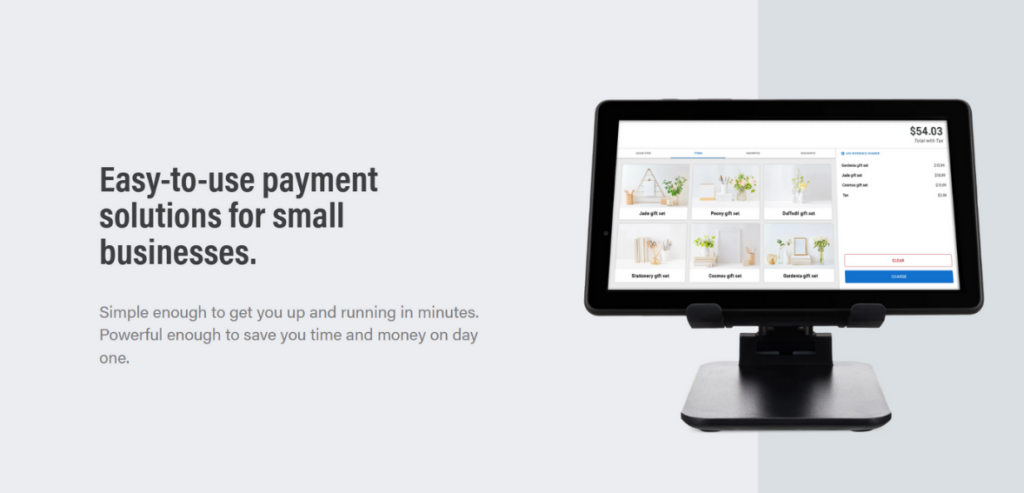
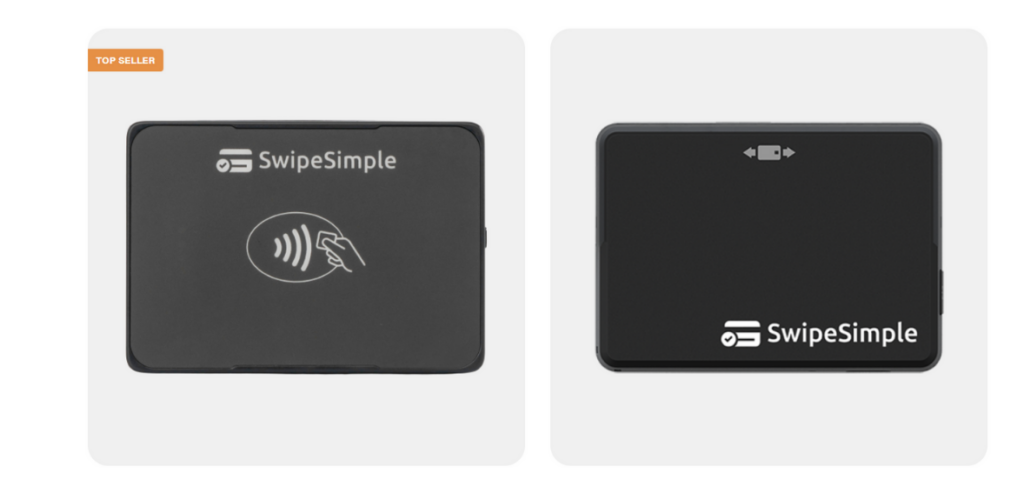
With integrated payment solutions like SwipeSimple, nonprofits can accept donations through secure, user-friendly payment links. Tools like mobile terminals (such as the Ingenico Move5000) allow on-the-spot contributions at events, outreach campaigns, or in-person drives, expanding your donation network without added friction.
Conclusion
Raising funds doesn’t have to feel overwhelming. By following these proven tips for nonprofit businesses to collect donations, you can build stronger relationships, reach more supporters, and increase your impact. Remember, every donor wants to feel seen, valued and inspired. When you make giving easy and meaningful, support naturally follows.
With these tips for nonprofit businesses to collect donations, your organization can thrive while continuing to do what matters most: changing lives.
In recent years, managing properties has become more complex. As the real estate industry grows rapidly, landlords and property managers require proper tools to help them adapt. Out of all the software solutions in the market, property management software assists in organizing processes, unifies communication, and increases productivity. It is important to select the right system no matter if you manage one rental or a growing number of properties. This article aims to identify the top property management software for 2025 to enable you to improve your property management and growth.
Here, we discuss the best property management software options. It aims to guide property managers in choosing the right tools. By leveraging these solutions, managers can enhance efficiency and tenant satisfaction. Let’s delve into the leading software choices for this year.
Best Property Management Software Solutions for 2025: Top Picks to Consider
Here we go, the top property management software solutions for property managers:
Cloud Rental Manager, on the list of best property management software solutions, eliminates some of the challenges generally faced by people in the rental and property business. It involves services offered to clients that have residential properties, retail and office space, common interest community, affordable housing, and student housing. It provides several tools that will help in managing many routine tasks, interfacing with tenants, and managing fit-outs and standards compliance.
Key Features:
Rent Collection: Timely rent collection becomes easier through automated reminders and secure payment methods.
Communication: In place, there are organized communication methods to enhance the flow of communication between the property managers and tenants.
Inspections: Schedule and capture property inspections conveniently in a way that keeps the rentals looking good as new.
Repairs & Maintenance: This feature helps you to control requests for necessary repairs and monitor work orders for maintenance of your properties.
Lease Management: Simplify the creation and management of lease contracts and addendums, ensuring accuracy and compliance.
Marketing & Advertising: Integrated tools help in the proper advertising of properties with a view of attracting more tenants.
Pricing:
Cloud Rental Manager, therefore, provides different pricing models depending on the requirements of the property management and the landlords. You can visit the website for detailed pricing.
Pros:
Comprehensive feature set covering various aspects of property management.
User-friendly interface suitable for all skill levels.
Customer support team to meet any required demand as regards to inquiries or complaints.
Cons:
Compared to some of its rivals, the number of integrated partners is not very large.
Ideal For:
Owners and managers of residential and commercial properties who are in search of all-in-one property management system that is cloud-based that will help improve the quality of services delivered to the tenants, as well as manage the various properties under their ownership.
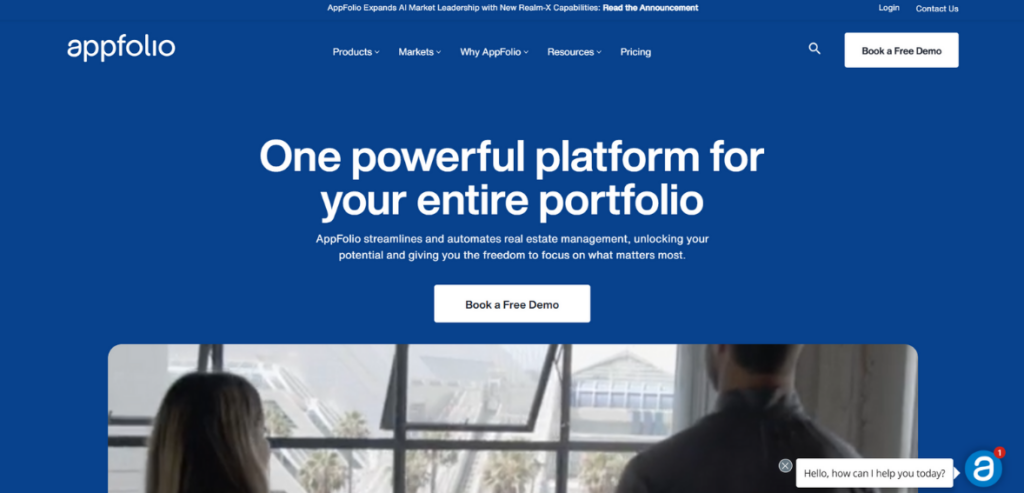
AppFolio is cloud-based software that provides one complete solution to simplify property management tasks, no matter the type — residential, commercial, or community associations. AppFolio provides automation and easy-to-use software to help optimize operations and tenant experience.
Key Features:
All-in-one Platform: AppFolio provides a comprehensive platform that combines accounting, maintenance, marketing, and communication features, allowing property managers to manage all aspects of their operations from a single dashboard.
Automated Workflows: The software offers features such as online rent collection, lease management, and maintenance request tracking, all of which help eliminate manual tasks and speed up response times.
Mobile Accessibility: A responsive design and dedicated mobile app allow property managers to access essential functions on the go, adding flexibility and providing real-time updates.
Communication Tools: Whether you’re making use of AppFolio’s built-in email and text messaging templates, or utilizing portals for residents, owners, and vendors, AppFolio paves the way for excellent communication.
Reporting and Analytics: Provides customizable reports and dashboards to help managers understand financial performance, occupancy rates, and maintenance activities.
Pricing:
AppFolio has tiered pricing plans based on your portfolio size:
Core Plan: $1.49/unit/month with a $298 minimum monthly cost for portfolios with a minimum of 50 units.
Plus Plan: $3.20/unit/mo (min: $960/month for portfolios 300+ units).
Max Plan: US$5.00 per unit per month, a minimum fee of US$7,500 per month, customized for large portfolios for a minimum of 1500 units.
Pros:
Complete set of features to manage every aspect of property management.
Easy to use with easy-to-find functions.
Scalable solutions for portfolios of all sizes.
Strong customer support and training materials.
Cons:
Some competitors may offer better pricing, especially for smaller portfolios.
Some advanced features may require a learning curve for new users.
Ideal For:
Mid to large-sized property management firms in need of an all-in-one, flexible, solution to optimize efficiency and increase tenant happiness.
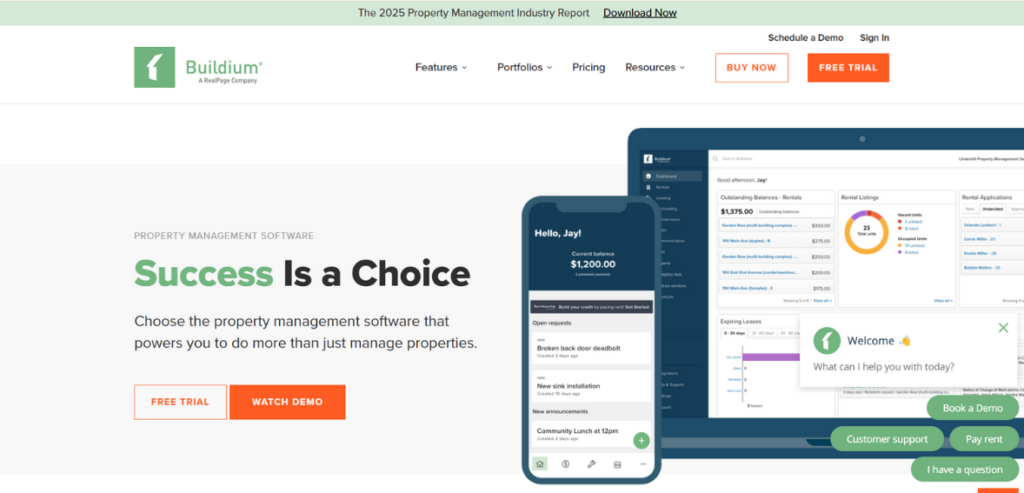
Buildium is online property management software designed for residential and association properties. It provides a range of tools that help you automate day-to-day operations, enhance communication, and gain insights into business performance.
Key Features:
Business Operations: Buildium features allow you to track maintenance requests and violations and even engage residents, owners, and board members through communications built into the app.
Lease management: The platform manages the end-to-end lead-to-lease journey, from posting rental listings and receiving online applications to tenant screenings and eSignatures of lease contracts.
Accounting and Payments: Buildium streamlines bookkeeping, allows for online rent payment and makes financial reporting easy, including 1099 eFiling.
Marketing Tools: This solution enables users to design a free website that effectively showcases listings and facilitates client connections, ensuring a solid online presence.
Performance Analytics: The software offers analytics and insights to help property managers make informed decisions and maximize their operations.
Pricing:
Buildium has three pricing tiers to cater to various business needs:
Essential Plan: Starting from $58/month, this plan offers essential features such as maintenance, accounting, and online portals.
Growth Plan: Prices start at $183 per month, and it comes with features such as property inspections, eSignatures and performance analytics.
Premium Plan: This plan starts at 375 dollars per month and includes everything to the Scale Plan but also includes Open API, higher priority support, and a dedicated growth consultant.
Pros:
Affordable pricing with a range of features suitable for various portfolio sizes.
The interface is easy to use with easy navigation.
Full customer support and onboarding resources.
Flexible plans with no minimum no. of units.
Cons:
Some of the advanced features are only available in higher-cost plans.
Live phone support and onboarding services may incur additional costs in lower-tier plans.
Ideal For:
Custom software is created for groups and organizations that manage mixed real property portfolios such as residential and association properties that want a simple to make-use of and scalable resolution to help them enhance operations and make communication with tenants and house owners easier.
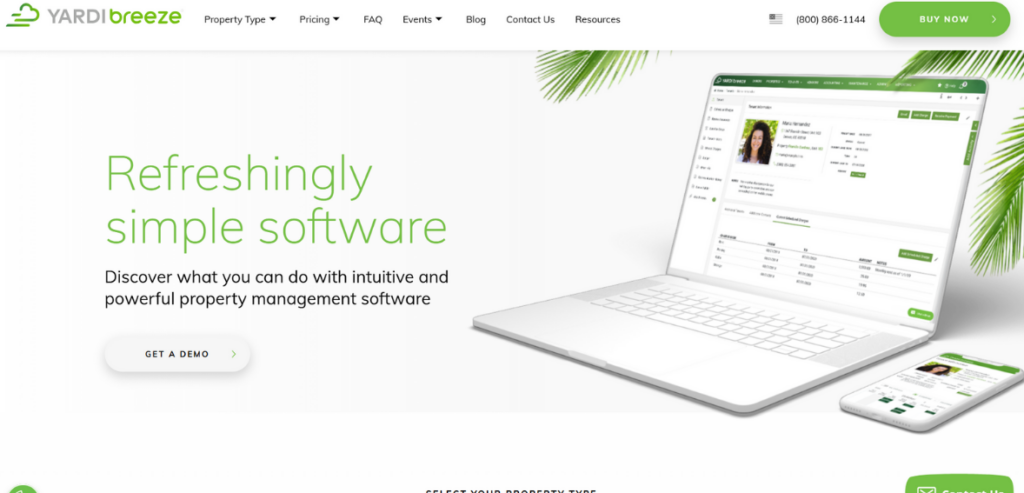
Yardi Breeze, one of the top property management software solutions, is designed for small to mid-sized businesses. It makes managing different types of property–residential, commercial, affordable housing, self-storage, associations and manufactured housing–much simpler. It allows for an intuitive user experience that can be understood by property managers of any skill level.
Key Features:
Marketing and Leasing: The process of posting vacant units to multiple listing services is simplified with Yardi Breeze. It lets prospective tenants fill out and submit applications online, perform background checks, and provide application status updates.
Rent Collection: The software provides online rent collection allowing tenants to pay by debit cards, credit cards, and ACH. Tenants can automate their payments so landlords receive rent on time.
Accounting System: Yardi Breeze comes with an extensive accounting suite for managing payables, receivables, and general ledger functions. It also produces accurate financial statements and assists in tracking budgets and spending.
Owner Tools: Onboarding owner tools, financial calculators, report generators, and more to help owners/landlords manage their properties.
Property Maintenance: Tenants submit maintenance requests electronically, and property managers can track those requests. This allows the maintenance to be done accordingly which increases tenant satisfaction.
Pricing:
Yardi Breeze provides pricing according to property types:
Properties: $1 per unit, per month, with a base fee of $100 per month.
Affordable Housing: $3 per unit per month, with a minimum of $400 per month, annual contract.
Pros:
Easy to Use for all classes of Individuals.
Out-of-the-box–from lead to lease–full enterprise feature set.
It is cloud-based, which allows management from any location.
Packages that incorporate accounting with maintenance.
Cons:
The Premier version has custom reporting available.
May be unsuitable for larger commercial portfolios.
It has minimum monthly charges which can be costly for smaller portfolios.
Ideal For:
Property managers, small to mid-sized property managers want a complete all-in-one cloud platform to manage their property, streamline operations, maintain order, and improve tenant satisfaction.
TenantCloud, one of the best property management software solutions, targets landlords, property managers as well as tenants. They also provide a package that contains features for rental management that cover from marketing and leasing to maintenance and accounting. TenantCloud is easy to use and can be employed by both low-rise landlords and large-scale property management companies.
Key Features:
Marketing and Listings: TenantCloud allows users to create professional property listings and automatically syndicate them to multiple rental platforms, increasing visibility and attracting potential tenants.
Online Applications and Leasing: Prospective tenants can apply online, and landlords can screen applicants, generate lease agreements, and obtain electronic signatures, all within the platform.
Tenant Portal: Tenants have access to a dedicated portal where they can pay rent, view lease documents, submit maintenance requests, and communicate with landlords.
Maintenance Management: The software enables tenants to submit maintenance requests, which landlords can track and assign to service professionals, ensuring timely resolutions.
Accounting and Financial Reporting: TenantCloud offers robust accounting features, including income and expense tracking, automatic rent invoicing, deposit management, and customizable financial reports.
Team Management: For property management firms, TenantCloud provides team collaboration tools, allowing multiple users to manage properties, assign tasks, and monitor performance.
Pricing:
TenantCloud has four important plans to meet different customer requirements:
Starter Plan: The most basic plan goes for as low as $16.50 per month, and it is suitable for DIY landlords and small property owners. Some of the functionalities are mobile check deposit, online payment processing, tenant application, and background check, and maintenance request and tracking.
Growth Plan: The price of this plan is $32.10 per month, and besides all the features that are included in the Starter plan, it also provides users with additional tools such as property message boards and lead tracking CRM.
Pro Plan: This plan starts from $55 per month and includes QuickBooks Online integration, owners’ portals, as well as premium leads, ideal for property managers and owners who require extensive solutions.
Pros:
User-friendly interface is suitable for landlords and property managers of all experience levels.
In this software, there are many general features including marketing, leasing, maintenance, and accounting.
The pricing is quite reasonable with the possibility of adding features to the plans as the portfolio grows.
Cons:
Some users also note that there are features that are not easy to use, some may take time before one can master their usage.
There are few complaints about technical problems, for example, formatting of the lease agreement and some problems with recurring bill payments.
Ideal For:
TenantCloud is perfect for landlords, property managers, and real estate business people, who are in search of an effective, affordable, and easy-to-use multifunctional tool for property management that includes leasing and marketing, accounting, and maintenance, among others.
Rentec Direct is a software solution for real estate management appropriately tailored for landlords and property managers. It provides convenient means of tasks that involve the selection of tenants, receiving of rent, management of maintenance and others including financial reports. It is aimed at residential, business, and vacation rental spaces, the design of the site is friendly and allows for setting the options according to one’s preferences.
Key Features:
Tenant Screening: Rentec Direct offers full services of tenant screening, criminal background, credit report, and Income verification to assist landlords in making appropriate leasing decisions.
Electronic Payment for Rents: The software features a rent collection feature that allows payment through ACH, debit card, as well as a credit card. This means that the tenants can make payments and have some other transactions conducted automatically, thereby helping to ease the workload.
Maintenance: Another feature is where tenants can make requests for maintenance and the landlords can assign particular tasks to maintenance providers for the facility.
Accounting and Reporting: The platform offers robust accounting features, including expense tracking, invoicing, and financial reporting, simplifying financial management for property owners.
Marketing Tools: Users have the ability to build a website for free and promote the listed properties as well as communicate with potential clients.
Pricing:
There are various pricing options that Rentec Direct provides to its clients:
Rentec Pro: Most suitable for landlords and investors who want powerful accounting and powerful reporting for an unlimited number of tenants and properties for a reasonable $45 per month.
Rentec PM: Starting at $45 per month, it is for independent property managers looking for advertisement and repair management.
Pros:
Comprehensive feature set covering various aspects of property management.
User-friendly interface suitable for all skill levels.
It is cheaper with no extra charge such as membership fee or registration fee.
Unlimited customer support and training service to US-based customers
Cons:
There can be some learning curve for new users when dealing with advanced features.
Limited customization options for certain reports and templates.
Ideal For:
Small property owners, property management companies, as well as landlords who would need both a simple and an efficient way of managing specific aspects of property management such as leasing/marketing the premises, accounting for the income received and expenses being incurred amongst others.
Conclusion
Managing properties is easier with the right tools. The best property management software solutions help save time, reduce errors, and improve tenant service.
There are many options available today. Each one offers useful features for different needs. Some are better for small landlords. Others work best for large teams or complex properties.
Before choosing, list your must-have features. Think about your budget and portfolio size. Look for a platform that’s easy to use and offers good support.
The right software will help your business grow. It will also make your daily work smoother and more organized.
Organizations specializing in IT services or maintenance rely heavily on their ability to deliver timely, reliable, and effective field support. For these companies, the right field service management (FSM) software is crucial—not only to streamline operations but also to empower field teams and enhance customer satisfaction.
Choosing FSM software goes beyond basic management tasks. Features like intelligent job scheduling ensure teams arrive promptly and fully prepared, while robust mobile access allows field representatives to stay connected, update job statuses in real time, and access essential information on-site.
Additionally, sophisticated parts and inventory management features help reduce downtime by ensuring the necessary resources are always available exactly when needed. Built-in analytics and reporting capabilities further provide valuable insights, enabling leaders to make informed decisions, identify opportunities for improvement, and optimize operational efficiency across the organization.
Below we uncover essential features company leaders should prioritize when evaluating FSM software.
Why Do You Need a Field Service Management Solution?
In Industry 4.0, realizing the vision of a fully networked world of work goes well beyond digitizing machine processes. A Field Service Management solution is essential because it bridges the critical gap between advanced digital technologies and the indispensable human element in service operations.
While manufacturing and production have enjoyed tremendous gains from automation and IoT-driven insights, the true potential of Industry 4.0 is unlocked only when service employees are empowered with real-time data, intelligent analytics, and streamlined workflows to make proactive decisions.
Integrating Human Expertise with Digital Innovation
Modern FSM solutions are built on the understanding that both human insight and machine intelligence play complementary roles. Whereas the digitalization of machinery processes has accelerated operational efficiency, the integration of service data from technicians creates a holistic, 360-degree view of an organization’s performance. By capturing data from connected devices and linking it with real-world service feedback, FSM systems allow enterprises to:
Monitor Equipment in Real-Time: Sensors installed on machinery provide continuous updates that reveal not just the operational status of equipment but also contextual performance data. This creates actionable intelligence that service teams can use to diagnose issues before they escalate.
Empower Field Technicians: FSM solutions provide mobile access to historical service records, real-time diagnostics, and predictive analytics. This equips technicians with the precise information needed to deliver the right intervention on the first visit, thereby increasing first-time fix rates and reducing repeat callouts.
Facilitate Proactive Decision-Making: By merging IoT data with field insights, organizations can evolve from reactive, scheduled maintenance to a proactive, predictive maintenance model. This strategic shift minimizes downtime and extends equipment lifespan, thereby driving significant cost savings.
Enhancing Operational Efficiency and Cost-Effectiveness
A field service management solution is far more than just a tool for scheduling or dispatching—it serves as an intelligent operations platform that enhances efficiency and reduces operational costs. Equipped with advanced features like route optimization, resource allocation, and automated reporting, FSM systems empower organizations to streamline their field operations and make data-driven decisions.
One of the major advantages of FSM platforms is their ability to enable predictive maintenance and reduce equipment downtime. By continuously collecting and analyzing data, these systems help identify potential issues before they escalate into major failures, thereby preventing costly breakdowns and improving overall equipment effectiveness.
Another key benefit lies in optimized resource utilization. FSM software uses real-time data to assign the most suitable technician to each job based on skill set, location, and current workload. This smart dispatching minimizes travel time, lowers fuel consumption, and ensures that every team member is operating at peak efficiency.
Additionally, FSM solutions streamline workflows by automating routine administrative tasks such as work order tracking, invoicing, and compliance reporting. This not only saves valuable time for service teams but also feeds into broader business analytics, driving ongoing improvement and operational excellence throughout the organization.
Driving a Data-Driven Value Chain
One of the most transformative capabilities of an FSM solution lies in its ability to integrate and analyze data from a variety of sources. By connecting service data with insights from Internet of Things (IoT) devices, organizations can achieve a unified, real-time view of their production, quality control, and overall operational processes. This integrated approach provides a strong foundation for smarter decision-making and greater organizational agility.
The impact of this connectivity is far-reaching. Enhanced customer satisfaction is one of the most immediate benefits, as FSM systems enable faster response times, improved first-time fix rates, and proactive service delivery. These improvements not only boost customer loyalty but also increase the likelihood of repeat business and referrals, strengthening long-term client relationships.
In addition, access to real-time, comprehensive data equips management with the insights needed to make informed strategic decisions. From optimizing inventory and refining workforce training to fine-tuning operational workflows, the constant stream of actionable intelligence drives improvements across the entire value chain.
Ultimately, the use of an advanced FSM platform provides a significant competitive edge. In a fast-moving, highly competitive landscape, the ability to adapt quickly to market shifts, innovate rapidly, and operate efficiently positions companies for sustainable growth and lasting success.
Top Features of a Field Service Management System?
1. Automated Scheduling and Dispatching
Automated scheduling and dispatching in FSM software significantly enhance operational efficiency and service delivery. Using real-time data and intelligent algorithms, these systems can assign tasks to technicians based on factors such as skill set, current location, and availability. This not only reduces travel time and operational costs but also ensures that the most qualified technician is deployed for each job, leading to faster issue resolution and heightened customer satisfaction.
Modern FSM solutions often use user-friendly interfaces with drag-and-drop functionality, simplifying the scheduling process for dispatchers. This feature allows for quick adjustments to workloads and seamless reallocation of tasks, accommodating last-minute changes with minimal disruption.
Beyond simplifying task allocation, automated scheduling systems can integrate with other business functions, such as inventory management and customer relationship management (CRM). It provides technicians with immediate access to necessary parts and comprehensive customer histories, further improving service quality and first-time fix rates. Additionally, features like real-time tracking and mobile access empower field workers with up-to-date information.
2. Real-time Tracking
Real-time tracking of technicians has become a cornerstone of modern FSM systems, delivering enhanced oversight and agility in operations. By leveraging integrated GPS, mobile connectivity, and live mapping interfaces, these systems provide immediate visibility into the precise locations and statuses of field personnel. This capability is not only crucial for dynamically redirecting technicians during emergencies or unforeseen delays but also empowers dispatchers to adjust service plans on the fly to meet customer expectations with greater accuracy.
Beyond simple location tracking, modern solutions incorporate geofencing, which automatically triggers alerts when technicians enter or exit designated service zones. This functionality is particularly useful for maintaining service boundaries and ensuring compliance with planned routes, while also offering dispatchers the ability to evaluate travel efficiencies and adjust schedules for future assignments.
Furthermore, real-time tracking systems often integrate with customer communication platforms to facilitate accurate and automated delivery of Estimated Times of Arrival (ETAs). This integration allows businesses to update customers instantly on service progress, thereby improving transparency and enhancing overall satisfaction. Detailed dashboards provide historical data and analytics that help optimize routing strategies and improve future scheduling precision, ultimately reducing operational downtimes and resource wastage.
3. Online & Offline Availability
In industries where reliable Internet connectivity is not guaranteed, the ability to operate both online and offline is a crucial component of FSM software. Modern digital tools must be designed with robust offline capabilities, ensuring that mobile service employees can access and update critical data even in production halls or remote areas with poor network coverage. This dual-mode functionality enables continuous operation without interruption and minimizes the risk of data loss.
Offline availability isn’t just a backup mode—it’s an integral feature that guarantees operational consistency. When connectivity is restored, the system automatically synchronizes the data collected during offline periods, enabling seamless integration with the central database. This is especially important for quickly implementing digital processes in environments that are challenging from a connectivity standpoint, ensuring that businesses can transition smoothly to digital workflows without compromising productivity.
Additionally, offline functionality enhances employee autonomy and responsiveness. Service technicians, for example, can continue documenting work performed, capturing customer signatures, or adding real-time updates without having to wait for a stable connection. This capability not only improves the quality of service through uninterrupted data capture but also empowers field teams to work independently and efficiently, regardless of their location.
4. Mobile Access
Mobile access is a game-changer in Field Service Management by equipping technicians and service representatives with the ability to manage their appointments anytime and anywhere. By using dedicated mobile applications, field workers receive real-time updates on job details, customer history, and navigation assistance without needing to contact their home office. This autonomy not only accelerates service delivery but also enhances overall operational efficiency.
Modern mobile FSM solutions are engineered to function seamlessly both online and offline, ensuring that technicians can access vital job information even in areas with limited network connectivity. This offline capability means that work details, maps, and service instructions are stored locally on the device, synchronizing automatically once a connection is restored. Such resilience is critical for maintaining productivity in diverse working environments.
Beyond viewing appointment details, mobile access enables on-the-spot data entry—service representatives can add real-time notes, capture customer signatures, and even attach photos as proof of completed work. This immediate documentation helps create a robust audit trail and ensures that critical feedback is captured as the service unfolds. In turn, this leads to more accurate billing, efficient inventory management, and enhanced first-time fix rates.
Plus, the mobile interface simplifies the process of scheduling follow-up appointments. Technicians can quickly identify open slots or consult integrated calendars to arrange return visits without having to loop back to dispatch, thereby reducing delays and administrative overhead. This streamlined communication not only saves customers valuable time but also boosts their confidence in the service process, ultimately contributing to stronger customer relationships.
5. Estimation and Invoicing Capabilities
Modern FSM software is evolving beyond basic calculation tools to offer more dynamic, automated, and intelligent systems that drive both accuracy and efficiency in field operations. One key innovation is advanced estimating which not only factors in standard inputs like parts, labor, and travel time but also leverages historical data and real-time analytics to predict costs more accurately. These systems can automatically update pricing information from integrated accounting and ERP systems, ensuring that estimates reflect the latest cost fluctuations—including seasonal trends, material shortages, and localized economic variations. Customizable estimation modules can even adjust for project complexity and risk, providing a more granular forecast that helps businesses prepare better and optimize their resource allocation.
On the invoicing side, the emphasis is on complete automation coupled with flexibility. FSM solutions now support electronic invoicing that streamlines bill processing from creation to payment. With integration into mobile apps, technicians can capture billable activities directly on-site, ensuring that every service call translates seamlessly into an invoice entry. These platforms facilitate batch invoicing for managing multiple customer accounts and enable recurring invoices for long-term contracts, reducing manual workload and accelerating cash flow. In addition, enhanced security features, such as audit trails and error-checking algorithms, help minimize discrepancies and build customer trust. Integration with online payment gateways further simplifies the payment process by offering multiple payment options and real-time payment confirmation, ensuring that businesses are paid promptly and without hassle.
6. Inventory and Parts Management
Modern FSM systems are expanding their role by integrating robust inventory and parts management capabilities directly into the service workflow. This integration ensures that technicians have real-time visibility into parts availability, significantly reducing delays and improving overall efficiency. By linking inventory data directly with service requests, businesses can automate the process of checking stock levels before dispatching a job, ensuring that the required parts are available when needed.
A key advancement in this area is the seamless connection between inventory modules and supply chain systems. This linkage allows for dynamic reordering based on current usage and forecasted demand. Intelligent algorithms can predict when stock levels are running low, triggering automatic replenishment orders from pre-approved suppliers. The integration minimizes the risk of parts shortages and supports just-in-time inventory practices, thereby reducing carrying costs and optimizing storage.
Furthermore, modern systems provide mobile access, enabling field technicians to quickly scan barcodes or search the parts database directly from their devices. This functionality not only enhances productivity but also ensures that all service records are updated in real-time. Technicians can easily document parts usage during each service call, which feeds back into the inventory system to maintain accurate records and analytics.
Enhanced reporting features are also a significant benefit of integrated inventory and parts management. Detailed dashboards offer insights into usage trends, cost analysis, and performance metrics. These reports are crucial for identifying inefficiencies, forecasting future needs, and ensuring that pricing strategies remain competitive. Managers can analyze data to understand which parts are in high demand, track the time it takes to restock and monitor the overall financial impact on service operations.
7. Advanced Analytics and Reporting
Modern FSM solutions are becoming powerful intelligence hubs, not just operational tools. The analytics and reporting capabilities now available in leading FSM platforms provide deep visibility into every aspect of field operations, enabling data-driven decision-making across all levels of the organization.
One of the most impactful areas is performance tracking. FSM software can generate detailed reports on technician productivity, including metrics such as number of completed jobs per day, average time per appointment, first-time fix rates, and customer satisfaction scores. These insights allow managers to identify top performers, spot training opportunities, and optimize scheduling to maximize workforce efficiency.
In addition to technician-level insights, analytics can reveal broader trends in service operations. Reports can segment data by job type, equipment category, customer location, or service frequency, helping businesses understand where time and resources are being spent. For example, identifying that a particular product type consistently requires longer service times can prompt proactive maintenance offerings or even product redesign discussions with manufacturers.
Real-time dashboards bring this data to life. Operations teams can monitor live KPIs like open work orders, on-time arrivals, and parts consumption. These live metrics are crucial for making quick, informed decisions, especially in high-volume or time-sensitive service environments. Predictive analytics are also emerging as a key tool—using historical data to forecast future demand, anticipate staffing needs, or identify potential service disruptions before they occur.
Financial reporting is another critical dimension. Integrated analytics can track revenue per technician, profitability per job, cost of service delivery, and invoice cycle times. By linking FSM data with accounting systems, businesses get a full picture of their financial health directly tied to operational activities.
Custom reporting tools and automated report scheduling further enhance usability. Managers can tailor reports to focus on the data that matters most to their roles, whether it’s executive overviews or detailed operational breakdowns. Reports can be automatically generated and shared across teams at regular intervals, ensuring consistent alignment and accountability.
8. Advanced Software Integrations
As field service operations become increasingly complex, seamless software integration has shifted from a convenience to a necessity. Today’s leading FSM platforms are designed with open architecture and robust APIs, enabling tight integration with a wide range of business-critical systems. Whether it’s customer relationship management (CRM), enterprise resource planning (ERP), human resources (HR), accounting, or inventory systems, smooth data flow between platforms is essential for real-time decision-making and operational efficiency.
One of the most valuable integrations is with CRM platforms like Salesforce, HubSpot, or Zoho, where customer profiles, service history, and appointment data are stored. By connecting these systems, FSM software can automatically import service requests, update customer records after job completion, and provide technicians with a 360-degree view of the customer—empowering more personalized service and reducing administrative burden.
HR system integration is equally important. Real-time access to employee schedules, availability, and time-off requests ensures accurate workforce planning and avoids overbooking or last-minute rescheduling. For businesses operating in multiple regions or managing complex shift patterns, this connection becomes a game-changer in maintaining service continuity.
Accounting and billing integrations—such as those with QuickBooks, Xero, or NetSuite—enable FSM platforms to streamline financial operations. Data flows directly from completed work orders into the invoicing system, reducing manual data entry errors and speeding up the billing cycle. Payment statuses can be tracked in real-time, and financial reports can be generated with greater accuracy.
Another crucial area is integration with geolocation and mapping services, which enhances dispatching by factoring in traffic conditions, technician location, and job urgency. Similarly, integrations with communication tools (e.g., Slack, Microsoft Teams, or SMS platforms) can improve coordination between field and office teams, while also keeping customers informed with appointment reminders or updates.
Cloud-based FSM solutions also offer out-of-the-box integrations with third-party app marketplaces, enabling businesses to tailor the platform to their specific needs without custom development. The result is a more agile, data-connected environment where information flows freely across departments, leading to faster response times, better service delivery, and smarter resource utilization.
Cloud Job Manager is a cloud-based field service management solution designed to streamline operations for service-based businesses. It offers an integrated platform that brings together scheduling, dispatch, invoicing, and customer communication into a unified system.
With its cloud-first architecture, it provides real-time access to job data, empowering field technicians and managers to coordinate efficiently regardless of location. Its design emphasizes ease of use and scalability, making it a versatile option for small businesses and growing enterprises alike.
Key Features:
Dynamic Scheduling & Dispatch: Cloud Job Manager offers an intelligent calendar and dispatch system that allows users to manage appointments efficiently. Its dynamic scheduling interface, which supports drag-and-drop functionality and real-time updates, reduces downtime and optimizes routes for technicians.
Mobile-First Capabilities: The platform is built for mobile use, ensuring field teams have instantaneous access to job details, customer information, and real-time updates through dedicated mobile applications. This minimizes miscommunication and helps in tracking job progress directly from the field.
Integrated Quoting & Invoicing: Beyond basic job management, Cloud Job Manager allows users to create detailed estimates, generate professional invoices, and link them directly with accounting software. This integration ensures seamless financial management, reduces manual entry errors, and speeds up the billing process.
Automation & Customization: Advanced automation tools let companies customize workflows, from automated appointment reminders and updates to rule-based dispatch and follow-up notifications. These customizable templates and workflows help standardize processes and ensure consistency across all service operations.
Robust Reporting & Analytics: The system provides comprehensive analytics capabilities, generating actionable insights into technician performance, job efficiency, and overall service profitability. Managers can harness these advanced reports to drive operational improvements and make data-driven strategic decisions.
Cloud Job Manager offers a flexible, subscription-based pricing model designed to cater to the varying needs of service organizations. According to their pricing page, plans are structured to scale with the business—allowing companies to pay per job or user with no long-term contracts required. Here are the plans they currently offer:
The Basic plan, at $119 per month, includes core features such as quote add-ons, images, job costing, automated quote follow-up, and two-way text messaging—all supporting up to 15 users.
For businesses needing a bit more functionality and room to grow, the Standard plan, priced at $245 per month, provides additional capabilities while still including the essential tools found in the Basic tier.
At the top end, the Premium plan, at $300 per month, delivers advanced functionality and broader support for larger teams.
Each plan also comes with a limited-time discount of $104 per month for the first three months, making it easier for new users to get started without a large initial investment.
Salesforce Field Service is a best-in-class, intelligent field service management solution designed to streamline mobile service operations and deliver an exceptional customer experience. As an extension of the Salesforce ecosystem, the platform integrates seamlessly with the core Salesforce CRM to provide a single, unified view across the entire service chain. This integration empowers organizations to manage their field service agents, mobile employees, assets, and customer interactions on one cohesive platform.
With Salesforce Field Service, mobile technicians can access real-time data, safety protocols, and guided workflows, ensuring faster, smarter, and more personalized service delivery. The solution combines robust mobile capabilities with advanced analytics and artificial intelligence (via Einstein AI) to optimize scheduling, route planning, and resource allocation—ultimately driving increased first-time fix rates and improved operational efficiency.
Key Features:
Mobile-First Access: Leverage any mobile device to access the Field Service platform, enabling technicians to manage jobs, safety protocols, and customer data on the go.
Data-Driven Decision Making: Quickly make informed decisions with real-time access to operational data and analytics, ensuring that teams are always aligned with current service demands.
Einstein AI Integration: Boost first-time fix rates and streamline service operations through intelligent insights powered by Einstein AI, which assists with predictive maintenance and optimized scheduling.
Virtual Support Capabilities: Reduce unnecessary in-person visits by providing virtual support options, enhancing both service efficiency and customer satisfaction.
Comprehensive Safety & Compliance: Ensure that safety protocols are consistently applied on every job with tools designed to manage and monitor safety standards through any mobile device.
Salesforce Field Service is offered through a flexible, subscription-based pricing model that can be tailored to the specific needs of any organization. Pricing typically depends on factors such as the scale of your mobile workforce the number of licenses required and specific add-on functionalities and levels of AI-driven insights.
Because of these customizable options, Salesforce often recommends speaking directly with their sales team to get a detailed and personalized quote that meets your business requirements.
Wrike is a versatile online project management solution designed to centralize all your tasks and projects in a single, customizable platform. With its intuitive interface and robust collaboration tools, Wrike minimizes the need for extensive email communication by enabling teams to view, manage, and update projects in real-time.
Although originally built to support project management across various industries, its flexible framework makes it highly applicable for field service management—streamlining resource allocation, task planning, and operational transparency for mobile service teams. Whether you’re coordinating field technicians or tracking asset deployment, Wrike’s platform helps enhance productivity by offering a bird’s-eye view of all operational activities.
Key Features:
Centralized Task Management: Wrike’s dashboard allows users to view and manage all tasks across projects from one place, ensuring nothing falls through the cracks.
Collaboration Tools: The platform fosters strong team collaboration through built-in communication features. This reduces the dependence on email and enables real-time updates among team members.
Visual Project Planning: With integrated Gantt charts, Kanban boards, and time-tracking capabilities, Wrike offers multiple visual tools for organizing and scheduling projects effectively.
Customizable Reporting: Generate tailored reports to gain insights into your team’s performance, monitor resource allocation, and manage project costs efficiently.
Enhanced Project Cost Management: Built-in tools for budget tracking and cost analysis help ensure projects remain within financial targets, providing better oversight and control over expenses.
Wrike’s pricing model is designed to be flexible to accommodate various business needs. Plans start at $10 per user per month and go to $25 per user per month. You also get a 14-day free trial, allowing teams to explore the platform’s comprehensive features.
For smaller teams or those new to project management tools, Wrike also offers a free plan with essential functionalities.
Synchroteam is a comprehensive cloud-based FSM solution designed to help businesses efficiently manage their mobile workforce. It caters to various industries, including HVAC, plumbing, electrical services, pest control, and more. The platform offers a suite of tools that facilitate scheduling, dispatching, job management, and customer relationship management, all accessible through web and mobile applications.
Key Features:
Scheduling & Dispatching: Synchroteam enables quick assignment of jobs to technicians based on availability, skills, and location through a user-friendly drag-and-drop interface.
Mobile Access: The platform offers mobile applications for iOS and Android devices, allowing field technicians to receive job details, update statuses, and communicate with the office in real-time.
Inventory Management: Users can track parts and inventory across warehouses and vehicles, set minimum quantity alerts, define pricing, and monitor items by serial number.
Invoicing & Payment Processing: Synchroteam supports the creation and sending of quotes and invoices, with integration options for accounting tools like QuickBooks and Xero. It also includes a payment processing module that allows the collection of funds directly from the job site.
Time Tracking: The software provides tools to accurately record regular and overtime hours spent by the team in the field, on the road, or during breaks, facilitating precise cost summaries.
Customer Portal: Synchroteam offers a secure portal where customers can create jobs, consult existing jobs, and download job reports, enhancing transparency and customer satisfaction.
Synchroteam operates on a per-user licensing model with two tiers – Standard and Premium – costing $39 per user per month and $67 per user per month, respectively.
You can get a 20% discount compared to the monthly plan, billed annually. The first administrator license is free with at least one paid mobile worker account. Users can add or remove licenses as needed, with charges prorated accordingly. For businesses interested in exploring Synchroteam’s capabilities, a 14-day free trial is available, providing full access to all features without requiring a credit card.
UpKeep is a cloud‐based, mobile‐first field service management and computerized maintenance management system (CMMS) designed specifically for modern maintenance teams and field workers. Its intuitive interface and robust capabilities empower technicians to create, track, and close work orders seamlessly while accessing detailed asset and inventory information from anywhere—even offline.
With real‑time data analytics and automated scheduling, UpKeep reduces downtime, minimizes paperwork, and improves overall operational efficiency. With a service‑first approach, UpKeep offers extensive customer support, on‑demand training, and scalable solutions for organizations of any size—from small businesses to multi‑site enterprises.
Key Features:
Work Order Management: Users can generate, assign, and prioritize work orders quickly, helping teams stay organized and responsive. Real-time monitoring allows for live updates from the field, giving visibility into progress without delays.
Preventive Maintenance Scheduling: Preventive maintenance can be scheduled automatically using calendar integrations or meter readings, helping reduce unexpected equipment failures. Recurring work orders can be set to trigger once maintenance thresholds are reached, ensuring regular servicing without manual oversight.
Asset & Inventory Management: Teams can monitor asset conditions, track depreciation, and maintain detailed service histories to make informed maintenance decisions. Inventory levels for spare parts and supplies are managed with automated reorder alerts to avoid stockouts. Mobile access to inventory data ensures technicians have the information they need on hand at all times.
Mobile-First Capabilities: The mobile app allows field teams to manage work orders on the go, even when connectivity is limited. Technicians can view full work order histories, asset records, and maintenance checklists directly from their smartphones, increasing efficiency and reducing delays.
Real-Time Analytics and Reporting: The platform supports detailed reporting and dashboards that provide insights into equipment downtime, maintenance costs, and performance metrics.
Integrations and Scalability: The system integrates with other business tools such as ERP and accounting platforms, helping maintain consistency across operations. As business needs change, the platform can scale to support multi-site operations and evolving workflows without the need for major system changes.
UpKeep offers a tiered pricing structure designed to accommodate the needs of different organizations, allowing businesses to scale without needing to switch systems as they grow. The Lite Plan, priced at $20 per user per month, is suited for teams that need essential asset monitoring and basic preventive maintenance scheduling. The Starter Plan costs $45 per user per month and supports organizations that need more comprehensive maintenance tools, such as custom checklists, advanced inventory management with costing, and time and manpower tracking.
For larger organizations with more complex needs, UpKeep offers the Professional and Business+ plans with custom pricing. These plans are designed for businesses that require advanced analytics, multiple inventory lines, workflow automation, and the ability to scale across multiple sites.
UpKeep also provides a 7-day free trial for those who want to explore the software’s full range of features. In addition, a free plan is available, giving teams access to basic features at no cost.
Fluix is a cloud‑based field service management and document workflow automation solution that helps companies digitize their operations seamlessly. Designed to simplify the way you manage documents, task assignments, and form processes, Fluix eliminates paper chaos and reduces human error while boosting overall productivity.
Accessible from any web browser or on iOS devices, the platform enables users to complete reports and workflows both online and offline. Fluix is especially well‑suited for companies with over 10 employees who are looking to accelerate business cycles, cut costs, and enhance operational performance through automation and real‑time data sharing.
Key Features:
Digital Report Completion: Users can easily fill out reports and forms either online or offline, ensuring that field teams capture the data they need regardless of connectivity.
Data Collection and Analysis: Automate the collection of critical data and generate actionable insights. Fluix helps teams analyze field data quickly to drive timely decision-making and optimize maintenance efforts.
Workflow Automation: Streamline and automate your routine tasks with customizable workflows. This reduces manual entry, mitigates errors, and speeds up the overall process from task initiation to completion.
Seamless Integrations: Fluix integrates with key productivity and collaboration tools such as PFT, Dropbox, Google Drive, SharePoint, and Office 365. These integrations ensure that your digital documents and data flow seamlessly between platforms, helping you maintain a single source of truth across your organization.
Fluix provides a clear, tiered pricing structure to accommodate different business sizes and needs. The Basic Plan, priced at $20 per user per month, is geared toward smaller teams with up to 10 users. It includes essential tools for digitizing document processes, such as fillable PDFs, basic workflow automation, and cloud storage.
The Core Plan, at $40 per user per month, is intended for teams with more than 10 users who are looking to streamline their operations. This plan adds more advanced features, including approval workflows, scheduling tools, and enhanced reporting. A demo is available for businesses that want help customizing the solution to fit their processes.
The Pro Plan costs $75 per user per month and is designed for organizations with more complex operational needs. It supports conditional routing, unlimited custom reports, and access to pre-built integrations. This plan also includes a dedicated customer success manager and is built for teams that need more advanced scalability.
For larger businesses with specific requirements, Fluix offers a Custom Plan with pricing available on request. This option is best suited for enterprises that need a fully tailored solution, including custom integrations and service levels. Fluix also provides a 14-day free trial with no credit card required, allowing potential users to explore the platform’s full features before deciding.
Connecteam is an all‑in‑one advanced field service management solution designed to streamline the daily operations of small businesses and mobile teams. Its robust, paperless platform enables managers and business owners to automate daily procedures and standardize communication across operations.
With Connecteam, companies can digitize their processes—from employee scheduling and task management to communication and compliance tracking—helping teams work more efficiently, reduce human error, and maintain clear, consistent processes. Accessible via any web browser and optimized for mobile devices, Connecteam empowers field teams to stay connected and productive wherever they are.
Key Features:
Employee Scheduling: Easily create and modify employee shifts and schedules to ensure the right personnel is on-site when needed.
Task Management: Assign, track, and manage tasks with built‑in checklists and due dates, ensuring that daily processes and maintenance activities stay on track.
Attachments & Information Sharing: Upload and attach essential documents, images, or other files to tasks and reports, giving teams quick access to critical information without the need for paper files.
GPS Location Tracking: Monitor team locations in real time for accountability and improved route planning, ensuring that your field employees are where they need to be.
Dedicated Work Chat: Connect team members through an integrated work‑focused chat, which streamlines communication, reduces reliance on external messaging apps, and ensures that all work-related conversations are centrally stored and accessible.
Connecteam offers a tiered pricing model designed for small to medium-sized businesses, with plans that scale based on operational needs. The Essential Plan, priced at $29 per user per month (billed annually), includes key features like employee scheduling, task management, basic file attachments, and a built-in work chat. This plan helps businesses transition away from paper-based processes and establish more consistent internal communication.
The Pro Plan is available at $39 per user per month (billed annually) and builds on the Essential Plan by adding advanced features. These include enhanced reporting tools, more precise GPS tracking, and expanded integration options that support workflow automation and data syncing across platforms.
For larger businesses or those with more complex requirements, the Enterprise Plan is offered with customized pricing. This plan includes extensive customization, scalable integrations, compliance tools, and dedicated support to meet specific organizational needs.
Connecteam also typically provides a free trial, allowing businesses to test the platform’s features before choosing a subscription plan.
Conclusion
Selecting the right field service management solution is essential for driving operational excellence in today’s service-driven industries. An effective FSM system not only streamlines scheduling, dispatching, and inventory management but also empowers field technicians with real-time data, mobile access, and intuitive interfaces that lead to faster decision-making and improved customer satisfaction. By integrating advanced analytics, predictive maintenance capabilities, and seamless connections with other business-critical applications, organizations can transform reactive service models into proactive, data-driven operations.
Plus, as digital technologies continue to evolve in step with Industry 4.0, FSM solutions provide a critical bridge between human expertise and automated systems. This integration enhances the overall agility and resilience of service operations, ensuring that companies can adapt quickly to market shifts, reduce downtime, and maintain a competitive edge.
A wave of new merger and acquisition (M&A) deals is transforming the payments landscape, as some companies indicate a willingness to be bought and others bid controversially for strategic partnerships. The broad payments firm merger and acquisition trend is taking place against a backdrop of declining valuations, waning investor interest, and a wider shift in the fintech and payments space towards profitability and scale.
From smaller fintech firms undertaking strategic reviews to billion-dollar companies launching cross-border acquisitions, market participants are reassessing their positions in a fast-changing environment. The current economic climate — characterized by strategic investment activity, increasing interest rates, and tighter funding environments — is pushing companies to view M&A not merely as a growth strategy but perhaps a path to survival, analysts say.
Strategic Reviews Provide Pathway for Buyouts
Over the last few months, several public companies in the payments ecosystem have announced they’re considering strategic options. Such announcements often act as signals to indicate that firms are open to the idea of a sale, restructuring or a merger.
One example is Green Dot Corporation, a bank holding and financial technology company based in the United States. Law firm Reed Smith, which announced in March that it had started a strategic review process, raised hopes that a potential buyer or restructuring plan could be on the cards. Although the company has not confirmed the nature of any individual transactions, the announcement fits with wider industry trends.
Similarly, Flywire, which focuses on cross-border payments for sectors such as healthcare and education, has also entered a similar appraisal process. Those changes are widely seen by industry insiders as a direct reaction to lackluster stock performance and mounting pressure from investors looking for better returns.
Cantaloupe, a cashless payment and software solutions provider for self-service retail, is another company going public but paying particular attention to its strategic direction going forward. It has seen slow growth and a struggle to hold onto its valuation in the public market, potentially making it a target for acquisition by private equity firms or strategic purchasers that want an entry into the vending and kiosk segments.
A Wave of Deal-Making Across the Sector
Meanwhile, other companies in the industry are choosing to grow via acquisitions. Shift4 Payments, which provides cloud-based payment solutions, said it would buy Global Blue, a Switzerland-based company that offers tax-free shopping services. The transaction is viewed as a strategic move into the European market and a means to add a complementary value-added service to Shift4’s product suite.
Another big name in financial services that made news was American Express, with news of its purchase of an expense management platform named Center. The move underscores Amex’s push to strengthen its corporate payments division and broaden out its business management tools.
Interestingly, Flywire, a potential acquisition target in its own right, just closed a $330 million acquisition of Sertifi, a company that offers digital contract and payment solutions for the hospitality industry. That duality — acting as both a buyer and a potential acquisition target — highlights the multi-tiered approaches that many fintech companies are taking.
Recent other deals include Marqeta’s purchase of TransactPay, a European card issuer and payment platform, and Nuvei’s acquisition of Paywiser Japan, which will expand the reach of the Canadian company into Asia.
Signs of Life in the Global Payments Firm Merger and Acquisition Market
Despite remaining under 2021’s record highs, fintech-focused global M&A activity is demonstrating signs of rebounding. The total dollar value of deals completed so far in 2025 is 12 percent higher than the level achieved in the same quarter last year, according to industry data. Deal volume is small, but increasing, with analysts predicting an acceleration for the rest of the year. It’s a clear sign of life in the global fintech and M&A market.
This trend is driven by a recalibration of market expectations. The exuberance that drove the fintech boom during the pandemic has chilled. Gone are the days when sky-high valuations were the call of the day; now companies are evaluated in more traditional terms: revenue growth, profitability, and operational efficiency.
The Strawhecker Group (TSG), a leading payments industry advisory firm, said there is more activity on both sides of the buy/sell equation. Sam Wares, a senior director at the TSG, said that right now his team is consulting with several firms on transactions, most of which are set to close before midyear.
“Valuations are coming down to what we would think is a more reasonable level and both strategic buyers and private equity firms are finding things that were priced a year or two ago were too high,” said Wares.
Investor Sentiment Behind Strategy Changes
So the rapid change in investor expectations is a key part of the new wave of consolidation. Payments and fintech firms saw outsized demand during the pandemic, leading to outsized growth projections and outsized funding rounds. But as inflation, interest rate increases and geopolitical turbulence dimmed the economic outlook, investors started tempering expectations.
Nowadays the primary focus is on profitability and long-term sustainability. More than a few fintechs that raised big rounds in 2020 and 2021 now face the end of their cash runway without a clear path to profitability. For such companies, a strategic sale or merger might indeed be their best option.
Papaya Global’s chief executive, Eynat Guez, recently expressed this sentiment, saying many startups have become more realistic about their valuations and more willing to consider joining forces. Buyers, too, are rewarding selectivity, looking for deals that produce immediate operational or strategic value.
Many private equity investors, who had hit the pause button during the height of uncertainty in the market, are returning to the payments space. Valuations have come down and clearer paths to profitability have made the industry attractive again.
Analysts predict that private equity in the payments space will continue to ramp, particularly segments such as B2B payments or embedded finance that have a mix of recurring revenues and specialized services that provide durable tissue upside, as well as vertical SaaS platforms that automate payment processes.
M & A Is a Survival Strategy, Not Just a Growth Play
Traditionally, M&A was viewed as a means for accelerating growth or gaining access to a new market, but that calculus has changed. For many mid-sized fintechs, the only path now to achieving economies of scale, lowering their cost base or gaining new capital or capabilities may be consolidation.
This new reality is flipping the M&A landscape from a seller’s market to one that favors buyers. Sellers are more flexible, more open to realistic valuations, and more interested in finding the appropriate strategic fit than in waiting for inflated price tags.
Conclusion
As 2025 progresses, it seems likely that the payments industry will continue its path of consolidation. There is a structural change underway in the sector, whether through acquisitions by global giants, private equity buyouts or mergers between medium-sized players.
Companies are being forced to rethink their strategies as economic uncertainty, shifting customer needs and a drive for profits take hold. In this environment, M&A is not merely a growth tool — it has emerged as a vital lever of resilience, relevance and long-term viability.
The transformation of the payments industry from consolidation is only beginning, with market dynamics favoring realistic valuations and disciplined deal-making decisions.
For years, spas have been the go-to place to relax and unwind. It not only gives a person a chance to calm their nerves but also helps refresh their body so they can face daily life head-on. While it may look like nothing matches the vibe of spas and salons, the reality behind the scenes is different – it’s quite burdensome, especially with all the appointments – managing it all can be challenging, error-prone, and time-consuming. That’s why implementing salon and spa booking software is the way forward for a profitable and seamless business workflow.
Booking solutions can reduce no-shows, optimize staff schedules, and improve client experience. However, with so many options in the market, choosing the right one can be daunting. Evaluating these elements helps ensure that the chosen solution fits the business’s specific needs and improves overall service quality.
What Is a Salon and Spa Booking Software?
Dedicated booking software for spas and saloons is a specialized solution that is designed to streamline the management of appointments, client information, and various operational aspects of the establishments. These software are integrated with essential features like online booking, employee scheduling, and customer relationship management, enabling businesses to enhance efficiency and improve client satisfaction.
Clients benefit from the convenience of scheduling services online at their preferred times, while businesses can effectively manage resources and reduce scheduling conflicts.
Beyond appointment scheduling, comprehensive salon and spa management software often includes functionalities like point-of-sale processing, inventory tracking, and automated marketing tools. These features assist businesses in handling daily operations, maintaining accurate records, and executing targeted marketing campaigns for client loyalty. By automating routine tasks and centralizing essential information, salon and spa booking software allows professionals to focus more on delivering exceptional services and growing their businesses.
7 Must-Haves in a Spa and Salon Booking Solution
1. Identifying Your Business Needs and Goals
Before committing to any salon or spa booking software, it’s critical to take a step back and clearly define your business goals and operational challenges. Understanding what your business truly needs will guide you toward a solution that improves efficiency, enhances customer experience, and scales with your growth.
Start by analyzing current pain points in your daily operations.
Are you losing revenue due to no-shows or overbookings?
Is your front desk overwhelmed with manual bookings or managing multiple calendars?
Perhaps clients are frustrated with a lack of self-service options or limited appointment availability.
These insights can inform which features will be most valuable. Think beyond the day-to-day. Consider your long-term goals:
Do you plan to expand to multiple locations?
Add new services?
Hire more staff?
Choose a system that can grow with you, offering features like multi-location support, staff performance analytics, and marketing automation tools. For example:
Solo practitioners may benefit from simple, mobile-friendly apps with basic appointment and payment features.
Mid-size salons might need automated reminders, recurring bookings, and loyalty program support to retain clients.
Larger, multi-service spas may require advanced features like room and equipment management, shift scheduling, and integrations with CRM or POS systems.
2. Ease of Use
Selecting spa and salon booking software goes beyond just functionality—it should empower your staff and simplify their day-to-day operations. A user-friendly interface is crucial because it directly influences employee productivity, customer satisfaction, and overall operational efficiency. Remember, your employees specialize in delivering exceptional spa and salon experiences; they shouldn’t be burdened with complicated systems or lengthy training sessions.
When evaluating software options, prioritize those that offer intuitive navigation, clear visuals, and logical workflows. Modern software platforms should provide simple drag-and-drop appointment scheduling, real-time calendar updates, and easy access to client profiles and histories, minimizing the risk of mistakes and streamlining customer service.
In addition, software that’s intuitive for your employees translates into quicker onboarding for new hires, reducing training costs and time. It also ensures smoother, stress-free customer interactions—when staff can efficiently navigate the system, clients enjoy faster bookings, fewer errors, and more personalized experiences.
3. Automated Reminders
Automated reminders are not just a have—they’re essential for modern spas and salons looking to reduce no-shows and keep schedules running smoothly. The right booking software should allow you to set up automatic appointment reminders via email, SMS, or even app push notifications. This not only saves your team time but also ensures clients are consistently informed and engaged.
For example, imagine a client booking a facial treatment for Friday at 3:00 PM. Two days before, they receive a friendly SMS saying, “Hi Emma! Just a reminder of your facial appointment at Glow Spa this Friday at 3:00 PM. We can’t wait to pamper you! Text YES to confirm or call us to reschedule.”
This simple, automated message increases the likelihood of the client showing up, while also giving them an easy way to reschedule if needed—without calling in or being put on hold.
Beyond basic reminders, advanced systems offer customizable messaging. You can tailor reminder content based on the type of service, send follow-ups asking for reviews, or offer pre-appointment tips (like arriving early or avoiding makeup before a facial). This kind of personalization helps clients feel remembered and valued, which can boost loyalty and retention.
Additionally, automated reminders reduce administrative workload, allowing front-desk staff to focus on more impactful customer service instead of making dozens of phone calls daily.
When choosing booking software, look for systems that allow flexible reminder settings, support multiple communication channels, and integrate easily with your customer database. This ensures every client interaction feels thoughtful and professional—without adding to your team’s to-do list.
4. Customization Options
Selecting booking software with robust customization capabilities is essential for aligning the system with your spa or salon’s specific brand and operational needs. Comprehensive customization enhances both the client experience and internal efficiency.
Branding and Aesthetics: The software should allow you to incorporate your brand’s visual elements, such as logos, color schemes, and fonts, ensuring a cohesive look across all client-facing interfaces. This consistency reinforces brand recognition and trust.
Service and Pricing Flexibility: An adaptable system enables you to define various services with distinct pricing structures and durations. For instance, if your salon offers haircuts at different price points based on hair length or stylist expertise, the software should accommodate these variations seamlessly.
Appointment Scheduling and Staff Availability: Effective booking software allows customization of appointment slots to reflect real-time staff availability, preventing overbooking and optimizing resource utilization. Features like slot blockers and off-hours booking help manage staff schedules and client appointments more effectively.
Client Preferences and Add-Ons: Incorporating options for clients to select add-ons or specify preferences during booking enhances personalization. For example, offering a premium massage oil upgrade or a silent appointment option caters to individual client desires, improving satisfaction and loyalty.
User Interface and Experience: A customizable user interface ensures that both clients and staff find the system intuitive and aligned with your operational workflows. This includes configuring dashboards, booking flows, and notifications to suit your business processes.
5. Bill Processing
An efficient billing process is critical in providing a smooth, professional customer experience—especially in a spa or salon setting, where the last impression is just as important as the first. When choosing booking software, make sure it includes a robust and user-friendly billing module that speeds up the checkout process, minimizes errors, and supports a range of modern payment options.
Today’s top spa management platforms go beyond simple invoicing. They offer automated billing, digital receipts, customizable taxes and tips, and even mobile payments—making it easier for both clients and staff. For example, software like Vagaro and Fresha allow customers to pay directly through the app or a secure link, removing the need for physical interaction at the front desk. This not only saves time but also improves hygiene—something clients increasingly value.
Look for systems that support:
Digital invoicing and auto-generated receipts for seamless recordkeeping
Built-in tax calculations and tipping options at checkout
Loyalty points, promo codes, and discount application
Integrated POS (Point of Sale) systems with card, wallet, and even contactless payments
Split payments, for clients who want to pay part in cash and part via card
For example, if a client is checking out after a massage and wants to use a digital coupon they received for their birthday, your software should easily apply the discount and calculate the new total instantly—without needing any manual adjustments.
A streamlined billing process doesn’t just benefit the customer—it also makes end-of-day accounting faster and more accurate for your team. Automated sales reports, tip tracking, and refund handling are essential features to look for if you want to reduce your administrative workload.
6. Value Added Must Haves
While most salon and spa booking software today includes core features like appointment scheduling, credit card processing, and inventory management, the real differentiator lies in the value-added functions—the tools that elevate your business, enhance client experiences, and streamline operations beyond the basics.
Look for a platform that not only helps you run your day-to-day but also supports long-term growth and customer retention. Here are some of the most impactful value-added functions to consider:
Client Relationship Management (CRM): Modern booking apps should offer built-in CRM features that let you track client preferences, visit history, birthdays, and purchase behavior. This enables personalized marketing—like sending a birthday discount or suggesting a product a client frequently buys.
Automated Marketing Tools: Look for software with integrated email and SMS marketing. It should allow you to set up automated campaigns for rebooking reminders, seasonal promotions, or “we miss you” messages to bring back inactive clients.
Loyalty Programs and Gift Cards: Value-added systems offer loyalty point tracking, gift card management, and referral bonuses. These tools boost client retention and make it easy to reward your best customers.
Online Store and Product Sales: Some advanced platforms let you sell retail products online directly through the app. Clients can purchase their favorite shampoos, skincare products, or tools even when they’re not visiting in person—helping you generate revenue 24/7.
Team Management and Payroll Integration: Choose a system that supports shift scheduling, performance tracking, and payroll exports. This keeps your team organized and ensures transparency in commissions, bonuses, and hours worked.
Analytics and Reporting: Real-time insights into appointments, revenue, top-performing services, and client retention rates help you make smarter business decisions. A good platform will provide detailed dashboards and downloadable reports that are easy to understand and act upon.
Mobile Accessibility for Staff and Clients: Top-tier apps offer both client and staff mobile access—clients can book, pay, or cancel directly from their phones, while staff can manage their schedules, view tips, or send confirmations on the go.
7. Data Security
In the spa and salon industry, safeguarding client data is not just a best practice—it’s a fundamental responsibility. Personal information, including appointment histories, contact details, and payment records, must be protected against unauthorized access and potential breaches. When selecting booking software, prioritizing robust data security measures is essential to maintain client trust and comply with privacy regulations.
Ensure the software employs strong encryption protocols, such as TLS 1.2/1.3 and AES, to protect data both in transit and at rest. Encryption transforms sensitive information into unreadable code, making it inaccessible to unauthorized users. You must also implement role-based access controls to restrict data access to authorized personnel only. This minimizes the risk of internal breaches and ensures employees can access only the information necessary for their roles.
Choose software providers that offer regular updates and patches to address emerging security vulnerabilities. Keeping your system updated is crucial in defending against new cyber threats. Additionally, opt for solutions that perform automatic, daily backups of client data. Regular backups ensure that, in the event of data loss or corruption, you can restore information promptly without significant disruption.
Lastly verify that the software complies with relevant data protection laws and standards, such as GDPR or HIPAA, depending on your location and services. Compliance ensures that client data is handled legally and ethically. If the software offers mobile access, confirm that it includes security measures like password protection and encryption for mobile devices. This is vital, as mobile devices can be more susceptible to security risks.
Top 6 Spa and Salon Booking Solutions Worth Considering Right Now!
Real-time, cloud-based management accessible from any device.
User-friendly and intuitive interface ensures a minimal learning curve.
Comprehensive reporting tools provide valuable business insights.
Advanced waitlisting and appointment systems enhance client satisfaction and retention.
Seamless integration of billing, scheduling, inventory, and payroll functionalities.
Cons
Currently available in limited geographies.
Cloud Gym Manager, despite its name, stands out as our top choice for spas and salons due to its comprehensive, user-friendly management capabilities. This cloud-based platform streamlines appointment scheduling, client management, billing, and marketing specifically tailored to the operational demands of spas and salons. Key features include sophisticated appointment scheduling with built-in waitlists, seamless billing integration, advanced reporting and analytics, and role-specific dashboards that enhance efficiency and communication between staff, management, and clients. Additionally, the software’s extensive suite of mobile and in-house applications significantly improves the customer experience through smoother check-ins, bookings, and targeted client engagement.
The platform excels with its intuitive interface, reducing onboarding time and making it easy for staff to master quickly. It supports smooth data migration from other systems and integrates all core functions—billing, inventory management, employee scheduling, and client communication—under one cohesive solution. Trusted by thousands of businesses worldwide, Cloud Gym Manager has become a reliable choice for salons and spas seeking a complete solution to manage and expand their operations effectively.
How Much Is the Pricing?
Cloud Gym Manager offers a flexible pricing structure divided into three tiers:
Free: $0 per month, suitable for smaller gyms or studios looking to grow and develop systems.
Pro: $159 per month, designed for mid-size gyms or studios focused on growth and process improvement.
Max: $229 per month, aimed at larger gyms or studios seeking to fully optimize and scale their business.
Each tier allows businesses to get started for free, with comprehensive support and training resources included to maximize the investment.
Offers a broad spectrum of tools, including appointment scheduling, client management, marketing automation, and inventory control.
With plans starting at $30 per month for a single user, Vagaro offers a cost-effective solution without compromising on essential features.
Businesses can leverage Vagaro’s marketplace to increase visibility and attract potential clients actively searching for salon and spa services.
The platform integrates seamlessly with various third-party applications, such as QuickBooks for accounting and Zoom for virtual consultations.
Cons
Some users have reported that the interface can be slower and less responsive compared to premium competitors.
Clients are required to create a Vagaro account before booking online, which may deter some users from seeking a more straightforward booking process.
New users might experience a learning curve due to the platform’s extensive feature set.
Vagaro has established itself as a comprehensive and budget-friendly solution for salons and spas seeking an all-in-one management platform. The software offers a wide array of features designed to streamline business operations and enhance client engagement. Key functionalities include integrated payment processing, payroll management, inventory tracking, and advanced marketing tools. Notably, Vagaro provides dedicated POS hardware and a client marketplace, enabling businesses to attract new clients and manage transactions seamlessly.
A standout aspect of Vagaro is its sophisticated website integration capabilities. Unlike some competitors that redirect clients to external booking pages, Vagaro offers a customizable booking widget. This allows clients to book appointments, select specific staff members, and purchase gift cards directly from the business’s website, ensuring a cohesive and professional online experience.
How Much Is the Pricing?
Vagaro’s pricing is structured based on the number of bookable calendars required:
Single User: $30 per month, including features such as online booking, customizable calendars, automated notifications, and more.
Additional Users: Each extra bookable calendar incurs an additional $10 per month. For example, two users would cost $40 per month, three users $50 per month, and so on.
Vagaro also offers a 30-day free trial, allowing businesses to explore the platform’s features before committing to a subscription.
Fresha’s intuitive design simplifies appointment scheduling and management.
Businesses can enhance their online presence and attract new clients through Fresha’s expansive marketplace.
The platform offers a wide range of tools, including POS, marketing, and inventory management, catering to various business needs.
Fresha’s apps for iOS and Android devices allow for efficient management of business operations from anywhere.
Cons
While user-friendly, the platform offers limited options for customizing the appearance of booking interfaces.
Clients are required to create a Fresha account to book appointments.
Online booking cannot be fully integrated into a business’s website.
Fresha offers limited support for integration with other platforms.
Fresha, formerly known as Shedul, has emerged as a leading, subscription-free management platform for salons and spas. Serving over 120,000 partner businesses and 450,000 professionals across more than 120 countries, Fresha offers a comprehensive suite of tools designed to streamline operations and enhance client engagement. Key features include appointment scheduling, payment processing, POS capabilities, marketing promotions, product inventory management, and detailed reporting and analytics.
A notable aspect of Fresha is its integration with a global marketplace, allowing businesses to increase their online visibility and attract new clients actively searching for beauty and wellness services. The platform’s user-friendly interface is compatible with iOS and Android devices, ensuring seamless management on the go. Additionally, Fresha supports integrations with social media platforms, enabling businesses to add “Book Now” buttons to their Instagram and Facebook pages for direct appointment bookings.
How Much Is the Pricing?
Fresha operates on a subscription-free model, allowing businesses to access its core features without a monthly fee. Instead, the platform charges fees for certain transactions and add-on services, such as payment processing and marketing campaigns. This pay-as-you-go approach can be cost-effective for businesses mindful of their budgets.
Zenoti provides a wide array of tools, including appointment scheduling, client management, marketing automation, and inventory control.
The platform’s AI-first approach automates various aspects of business operations.
Zenoti enables businesses to implement dynamic pricing strategies, adjusting service costs based on demand to maximize revenue.
With Zenoti Payments, businesses can manage in-store and online transactions seamlessly, supporting various payment methods, including contactless options.
Zenoti’s open API allows integration with a large number of third-party applications.
Cons
While feature-rich, Zenoti’s extensive customization options can lead to a complex interface that may require a learning curve for new users.
Zenoti does not typically offer a free trial.The platform’s pricing is not readily transparent
Some users have reported that the mobile app has limited functionality compared to the desktop version.
Zenoti requires a 12-month contract commitment.
Zenoti has positioned itself as a comprehensive, AI-driven management platform tailored for salons and spas. Trusted by over 30,000 businesses across 50 countries, Zenoti offers a suite of tools designed to streamline operations and enhance client experiences. Key features include online appointment booking, integrated POS systems, mobile applications, inventory management, memberships, packages, and a robust marketing suite. The platform’s AI-first approach introduces automation in various aspects, such as an AI-powered phone system that provides customer details and handles missed calls via text, marketing automation capable of drafting campaigns and customizing messaging, and analytics powered by data from nearly 30,000 businesses. Additionally, Zenoti’s AI assistant, Zeenie, aids users in navigating the platform’s extensive features.
Zenoti’s Precision Scheduling™ technology optimizes appointment bookings, ensuring efficient use of staff time and resources. The platform also supports dynamic pricing, allowing businesses to adjust service costs based on demand, thereby maximizing revenue potential. Furthermore, Zenoti offers customizable package options with automated management of multiple service combinations and pricing, requiring minimal staff training.
How Much Is the Pricing?
Zenoti does not publicly disclose detailed pricing information on their website. Instead, they offer customized pricing based on the specific needs and size of the business. Interested parties are encouraged to request a personalized quote through Zenoti’s official website.
Users consistently praise Mangomint for its modern and easy-to-use design, which simplifies navigation for both staff and clients.
The platform is renowned for its responsive and helpful customer service team.
Features like Express Booking™ and Virtual Waiting Room reduce administrative tasks.
Beyond basic scheduling and POS, Mangomint offers advanced functionalities such as memberships, integrated forms, and marketing automation.
The software can integrate with various platforms, providing businesses with the flexibility to connect their preferred tools and systems.
Cons
Mangomint is primarily designed for businesses with multiple service providers, making it less suitable for solo operators.
The starting price point is higher compared to some competitors.
Features like integrated forms and two-way texting come at an extra monthly cost.
As of now, Mangomint is only available to businesses operating in the United States and Canada.
Mangomint is a comprehensive salon and spa management software designed to streamline operations for businesses ranging from small teams to large enterprises. The platform offers a suite of features aimed at enhancing client experiences and optimizing internal processes.
It offers amazing features including calendar and scheduling tools, online booking, integrated POS systems, client management, and inventory tracking. Mangomint’s user-friendly interface ensures that both staff and clients can navigate the system with ease. Notable features such as Express Booking™, Virtual Waiting Room, and two-way texting facilitate seamless communication and efficient appointment management.
Additionally, the software supports memberships and packages, integrated forms, gift cards, mobile apps, reporting, multi-location management, marketing automation, and payroll processing. These capabilities are accessible across various devices, ensuring flexibility and convenience for users.
How Much Is the Pricing?
Mangomint offers three primary subscription plans:
Essentials: Priced at $165 per month, this plan caters to small teams with 2 to 10 service providers. It includes unlimited SMS and email notifications, with add-on integrations available.
Standard: At $245 per month, this plan is suitable for businesses with up to 20 service providers. It encompasses advanced features like Express Booking™, Virtual Waiting Room, and Memberships, along with standard integrations.
Unlimited: For $375 per month, this plan offers support for unlimited service providers and includes all features from the Standard plan, plus integrations with platforms like Shopify and access to custom APIs.
Additional add-ons are available, such as Forms & Charting for $50 per month, Two-Way Texting for $75 per month, and Payroll Processing for $50 per month plus $8 per worker. Mangomint emphasizes transparent pricing with no setup fees or contracts, allowing businesses to cancel anytime.
Boulevard provides a wide range of tools, including scheduling, client management, marketing, and POS, all within a single platform.
This technology optimizes appointment bookings, improving efficiency and reducing gaps in the schedule.
Boulevard integrates with various applications, allowing businesses to connect their existing tools and systems seamlessly.
The platform supports the creation of auto-renewing memberships and custom service packages.
Cons
Boulevard’s pricing may be higher compared to some competitors.
The platform requires a 12-month contract commitment.
Some users have reported that the mobile app’s functionality is limited compared to the desktop version.
Boulevard is a modern client experience platform tailored for appointment-based, self-care businesses such as salons and spas. The platform offers a comprehensive suite of tools designed to streamline operations and enhance client satisfaction. Key features include self-booking capabilities, client profiles, loyalty programs, integrated payments, and reception management. Boulevard’s Precision Scheduling™ technology optimizes appointment bookings, ensuring efficient use of staff time and resources. Additionally, the platform provides an all-in-one POS system specifically designed for beauty and wellness brands, facilitating seamless transactions.
To support business growth, Boulevard offers marketing and messaging tools, memberships, and comprehensive reporting features. The platform also integrates with various third-party applications, enhancing its functionality and adaptability to existing business processes.
How Much Is the Pricing?
Boulevard offers several pricing tiers to accommodate different business needs:
Essentials: Priced at $158 per month per location (discounted from $176), this plan includes features suitable for small teams with simple operations, supporting up to 5 professionals.
Premier: At $263 per month per location (discounted from $293), this plan offers advanced features for growing teams with complex booking and operational needs, supporting unlimited professionals.
Prestige: Priced at $369 per month per location (discounted from $410), this plan includes all Premier features plus additional bundled value for sophisticated businesses.
Additional features such as forms, QuickBooks integration, and enhanced messaging capabilities are available as add-ons for an extra fee.
Conclusion
Choosing the right booking software for your spa or salon is about more than just convenience—it directly affects how smoothly your business runs and how satisfied your clients feel. From reducing no-shows and handling payments to improving staff efficiency and offering personalized services, a well-matched system can support both day-to-day tasks and long-term goals.
Start by identifying your biggest challenges and the features that matter most for your setup, whether you’re a solo practitioner or running multiple locations. Prioritize ease of use, automation, and customization. Look for platforms that offer value beyond basic scheduling, like marketing tools, client management, and integrated billing.
The right booking solution should fit your business today and still work for you tomorrow as you grow. Taking the time to evaluate your options carefully will help you run a more organized, client-friendly, and profitable operation.
When it comes to improving operational efficiency and member satisfaction, having the right management tools by your side matters. In the past few years, software-as-a-service (SaaS) technology has become the torchbearer to gym and fitness studio management systems – offering immense capabilities at lower costs and without self-hosting headaches.
However, with thousands of options available – each offering different features and benefits according to your needs – selecting the right solution can get a bit confusing and overwhelming. Understanding and mapping out how a specific SaaS solution fits your studio’s vision, requirements, daily operations, member experience, and long-term growth plan is important.
This blog covers our take on important considerations for SaaS software for fitness studios. With a focus on these key areas, you are sure to make an informed and practical decision that supports your studio’s overall growth.
A Look at Tailored Tools for Every Fitness Business
Settling on the right software solution is as important as planning your and your customers’ workout routine. Much like choosing a barbell for strength training or a rowing machine for cardio – each type of software brings its own strengths to support different areas of your fitness business.
Here’s a look at different software solutions:
The Powerhouse – All-in-One Systems
These on-the-go solutions create a cohesive platform combining member management, payment processing, scheduling, reporting, and even marketing tools into a single, seamless system. These solutions are the perfect fit for studios looking to replace multiple tools with one unified system, streamlining daily operations and reducing manual tasks.
If you’re planning to scale up and need an end-to-end platform that supports every facet of your operations, the Powerhouse is your best bet.
The Precision Scheduler – Booking-Only Systems
Just as a treadmill hones in on cardio, booking-only systems focus solely on class scheduling and appointment management. These solutions offer real-time availability, waitlist management, and automated reminders—all with a streamlined, user-friendly interface.
Studio owners that primarily offer classes or personal training sessions and want to ensure optimal class capacity with minimal hassle – this type of solution is for them. Also, if managing bookings efficiently is your core need, this specialized solution delivers the precision you require.
The Visibility Amplifier – Marketing-Focused Systems
Systems entirely focused on marketing act as your very own PR team, made to amplify your brand’s voice across the audience. Key emphasis is given to digital marketing, social media integration, and targeted communication strategies to boost visibility and member engagement.
If you’re already using an all-in-one system that lacks marketing integrations and capabilities, this is your best next step — it allows you to strengthen your online presence and run more dynamic marketing campaigns. Specifically, when you need to attract attention quickly, use the Visibility Amplifier to create a buzz and build a loyal community.
The Integrator – Modular Systems
Modular systems allow you to customize your tech stack by integrating best-in-class tools—from CRM and analytics to payment gateways—into one cohesive platform. This approach gives you the flexibility to tailor your software ecosystem exactly to your needs.
This type of solution is ideal for fitness businesses that already use separate systems but want them to communicate seamlessly without a complete overhaul. If you need a solution that adapts as your business evolves, the Integrator also lets you pick and choose the functionalities that matter most.
The Innovator – AI-Driven and Data-Centric Solutions
Backed with the latest AI (artificial intelligence) integrations and analytics, these platforms offer predictive insights, personalized recommendations, and real-time performance tracking. They adapt to your business like smart gym equipment adjusting resistance based on your strength.
For tech-savvy, forward-thinking studios it’s the perfect solution to leverage data to drive strategic decisions and boost member retention. You can use the Innovator when you want to gain a competitive edge through advanced reporting, dynamic member engagement, and proactive operational improvements.
8 Must-Have Features in Top SaaS Software for Fitness Studios
Here’s a quick breakdown of 8 essential features to look for in SaaS software for fitness studios—plus a bonus feature that can give you an extra edge.
1. Streamlined Dashboard
Your dashboard is the command center of your gym management software – it’s where every decision starts. When selecting the right solution take a free trial to check whether the dashboard is intuitive and easy to navigate. A truly streamlined dashboard offers more than just a snapshot of key metrics; it delivers actionable insights at a glance. Go for a customizable interface that consolidates everything from member profiles and attendance trends to real-time payment processing and marketing campaign performance.
With a user-friendly design and intuitive navigation, the dashboard dramatically reduces the learning curve for your staff. Advanced dashboards integrate AI-driven analytics to highlight anomalies or trends, enabling proactive decision-making. Whether it’s flagging a drop in member check-ins or predicting peak booking times, these insights empower you to optimize operations and enhance member satisfaction.
Plus, a dynamic dashboard adapts to your unique business needs, allowing you to personalize data views for different roles—from front desk staff to high-level management. With built-in automation and real-time updates, you can focus on strategic growth rather than mundane data compilation.
2. Membership Management
Membership management is the cornerstone of any fitness studio software, serving as the digital backbone that drives your entire business. A robust membership management system not only lets you create and manage diverse membership plans—from casual day passes to long-term subscriptions—but also provides real-time insights into each member’s progress and engagement. With features like automated check-ins, dynamic attendance tracking, and performance monitoring, you can easily spot trends, tailor training programs, and boost client retention.
Modern systems integrate membership data with billing, payroll, and commission processing, ensuring that payments and staff incentives are managed seamlessly. This integration minimizes manual errors and frees up time for your team to focus on delivering a personalized fitness experience. Automated renewal reminders and targeted promotions keep your members engaged and help reduce churn, while advanced analytics empower you to segment your client base and optimize your marketing strategies
3. Class Scheduling
The cloud-based fitness management software you choose for your studio must have the capacity to transform class scheduling into a seamless, dynamic process that directly enhances member engagement and operational efficiency. It should offer a customizable calendar, to allow gym members to view, book, and even modify class schedules in real-time—whether they’re making last-minute changes due to emergencies or simply planning ahead.
Systems with advanced class scheduling capabilities automate notifications and push alerts to ensure that members are always informed about upcoming classes, cancellations, or any adjustments, reducing the likelihood of no-shows and last-minute confusion.
The scheduling system centralizes all class-related information on a single, intuitive dashboard, giving gym managers clear visibility into attendance trends and peak hours. This not only helps in optimizing staffing and resource allocation but also empowers managers to make data-driven decisions to improve class offerings and overall studio performance. Moreover, integration with mobile apps ensures that scheduling updates are accessible on the go, keeping both members and staff connected at all times.
Advanced features such as waitlist management, automated rescheduling, and seamless integration with payment processing further enhance the user experience, making the class scheduling process both flexible and efficient. This level of automation and real-time synchronization frees up valuable time for staff and allows gym owners to focus on delivering an exceptional fitness experience.
4. Branded Mobile App
In a hyper-connected world—where Americans check their phones over 140 times a day—a custom-branded mobile app isn’t just a convenience, it’s a strategic business tool. When fully integrated with your gym management software, a branded app transforms your member experience by offering a seamless, all-in-one platform for class bookings, membership management, and point-of-sale transactions. This consistent digital presence reinforces your brand identity, driving awareness and loyalty while increasing revenue by up to 23% through a unified customer journey.
A well-designed branded mobile app offers more than basic scheduling and payment features. It can serve as a dynamic communication hub, delivering personalized push notifications that remind members about upcoming classes, exclusive offers, and new content—boosting engagement by several folds in the short term. By tracking user activity and preferences, your app can also offer tailored fitness recommendations and reward programs that keep members motivated and returning longer.
Plus, a custom app strengthens credibility by showcasing your unique logo, color scheme, and overall aesthetics, ensuring that every interaction reflects your gym’s core values. With features like real-time updates, integrated loyalty programs, and comprehensive data analytics, your branded app not only streamlines operations but also provides actionable insights to further refine your business strategies. In an era where technology defines competitive advantage, a branded mobile app is your gateway to enhancing member satisfaction and propelling sustainable growth.
5. Bills and Payment Processing
Processing payments efficiently is the lifeblood of any gym management system. A robust solution automates invoicing and billing—ensuring that cash flow remains steady without the constant hassle of chasing overdue payments. The system should be capable of handling multiple payment option integrations such as direct debits, debit and credit cards, and even mobile wallets – to provide global flexibility that caters to a diverse member base.
Automated billing not only minimizes manual errors but also offers real-time financial reporting. This allows you to monitor revenue trends, track outstanding balances, and gain actionable insights to refine your sales strategies. Coupled with proactive communication tools like push notifications and automated email reminders, the system ensures that members are always informed about upcoming payments, reducing administrative overhead and improving member satisfaction.
6. Is It Scalable?
Scalability is a critical factor when selecting fitness studio software—it’s not just about handling your current operations but also about accommodating future growth seamlessly. As your fitness studio expands its customer base or adds new locations, the software must effortlessly manage increased membership data, higher transaction volumes, and more complex operational workflows. A truly scalable solution is built on a robust, cloud-based architecture that can dynamically adjust resources to meet rising demands, ensuring that performance remains smooth even during peak times.
Plus, scalability goes beyond technology; it’s about maintaining a customer-centric experience over the long haul. As you grow, your system should continue to provide personalized interactions, intuitive interfaces, and quick access to essential functions, ensuring that every member feels valued. For instance, if your studio multiplies its offerings or expands into multiple sites, your software should support multi-tenancy—allowing you to manage each location under one unified platform without compromising on speed or reliability.
Additionally, a scalable system should integrate seamlessly with emerging technologies like AI-driven analytics and IoT devices, preparing your business for future innovations in fitness.
7. Real-Time Reporting and Analysis
Real-time reporting is the powerhouse behind effective gym management. By choosing software with a robust analytics dashboard, you can instantly gauge member engagement and financial performance, enabling you to make proactive, data-driven decisions. From monthly active members and class attendance to revenue per member and trainer scheduling—is updated live on a customizable dashboard. This level of visibility means you can quickly spot trends, such as dips in engagement or recurring payment delays, and respond before these issues impact your business.
Advanced reporting tools provide granular insights into every aspect of your gym’s operations. For example, detailed payment analytics help identify patterns in how members pay—whether by direct debit, credit card, or mobile wallet—making it easier to address late or missed payments through timely automated reminders. Meanwhile, real-time tracking of key performance indicators such as membership retention rates, new sign-ups, and overall sales performance empowers you to double down on strategies that drive revenue.
Plus, by monitoring customer feedback and satisfaction scores alongside financial metrics, you can pinpoint exactly which areas need improvement—be it class scheduling, trainer utilization, or even inventory management.
8. Digital Integration
Integrating your gym management software with social media and your website is not just an add-on—it’s essential for creating a unified, member-centric experience. When your software seamlessly connects with platforms like Facebook, Instagram, X, and your studio’s website, members can effortlessly book classes, make payments, and track their membership from any device. This omnichannel approach ensures that whether a member is on their smartphone or desktop, their experience remains consistent and engaging.
Plus, social media integration empowers you to leverage powerful engagement tools. For instance, automated social media posts about promotions, class updates, or success stories can significantly boost brand loyalty—especially among millennials, with studies showing that 62% are more loyal to brands that actively engage with them on social platforms. Pulling real-time data from your website and social media, you can create personalized marketing campaigns, monitor user interactions, and even gather feedback to continuously refine your offerings.
9. Bonus: After-Sales Service
A gym management software solution is only as effective as the support it offers once it’s in operation. In a fast-paced, daily-use environment like a gym, smooth, reliable after-sales service is essential to keep operations running without interruption. With regular software upgrades, new features, and occasional technical issues, you need a dedicated after-sales team that not only has strong technical expertise but also a deep understanding of the fitness industry.
A top-tier after-sales service model means you’ll have access to multiple support channels—phone, email, live chat, and even in-app assistance—ensuring that your questions and concerns are addressed quickly and efficiently. This level of support minimizes downtime, allowing your staff to focus on delivering a great member experience rather than troubleshooting software glitches. Plus, proactive communication from your software provider—such as scheduled maintenance updates, training sessions, and timely alerts about new features—can make a significant difference in how seamlessly your gym operates.
Developed specifically for gyms and fitness studios, the software addresses industry-specific needs.
Enjoy the flexibility of remote access and real-time data management from any device.
Trusted by over 2,000 gyms, it speaks to its reliability and effectiveness in streamlining operations.
The easy-to-use interface minimizes the learning curve and supports rapid onboarding for staff and managers.
Cons
It might not offer flexibility for businesses outside the fitness sector.
While the interface is intuitive, some specialized features may require time to master.
Our top choice, Cloud Gym Manager, is a comprehensive gym management software. This cloud-based gym management software is built exclusively for fitness centers and studios. The platform streamlines every aspect of gym operations—from membership tracking and class scheduling to billing and analytics—allowing gym owners and staff to manage their facilities from anywhere, anytime. Designed with the unique requirements of the fitness industry in mind, Cloud Gym Manager’s intuitive interface and comprehensive feature set have made it a trusted solution for over 2,000 gyms. The software’s robust capabilities empower businesses to simplify workflows, improve member engagement, and enhance overall operational efficiency.
With over two decades of experience and a certified track record, Cloud Gym Manager offers a solution that addresses the specific challenges of managing modern fitness centers. Its specialized modules enable seamless handling of diverse class schedules, personal training sessions, and equipment management. Furthermore, the platform’s cloud-based architecture provides real-time access to critical data and reporting, ensuring that fitness centers can adapt and grow in a competitive market.
Key Features
Cloud-Based Accessibility: Manage your gym operations from any location with an internet connection, ensuring flexibility and real-time updates.
Membership & Billing Management: Streamline member registrations, renewals, and billing processes with an integrated system that tracks payments and membership details.
Role-Based Management Modules: Separate yet integrated dashboards for Leads, Admins, Members, and Staff ensure that every stakeholder sees the data and tools they need. This granular approach helps streamline communication and optimizes the performance of each role within your organization.
Class Scheduling & Appointments: Easily organize and manage fitness classes, personal training appointments, and group sessions, reducing scheduling conflicts.
Comprehensive Reporting & Analytics: Utilize detailed reports and analytics to monitor gym performance, track member engagement, and make data-driven decisions.
Comprehensive Mobile and In-House App Suite: With dedicated apps such as the Store App, Check-In App, Screens App, and Member App, the software brings your gym’s digital presence to every touchpoint. Whether it’s selling merchandise, managing class attendance, or engaging directly with members, these apps work together seamlessly to create a cohesive experience.
Advanced Waitlisting & Appointments System: To manage popular classes and sessions without losing prospective members, Cloud Gym Manager offers built-in waitlisting features. Coupled with a sophisticated appointments module, members can easily book personal training sessions or classes while managers benefit from automated scheduling and reminders.
Seamless Data Migration & Integration: Transitioning from another system? Their migration tools help import your existing data effortlessly, ensuring minimal disruption. Plus, with internal integrations that link core functions—such as billing, inventory, and payroll—you gain a unified overview of your operations without redundant processes.
End-to-End Operational Tools: Beyond day-to-day management, Cloud Gym Manager includes modules for product management (including pre-orders), event coordination, document storage, and payroll processing. These interconnected tools enable gyms to handle everything from financial tracking to operational logistics under one roof, fueling smarter business decisions with detailed analytics and reporting.
Cloud Gym Manager offers a flexible pricing structure designed to accommodate varying needs. Their pricing is divided into three tiers: Free, Pro, and Max. You can start at no cost with the Free tier. The Pro tier is priced at $159 per month, and the Max tier costs $229 per month.
Their website mentions that you can start with any tier for free. The trial period isn’t specified, so it’s best to contact their team for details.
As one of the most recognized names in the fitness industry, Mindbody has a proven track record of reliability and effectiveness.
Its intuitive interface makes it accessible for both tech-savvy users and those less comfortable with digital tools.
The comprehensive scheduling system covers everything from group classes to personalized appointments, including seamless account linking for shared access.
The built-in email automation and client segmentation tools facilitate highly targeted marketing efforts, helping to grow and retain a loyal client base.
Cons
While the basic functionalities are intuitive, some advanced modules may take time to master, especially for users transitioning from simpler systems.
Certain features might not offer the level of customization some studios require.
Some users report mixed experiences with customer support response times and issue resolution.
Mindbody is a trusted name in fitness studio management, renowned for its all-in-one platform that seamlessly integrates scheduling, payment processing, and marketing tools. Designed specifically for the wellness industry, Mindbody delivers an intuitive user experience that simplifies operations for both clients and staff.
The platform caters to a wide range of businesses—from boutique fitness studios to expansive wellness centers—by enabling online booking for classes, appointments, workshops, and more. Its user-friendly design helps businesses manage day-to-day tasks efficiently while providing powerful tools to boost client engagement and retention.
Key Features
Intuitive User Interface: Designed for ease of use by both staff and clients, the interface simplifies everyday tasks such as appointment scheduling and membership management.
Robust Scheduling & Booking: Allows seamless online booking for classes, workshops, retreats, teacher trainings, private appointments, and group sessions. The feature even supports account sharing, enabling users to manage family or friend bookings with ease.
Integrated Payment Processing: Streamlines transactions and billing, ensuring secure and efficient payment processing for memberships, classes, and additional services.
Comprehensive Marketing Tools: The Mindbody Marketing Suite features email automation, client segmentation, and referral programs, letting studios create targeted campaigns based on client history or milestones.
Detailed Analytics & Reporting: Provides in-depth insights via clearly labeled reports—such as Visits Remaining or Autopay Detail—empowering business owners to make data-driven decisions.
Mindbody offers a tiered pricing structure designed to accommodate businesses of various sizes and needs. Although the specific pricing details can vary depending on the features and modules required, plans generally start around $79 per month for essential functionalities. More comprehensive plans, which include advanced marketing tools, enhanced reporting, and additional integrations, scale up accordingly.
Both staff and members benefit from an intuitive design that simplifies navigation and usage.
The ability to brand the mobile app and booking portal enhances the professional appearance and recognition of your fitness business.
Combines multiple functionalities—scheduling, payments, marketing—into a single platform.
The dedicated mobile app enhances member engagement by providing convenient access to bookings and account management.
Cons
Specific pricing details are not readily available on the website, requiring potential customers to request a quote.
While offering many built-in features, there may be limitations in integrating with certain third-party applications.
While branding is customizable, some users may find limitations in tailoring specific functionalities to their unique business needs.
Glofox is a comprehensive gym and studio management software designed to streamline operations for fitness businesses of all sizes. It offers an all-in-one platform that integrates class scheduling, membership management, payment processing, and marketing solutions. With a focus on enhancing member engagement, Glofox provides a fully branded mobile app and booking portal, allowing members to book classes, make payments, and receive real-time updates from their fitness center.
The platform is tailored to support various fitness business models, including gyms, yoga studios, pilates studios, and personal training centers.
Key Features:
Branded Mobile App: Glofox offers a customizable mobile app that reflects your brand, enabling members to book classes, manage memberships, and make payments directly from their smartphones.
Comprehensive Scheduling System: The software provides a fully customizable calendar and booking system, allowing members to easily find, view, and book classes through your website and app.
Integrated Payment Processing: Glofox streamlines financial transactions by offering integrated payment processing, supporting various payment methods for memberships, classes, and merchandise.
Marketing and Retention Tools: The platform includes features like automated messaging, targeted marketing campaigns, and lead management to help attract new members and retain existing ones.
Business Analytics and Reporting: Glofox provides real-time analytics and reporting tools, giving insights into member behavior, class attendance, and financial performance to inform strategic decisions.
Glofox offers tailored pricing plans designed to accommodate the diverse needs of fitness businesses. While specific pricing details are not publicly disclosed, the company emphasizes transparent pricing with no hidden fees. Interested parties are encouraged to request a personalized quote through the Glofox website to determine the best plan for their specific requirements
Dedicated apps for staff and clients enhance user experience and operational efficiency.
Suitable for small studios to multi-location franchises, offering flexibility as the business grows.
Marketing tools and automated reminders help maintain consistent communication with clients, boosting retention rates.
Provides detailed analytics and reports, aiding in informed decision-making and business strategy development.
Cons
Some advanced features and higher SMS quotas may incur extra charges.
Certain features or integrations might have limited availability depending on the region.
WellnessLiving is a comprehensive, cloud-based business management software tailored for fitness studios and wellness centers. It offers an all-in-one solution that integrates various functionalities such as online scheduling, client management, payment processing, and marketing tools. Designed to streamline operations, WellnessLiving enables business owners to manage class schedules, track attendance, process payments, and engage clients through automated communications, all within a single platform.
Beyond core management features, WellnessLiving provides dedicated mobile applications for both staff and clients. The Elevate™ Staff App allows staff members to manage bookings, schedules, and payments on the go, while the Achieve™ Client App empowers clients to book classes, manage memberships, and receive notifications directly from their smartphones.
Key Features:
Advanced Scheduling and Booking: Facilitates online class bookings, waitlists, and recurring class options, allowing clients to manage their schedules seamlessly through the client app or web portal.
Integrated Payment Processing: Supports various payment methods, including credit cards and direct debits, with features for automated recurring billing and point-of-sale transactions, simplifying financial operations.
Automated Marketing Tools: Offers email and SMS marketing capabilities, enabling businesses to send targeted campaigns, class reminders, and promotional offers to enhance client retention and engagement.
Comprehensive Client Management: Maintains detailed client profiles, tracks attendance, manages memberships, and monitors client interactions, providing valuable insights to improve service offerings.
Customizable Mobile Apps: Provides branded mobile applications for both clients and staff, enhancing accessibility and engagement by allowing users to interact with the studio’s services directly from their devices.
WellnessLiving offers several subscription plans to accommodate different business needs:
Starter: Priced at $69 per month, this plan includes essential features suitable for small businesses.
Business: Currently offered at a promotional rate of $39 per month (regularly $199), this plan provides a comprehensive set of tools for growing businesses.
BusinessPro: Available at a discounted rate of $69 per month (regularly $349), this plan includes advanced features for established businesses.
Enterprise: Custom pricing tailored to the specific needs of large businesses or franchises.
Additionally, WellnessLiving offers various add-ons and services, such as SMS messaging plans and payment processing, which may incur additional fees.
Provides a significantly more intuitive and visually appealing interface compared to traditional platforms like Mindbody.
Offers comparable features to other industry giants while focusing on solving the specific pain points experienced by larger studios.
Fully branded mobile apps and website pages help studios deliver a consistent and professional experience to their members.
Cons:
Walla’s advanced capabilities come at a high price point.
Given its design for complex and larger studios, the platform might include more functionality than necessary for smaller or less complex fitness businesses.
Key functionalities like advanced marketing automation and additional support are available only as paid add-ons
Walla is a premium, cloud-based management solution tailored specifically for large and complex fitness studios. Founded by ex-Mindbody veterans, Walla was created to address the challenges that many studios face with other platforms. It boasts a beautifully designed and user-friendly interface that not only simplifies day-to-day operations but also provides the powerful tools required by high-volume fitness businesses. Walla emphasizes a modern, streamlined user experience while still delivering robust functionalities to manage memberships, scheduling, and marketing initiatives effectively.
Ideal for studios looking to upgrade from platforms like Mindbody, Walla offers a comprehensive suite of features that support advanced operational needs. However, the platform’s premium design is reflected in its pricing structure—making it an investment suited for studios that require sophisticated customization and scalable functionalities. With additional implementation, training, and support options available as add-ons, Walla positions itself as a specialist tool built by industry insiders for those with complex operational demands.
Key Features
Fully Branded Mobile App and Website Pages: Enjoy a completely customized experience with apps available on both iOS and Android, along with branded website pages that reflect your unique identity and enhance your online presence.
Comprehensive Marketing Automation Suite: Leverage built-in tools to automate your marketing efforts—from targeted email campaigns to SMS outreach—designed to boost client engagement and drive revenue growth.
Paid Implementation & Training Packages: Walla offers expert-led implementation and training services to help you get the most out of the platform, including custom development of marketing automation that cater to your studio’s specific needs.
User-Friendly Interface: Developed by former Mindbody team members, Walla delivers an interface that is easier to navigate, offering a more streamlined user experience without compromising on the depth of features.
Scalable for Complex Operations: Designed with large, multi-location, or high-volume studios in mind, the platform easily scales to match the operational complexity of bigger fitness businesses.
Walla positions itself as a premium solution, and its pricing reflects that. The Starter plan begins at $220 per month, providing a more accessible option for smaller studios that still want access to essential features. The Walla Core plan starts at $390 per month, with discounted rates available for annual subscriptions. For studios looking to expand their marketing capabilities, the Walla Core + Sales & Marketing Suite is priced from $679 per month.
Additional features are available as paid add-ons. A branded mobile app costs an extra $300 per month, while other modules—such as branded website pages, two-way texting, and newsletter services—range from $100 to $300 per month.
Studios opting for a full-featured setup that includes all functionalities can expect the total monthly cost to exceed $1,000. This pricing structure suggests that Walla is designed primarily for larger or more complex studios that need a high level of customization and are ready to invest in a robust platform.
Conclusion
Choosing the right SaaS solution isn’t about picking the flashiest product—it’s about finding a system that fits your studio’s structure, goals, and growth plans. Whether you’re running a single-location gym or managing a network of fitness studios, the right tools can help you streamline operations, improve member satisfaction, and make smarter business decisions.
By focusing on your studio’s unique needs and weighing the key features and solution types discussed above, you’ll be better equipped to avoid unnecessary costs, reduce trial-and-error, and build a system that works with your team—not against it.
And don’t forget: great software doesn’t end at setup. Look for vendors who offer strong after-sales service to keep things running smoothly long after implementation.
SwipeSimple is a leading mobile point-of-sale (POS) solution in 2026, used by over 125,000 small businesses across the U.S. It stands out for its simplicity and flexibility, turning smartphones, tablets, or computers into payment terminals for accepting credit card payments anywhere.
Unlike DIY apps like Square or Clover, SwipeSimple is explicitly made for businesses that prefer a ready-to-use solution through merchant service providers. To stay competitive, its platform has evolved with new features and hardware. SwipeSimple now offers a range of hardware—from compact card readers to complete countertop registers—allowing businesses to choose what best fits their needs. This SwipeSimple review covers features, hardware, pricing, support, and how it compares to other POS options in 2026.
SwipeSimple launched in 2014 as one of the first mobile POS solutions for small businesses. Created by CardFlight (founded in 2013), it was designed to make card payments simple and accessible for merchants beyond the traditional checkout counter. Early versions let users accept payments on their iOS or Android devices using a card reader or manual entry—offering a mobile alternative to bulky terminals. From the beginning, SwipeSimple focused on ease of use and worked through a partner network of banks and payment resellers, not direct sales. This allowed resellers to offer it as a ready-to-use mobile payment solution under their brand.
The platform evolved quickly. EMV chip support arrived in 2015, and contactless payments like Apple Pay were introduced in 2017. By 2021, CardFlight introduced SwipeSimple Register—an all-in-one countertop POS with touchscreen hardware for retail and restaurant businesses.
Today, SwipeSimple includes mobile apps, web dashboards, portable smart terminals, and complete register systems, all synced through the cloud. Despite growing into a full omnichannel suite, it remains simple and user-friendly.
SwipeSimple also stands out for being processor-agnostic. Merchants get the software through resellers who set up the merchant account and payment processing. This allows businesses to choose competitive rates, unlike platforms like Square, which require in-house processing. The tradeoff: pricing isn’t public, and the user experience can vary by provider. SwipeSimple had over 125,000 users and became a go-to solution for many merchant service providers.
Pros and Cons of SwipeSimple
Pros
The mobile app and the web dashboard have a clean, straightforward interface.
New staff can pick it up quickly; built-in demo modes exist to practice transactions without risk.
It can turn a phone or tablet into a card terminal for in-person payments on the go, but it also supports checkout at a counter or taking payments remotely via invoice or a virtual terminal.
Offers all the essential POS features a small business needs, including built-in invoicing, a browser-based virtual terminal, payment links for online sales, an item catalog with inventory tracking, sales tax calculation, discount and tip tools, and customer data storage
With SwipeSimple, you are not locked into a single processor. It works with various merchant service providers (Fiserv, TSYS, Worldpay, Elavon, etc.), so businesses can choose the best rates or services for their needs.
Cons
Some advanced management features aren’t available in the app. For instance, editing inventory details, generating specific reports, or deep configuring settings can only be done on the web dashboard, not on the phone. Competitors like Square allow more in-app management.
You cannot buy SwipeSimple directly from CardFlight
SwipeSimple does not publish universal pricing for its software or hardware – everything depends on the reseller you go through.
Unlike some competitors, which offer new users free card readers or equipment, SwipeSimple generally requires you to buy the necessary hardware. Basic mobile card readers cost around $100+.
Top Features of SwipeSimple
SwipeSimple includes a comprehensive set of features that cover most day-to-day payment and sales management needs of a small business. Some of the core features are:
Mobile Payments (POS App):
At its heart, SwipeSimple enables you to accept in-person card payments on a phone or tablet. The SwipeSimple mobile app (available for iOS and Android) pairs with a Bluetooth reader, so you can swipe magnetic cards, dip EMV chips, or tap contactless payments anywhere. The app supports adding sale items from an item catalog (with pictures, prices, and tax), or entering custom amounts on the fly.
You can apply discounts or let customers add a tip to the device. Receipts can be printed on a portable printer or sent via email/text from the app. Essentially, the mobile app turns your device into a complete POS – allowing sales at a market stall, customer’s home, or line-busting in a store.
Invoicing:
SwipeSimple has a built-in invoices module that lets businesses bill customers for later payment, which is applicable for services or large orders. You can create an invoice through the SwipeSimple dashboard (or even the app, as of recent updates) and send it via email or SMS link. Customers receive a professional invoice with your business branding and a secure link to pay online by credit card.
The system tracks invoice status to see which invoices are paid or overdue and even sends automatic payment reminders. This replaces the need for a separate invoicing tool for many users. It’s handy for professionals like contractors or consultants who might charge after work is completed or any business that needs a “bill now pay later” workflow alongside immediate sales.
Virtual Terminal:
For phone orders or any situation where you need to enter a customer’s card information manually, SwipeSimple provides a Virtual Terminal. This is accessible via the web dashboard on any computer (or even the mobile app with an internet connection). The virtual terminal allows you to enter card details (number, expiry, CVV) to process a card-not-present transaction on the spot.
You can also record cash transactions through this interface for your records. It lets you use SwipeSimple as a credit card terminal without any hardware – a big plus for taking orders over the phone or processing recurring payments where you have the card on file. The virtual terminal transactions are encrypted and secure and integrate with the same customer and reporting database as your in-person sales.
Inventory Management:
SwipeSimple includes essential inventory tracking tools to help you manage your products. You can create an item catalog with names, prices, and even photos and organize items into categories. The system will track quantities on hand if you input your stock counts. Inventory levels sync to the cloud in real-time, so whether you sell an item via the mobile app or the register, the stock count updates for all devices.
You can set low-stock alerts to know when to reorder. Additionally, the dashboard provides reports of top-selling items and sales by item, giving you insight into product performance. While it’s not as advanced as a dedicated inventory management system (no variant tracking or purchase order, for example), it covers the essentials for a small retail or food/beverage operation.
Customer Management (CRM) and Cards on File:
A valuable feature SwipeSimple offers is the ability to save customer information and payment details. Whenever you run a transaction, you can create or select a customer profile – storing the customer’s name and contact info and, with permission, their credit card token securely on file. This allows several benefits: you can see a customer’s purchase history, which helps with personalized service or loyalty.
You can charge repeat customers more quickly (no need to collect card details every time for frequent clients or subscription-style payments). It essentially gives a lightweight CRM (Customer Relationship Management) capability.
For example, a home services business can save a client’s card and charge it with one tap after each service visit, sending a receipt immediately – speeding up checkout considerably. All customer data is synced across the SwipeSimple platform, so it’s available on your phone app and the web dashboard. This feature, combined with invoicing and a virtual terminal, means SwipeSimple can easily handle face-to-face sales, billing, and recurring payments.
Other notable features include Payment Links (generate a simple pay link or “Buy Now” button you can share on social media or a website for quick online sales), tax settings (apply different tax rates or item-specific tax rules, which is helpful for businesses operating in multiple jurisdictions and tipping options (you can preset tip percentages or amounts for customers to choose, great for service and F&B businesses).
SwipeSimple also has multi-user support with basic employee tracking – you can create logins for staff and track their sales and tips collected. Overall, the feature set is quite comprehensive for a small business POS, covering sales across channels and providing enough management tools to streamline operations.
SwipeSimple’s software can run on different types of hardware, giving businesses flexibility in how they accept cards.
Broadly, the hardware solutions fall into two categories: mobile setups (card readers paired with a phone/tablet) and fixed setups (dedicated all-in-one terminals or register systems).
Mobile Solution: Card Readers and App
For mobile payments, SwipeSimple offers compact Bluetooth card readers that work in tandem with the SwipeSimple app on your phone or tablet. These readers connect wirelessly to your iOS or Android device and are EMV chip-capable.
B200: An essential, affordable reader that supports magstripe (swipe) and EMV chip transactions. It’s a suitable entry-level device for those who only occasionally need to accept cards or are on a tight budget. (Note: the B200 does not do contactless/NFC payments.)
B250: The B250 is popular as it supports swipe, chip, and contactless tap payments (NFC) like Apple Pay. It’s a small black reader with an LED indicator and built-in Bluetooth Low Energy. The B250 gives merchants complete flexibility to accept any card form factor. This reader has been widely deployed since the EMV and contactless wave in the late 2010s.
B350: The latest addition (as of 2023/2024) is the SwipeSimple B350, an upgraded all-in-one reader. Like the B250, it accepts magstripe, EMV, and contactless, but it improves on its predecessors with a more powerful battery and enhanced compatibility with various processors. The B350 is designed for heavy daily use, featuring an easy-to-read display and an ergonomic, portable design. It basically “supercharges” the mobile SwipeSimple experience for businesses that process a high volume of in-person transactions on the go.
Using these readers is straightforward–you pair the reader via Bluetooth to your phone or tablet, launch the SwipeSimple app, and you’re ready to dip or tap cards. No audio jack or tethering is needed, which is convenient now that most phones lack headphone jacks.
The mobile solution shines for businesses like food trucks, market vendors, home repair services, or any operation where you might be away from a counter. A phone with SwipeSimple and a B250 reader in your pocket means you can accept payment anywhere you have a cellular or Wi-Fi signal. Even brick-and-mortar retailers often use these mobile setups for line-busting or curbside pickup payments during peak times.
Fixed Solution: SwipeSimple Register and Terminal
For merchants who want a more traditional or full-featured countertop setup, SwipeSimple also offers all-in-one terminals and register systems. These options don’t require a separate phone or tablet to run the app; instead, the SwipeSimple software is built into the device. There are a few hardware configurations under this category:
SwipeSimple Terminal: SwipeSimple Terminal refers to SwipeSimple running on dedicated payment devices from PAX Technology, including the A920, A920 Pro, and A80 smart terminals. These Android-based devices feature touchscreens, card readers, and printers. The A920 is a handheld terminal with a 5-inch touchscreen, Wi-Fi, 4G/LTE connectivity, and a long-lasting battery. The A920 Pro has a larger 5.5-inch screen and a faster processor. The A80 is a smaller countertop terminal with a 4-inch display and a physical PIN pad, typically connected via Ethernet or Wi-Fi. All terminals accept chip, swipe, tap, and PIN debit payments and can print receipts. Ideal for businesses seeking a dedicated payment device, they offer cloud-connected features like syncing to your dashboard and inventory.
SwipeSimple Register: SwipeSimple Register offers a complete POS system with a tablet-like form factor to replace traditional cash registers. The line includes Register 8, Register 6, and Register 15, with sizes corresponding to screen inches. The Register 8 features an 8-inch touchscreen on a swivel stand, allowing the screen to face the customer for tip entry or signature capture. For a complete setup, it supports USB peripherals like receipt printers, barcode scanners, and cash drawers. The Register 15 is a larger model with a 15-inch merchant display and an 8-inch customer-facing display, which is ideal for restaurants and larger retailers, supporting complex ordering and customer interaction. Both models run an optimized version of SwipeSimple, with features like tipping prompts, signature capture, and robust peripheral support, perfect for businesses seeking a modern, efficient POS system.
From a hardware perspective, the SwipeSimple Terminal and Register options mean that SwipeSimple isn’t just for mobile merchants – it’s equally suited for a classic storefront or restaurant setting. A business could mix and match: e.g., have a SwipeSimple Register at the main counter, an extra A920 terminal for a second checkout or outdoor sales, and a B250 reader for on-site service calls – all under the same account. All transactions from all devices funnel into the same backend for consolidated reporting.
How Much Does Hardware Cost?
The mobile card readers (B200/B250/B350) typically retail around $100–$150 (the B250 lists for about $125 and the B200 for around $105 through some resellers).
Smart terminals like PAX A920 are more expensive (often a few hundred dollars each), and the Register 8/15 systems are higher-end devices (likely in the upper hundreds when fully equipped with a printer, cash drawer, etc.). These devices are usually purchased upfront or financed through the reseller—SwipeSimple doesn’t have a monthly rental model of its own.
However, depending on the merchant service provider, sometimes the cost of the SwipeSimple hardware can be bundled or subsidized (for example, some providers might offer a free B250 reader if you open a new account). It’s worth discussing hardware pricing with the reseller. There is no proprietary lock-in – the hardware is tied to SwipeSimple’s software. Still, since SwipeSimple partners with major processors, these devices remain helpful even if you switch resellers within the SwipeSimple network.
What Businesses Are Best Suited to Use SwipeSimple?
SwipeSimple’s flexibility makes it suitable for a wide range of business types, but there are a few industries in particular that benefit the most from its features:
Food and Beverage: SwipeSimple is ideal for cafés, food trucks, quick-service restaurants, bars, and other F&B businesses. It supports order modifiers, special instructions, and automatic pricing adjustments for custom orders. Tip support is built-in, allowing easy tip entry on the tablet or receipt. SwipeSimple enables payments at the counter, table, or curbside and can manage item-level taxes for dine-in, takeout, and liquor taxes. While not as specialized as some restaurant systems, it offers quick order entry, simple menu management, printed/text receipts, and tipping features. It’s also suitable for remote orders and payments with its Payment Links and invoicing features.
Retail: SwipeSimple is a great choice for small retail stores and boutiques. It offers real-time inventory tracking, basic product catalog management, and sales trend reports. It supports in-store and online payments, with payment links and invoicing for remote sales, such as via Instagram. Retailers can use barcode scanners, apply discounts, and track customer loyalty through purchase history. The Register hardware suits retail counters, while the Terminal devices provide compact checkout options. SwipeSimple’s multi-channel capability allows seamless in-store and online transactions.
In-Person Services: SwipeSimple works well for businesses providing services face-to-face, such as salons, spas, consultants, and photographers. It offers point-of-sale and billing functions, easy tip entry, and customer database features to save client profiles. Invoicing with payment links allows professional billing and easy online payments. Reporting tools help service providers track revenue and tips by employee, making it ideal for businesses with regular clients or appointments.
On-Site Technical Services: Mobile service providers, such as plumbers, electricians, and IT technicians, benefit from SwipeSimple’s mobility and offline capabilities. Technicians can accept payments on-site using a phone, tablet, and card reader, with features like saving cards on file for recurring charges. Custom tax rates by location ensure compliance, and invoices can be generated and emailed instantly. SwipeSimple also supports immediate receipt delivery via text or email, enhancing professionalism. Its lightweight setup and secure, on-the-go payments make it perfect for on-site service businesses.
In general, any small business needing a flexible, easy payment system – whether selling products or services – could fit SwipeSimple.
One segment SwipeSimple is not targeting is very large or complex merchants (e.g., a big-box retail chain or a full-service restaurant with multiple stations and kitchen displays—those would likely outgrow SwipeSimple’s feature set). But for most small and mid-sized food, retail, or services businesses, SwipeSimple in 2026 offers a compelling, well-rounded solution.
Ease of Use
SwipeSimple is highly praised for its ease of use, making it an ideal choice for small businesses. The platform’s setup is quick and straightforward, allowing merchants to get started in minutes. The mobile app and web dashboard feature intuitive, user-friendly interfaces with logical navigation.
The mobile app provides a guided sales process, with clear prompts for adding items, processing payments, and offering receipts. At the same time, the web dashboard is well-organized, making it easy to manage inventory, customers, and reports. This simplicity is reflected in user reviews, with many highlighting how easily they could navigate the system without much technical knowledge.
Setting up SwipeSimple is effortless—once merchants receive their login credentials, they can download the app, pair a Bluetooth card reader, and start processing payments. A demo mode is also helpful in training employees and practicing transactions without accurate payments. During checkout, SwipeSimple provides a step-by-step guide that minimizes errors, such as reminders for card insertion or prompts for item modifiers, ensuring smooth transactions, especially in fast-paced environments.
The app is responsive and fast, with chip card transactions processed in about two seconds, thanks to EMV Quick Chip technology. Syncing between the app and the cloud happens in nearly real-time, enhancing the user experience. The merchant dashboard simplifies reporting, allowing easy filtering of sales data by day, week, or month, and offers convenient export options to CSV or QuickBooks. Additionally, tax rates, tip prompts, and business information are all accessible in one place, ensuring that critical data is easy to find without being cluttered by unnecessary options.
SwipeSimple provides online guides and a comprehensive knowledge base for training and support, but its intuitive design means most users rarely need them. The consistent interface across the mobile app and register devices reduces the learning curve for staff, and advanced features like detailed analytics and inventory management are tucked away in the back office, making the system simple for day-to-day use. While specific administrative tasks require access to the web dashboard, the mobile app handles most on-the-go needs, such as looking up past transactions or issuing refunds.
Analytics and Reporting
SwipeSimple’s cloud-based dashboard provides a robust set of analytics and reporting tools, offering small and medium businesses the ability to track performance without the complexity of high-end POS systems. The Dashboard provides an at-a-glance sales summary, including total sales for today, yesterday, and over the last 7 or 30 days, with comparisons to prior periods. You can also generate custom reports for specific date ranges or times of day, making it easy to monitor revenue trends.
SwipeSimple offers detailed reports on various business dimensions. These include sales breakdowns (gross sales, refunds, net sales, tips, and taxes), item-level reports to track bestsellers and slow movers, employee sales reports for performance tracking, and tax and discount reports for accounting purposes. This gives business owners a comprehensive view of their sales data, customer activity, and employee performance.
Customer reports are also available, allowing businesses to review purchase history and export customer lists. While not a full CRM suite, this data is helpful for small business marketing and clienteling efforts. Additionally, because SwipeSimple is cloud-based, all data syncs in real-time, meaning reports are always up-to-date, even across multiple devices or locations.
SwipeSimple allows users to export reports in CSV format for further analysis in Excel or integration with accounting software like QuickBooks. This streamlines bookkeeping, saving time on manual data entry. Some resellers even offer direct QuickBooks Online integration. The Dashboard also supports printing hardcopy reports when needed.
Although SwipeSimple doesn’t offer advanced analytics tools like business intelligence charts or custom dashboards, it provides actionable data for decision-making. For example, a retail business can use item sales reports to determine which products to reorder or discontinue, while a food truck owner can adjust staffing based on peak sales days. SwipeSimple’s real-time cloud sync makes tracking patterns such as busy hours or average transaction size easy.
One limitation is that the on-device app offers only basic reporting, requiring the web Dashboard for deeper analysis. The system also lacks custom dashboards or KPI visualizations, focusing instead on precise totals and lists. However, this simplicity suits many small businesses, delivering the essential metrics without overwhelming users. Moreover, SwipeSimple’s multi-location support allows businesses with multiple stores to track performance by location or combined, offering flexibility as they grow.
Pricing of SwipeSimple and Contract Length
As mentioned, SwipeSimple does not set or charge merchants a universal software fee—instead, the pricing is determined by the reseller/merchant service provider through whom you get the system.
CardFlight’s partners bundle SwipeSimple with a merchant account, and the costs can vary. This means pricing can feel opaque to merchants since you must obtain a quote. Typically, there are a few components to consider in SwipeSimple pricing:
Payment Processing Rates: These credit card transaction fees will depend on your merchant account. Many SwipeSimple resellers offer interchange-plus pricing (e.g., interchange + 0.3% + 10¢) or flat rates competitive with Square. For example, CardFlight has advertised rates “as low as 2.6% + 10¢ per transaction” for SwipeSimple users, with no monthly fee – essentially matching Square’s standard rate. This indicates that if you go through a partner with a flat rate plan, you might pay around 2.6% per swipe. Other providers might do interchange plus (which could be cheaper for large tickets). The exact rate can be negotiated or will be part of the package your bank offers.
Software/Service Fee: Some providers charge a small monthly fee for the SwipeSimple service (to cover the software licensing). This could range from $0 up to maybe $10 or $20 per month, often depending on if you need multiple users or devices. However, several SwipeSimple partners waive monthly fees entirely. CardFlight’s marketing for “SwipeSimple Connect” emphasizes no monthly or annual fees and no hidden fees. So, it is quite possible to use SwipeSimple with $0 software cost per month; but this is not guaranteed, it’s reseller-specific.
Hardware Costs: As discussed in the hardware section, you’ll likely need to purchase the card reader or terminal. A ballpark: the mobile readers (B250 etc.) is $100, smart terminals $300-$600, register setups $700+. Some resellers sell the devices at cost; others might mark them up or occasionally discount them in promotions. This is an upfront cost (though some providers allow installment payments). For example, SwipeSimple B250 readers are around $125 if bought outright. It’s wise to compare a few reseller quotes – one might offer a free reader, and another might charge for it but offer slightly lower transaction rates.
Because of this variability, SwipeSimple’s total ownership cost can differ for each merchant. If you process a high volume, you could negotiate interchange plus and save money versus flat-rate systems.
SwipeSimple does not require a long-term contract in and of itself. Any contract obligations come from the merchant account provider. With a direct service like Clover or Toast, you often sign a 1-3-year agreement for the software, but with SwipeSimple, you could be on a month-to-month plan if your provider allows. Many of SwipeSimple’s resellers advertise no long-term contracts for their merchant services.
Customer support for SwipeSimple operates through its distribution model, meaning merchants primarily contact their merchant service provider (reseller) for assistance rather than CardFlight directly. Merchants should contact their provider’s customer support when issues arise—whether it’s a device malfunction, a transaction problem, or a general inquiry. Many resellers offer 24/7 phone support, while others may only provide support during business hours. It’s essential to check the support options available with your specific provider, such as dedicated support lines, email, or chat support.
CardFlight, the company behind SwipeSimple, provides technical support to resellers, available Monday through Friday, 9 am to 6 pm ET. While most issues (like troubleshooting device connections or password resets) can typically be resolved by resellers using their knowledge base, more complex problems may require support from CardFlight, which could cause delays if the issue arises outside of business hours.
For those who prefer self-service, SwipeSimple offers an extensive online Support Center with FAQs, troubleshooting guides, and how-to articles. This resource is publicly accessible and covers common questions, such as how to pair card readers or refund transactions. Video tutorials are also available for specific tasks. This knowledge base allows users to resolve many issues independently, a significant benefit for quick problem-solving.
If you need to contact CardFlight directly, their website provides a “Contact Us” form and phone number, though this is mainly for sales inquiries or reseller/partner issues. If a merchant contacts CardFlight, they will typically be redirected to their provider for further assistance.
The mobile app and web dashboard also include built-in help links that direct users to documentation or their provider’s support contact information. Given SwipeSimple’s interface simplicity, many merchants rarely require support for routine usage questions. Assistance is mainly needed for hardware setup, connectivity issues, or account-related matters.
The support quality can vary depending on the reseller, which can be a downside if the provider’s support is slow or inadequate. When choosing a reseller, it’s essential to consider their customer service reputation. Some resellers offer a more personalized experience, and because many are local or regional banks and credit unions, in-person support or training might be available.
Many merchants find formal training sessions unnecessary due to the system’s user-friendly design. SwipeSimple also offers a demo mode and guides, allowing employees to learn by doing. In summary, while resellers provide SwipeSimple support, the combination of accessible self-help resources and the platform’s reliability means merchants can usually address most issues without significant difficulty.
What Are the Alternatives to SwipeSimple?
SwipeSimple is a firm offering but is not the only player in the small-business payment space. Depending on your needs, you might consider some alternatives, each with pros and cons. Here’s a brief look at the top options and how they compare:
1. Square
Square is often the first name that comes up as an alternative. Like SwipeSimple, Square provides a mobile-friendly, cloud-based POS supporting in-person and online payments. One big difference is that Square is an all-in-one service – you sign up directly (no reseller middleman), and Square acts as the processor. Square is known for its transparent pricing (a flat 2.6% + 10¢ for most in-person transactions, with no monthly fee for the essential Point of Sale app) and a vibrant feature set, including advanced inventory, employee management, and integrations.
Square also offers a variety of free or affordable hardware (the first magstripe reader is free; their contactless+chip reader is $49, and they have the Square Stand and Square Terminal devices as well). Ease of use is on par with SwipeSimple – Square’s apps are also intuitive and widely praised. Square might be a better fit if you value an expansive ecosystem (appointments, marketing, payroll, etc. add-ons) or need a solution you can start with instantly. However, Square’s processing fees are fixed – high-volume merchants could get lower rates with SwipeSimple via interchange-plus.
Also, Square doesn’t support custom merchant accounts; if you want to shop around for processing, SwipeSimple is better.
2. Clover
Clover is another popular POS platform backed by Fiserv. It offers a range of proprietary hardware – from the small Clover Go mobile reader and Clover Flex handheld to the Clover Mini and Clover Station countertop systems. Clover, like SwipeSimple, is often sold through merchant account providers (you usually get it via a bank or ISO). One advantage of Clover is its feature-rich hardware and an app market that allows extended functionality (loyalty programs, restaurant order management apps, etc.).
For example, the Clover Station Duo has dual screens and a sleek design, and Clover’s devices can operate fully offline with cached transactions. In terms of cost, Clover devices tend to be pricier, and there may be monthly software fees depending on the plan. Clover’s pricing info is a bit more accessible, though—you can find ballpark prices for hardware and plans online (Clover’s website lists devices and some basic plan rates).
Also, Clover’s contract terms will depend on the provider – some merchants have long leases on Clover hardware. SwipeSimple’s non-proprietary hardware (PAX, etc.), might avoid that.
3. PayPal Zettle
Zettle (formerly PayPal Here, revamped as PayPal Zettle) is PayPal’s solution for point-of-sale. It provides a mobile app and a compact card reader (the Zettle Reader 2) as well as an option for a Zettle Terminal. Zettle is targeted at small businesses and individuals, much like Square. The biggest advantage of Zettle is for those who already use PayPal—it integrates your in-person sales with your PayPal account, so funds go into PayPal (from which you can transfer to your bank).
Zettle’s pricing is straightforward: in the US, PayPal Zettle charges a flat 2.29% + 9¢ per transaction for card-present payments (with no monthly fee), and the card reader is often heavily subsidized (as low as $29 for your first reader). Zettle’s feature set is decent, including inventory management, an essential product library, and some analytics, but it’s not as deep as Square or Clover.
Zettle is excellent if you want to start quickly with minimal cost and if you value PayPal’s ecosystem (for example, easy online PayPal transactions alongside POS or accessing PayPal Working Capital loans from your sales). It has a slick interface as well. However, Zettle lacks some features SwipeSimple has – for instance, invoicing and stored customer info are more the realm of PayPal’s leading tools and not integrated into Zettle POS as seamlessly as SwipeSimple’s invoice feature.
Zettle also does not offer the variety of hardware that SwipeSimple does; it’s mostly a mobile reader solution (the standalone terminal is the reader plus an Android device). PayPal’s support for Zettle can also be limited (primarily online help, not much phone support specifically for Zettle).
4. Toast
For restaurants in particular, Toast POS is a prominent alternative. Toast is a restaurant-focused POS system that offers purpose-built hardware (Toast terminals, handhelds) and prosperous software tailored to food service (table mapping, online ordering integration, menu management, kitchen display systems, etc.). Suppose a business is a full-service restaurant or bar. In that case, Toast might be considered over SwipeSimple because it has all the industry-specific bells and whistles – reservations, delivery integrations, detailed menu coursing, and more. Toast’s pricing, however, is quite different: it typically involves a monthly software subscription (e.g., $69/month or more, depending on the package), and Toast requires using their processing (they have a flat rate or custom rate plans and often require a contract).
Most Toast arrangements are on a long-term contract, and the hardware can be expensive (though Toast has a free ” starter kit ” with higher processing fees). Compared with SwipeSimple: If you run a small cafe or quick-service eatery, SwipeSimple likely has all you need at a lower cost and more straightforward setup. If you run a medium to large restaurant with complex operations (multiple printers, courses, etc.), Toast might be more suitable despite the higher cost. SwipeSimple can and is used by many food businesses (speedy service), but it doesn’t have kitchen displays or ingredient-level inventory that a larger restaurant might require. Toast also includes employee scheduling, payroll integrations, and such in its ecosystem—beyond SwipeSimple’s scope.
So, Toast is an alternative mainly for the hospitality sector – and one should weigh the advanced capabilities against the significantly higher price and contractual commitment. Notably, Toast has had some merchant backlash for its fees (in mid-2023, Toast introduced a controversial fee on online orders, for instance). By contrast, SwipeSimple’s fee structure is controlled by the merchant’s chosen provider, which could be more negotiable.
Conclusion
SwipeSimple has firmly established itself as a top-tier mobile POS solution for small businesses in 2026 by striking the right balance between simplicity, flexibility, and functionality. Its processor-agnostic model empowers businesses to shop for the best payment processing deals. At the same time, its clean, intuitive design ensures that even first-time users can be up and running in minutes. From mobile payments to invoicing, virtual terminal capabilities, and complete register setups, SwipeSimple offers a broad toolkit that can grow with your business.
The platform’s biggest strengths lie in its versatility—whether you’re a food truck owner, home service provider, or boutique retailer, SwipeSimple easily adapts to your environment. While it may not offer the ultra-advanced features of some larger enterprise POS systems, its focus on ease of use, reliable cloud sync, and real-time reporting makes it ideal for small to mid-sized operations that want a solid, affordable, and scalable solution.
Though the lack of direct pricing and dependency on resellers can make the buying experience a bit more complex, that same structure provides flexibility and customization not found with more rigid, one-size-fits-all platforms like Square. Suppose you’re looking for a well-rounded POS system that doesn’t lock you into a particular processor or ecosystem and wants room to negotiate better rates. In that case, SwipeSimple remains an innovative, future-ready choice in 2026.
According to a new report by Worldpay, cash payments are on a steady decline, and digital payments offering cashless transactions are a significant reason for this. The last decade has significantly boosted mobile technologies, with changes in consumer behavior—accelerated by the pandemic—and evolving security protocols transforming how people pay for goods and services.
According to this recent report and the opinion of some industry leaders, cash is no longer king. Instead, digital alternatives—from digital wallets and contactless payments to buy now, pay later (BNPL) solutions—are spearheading the payments ecosystem.
Key Takeaways
Cash payments have dramatically decreased globally. It has dropped from 44% of in-store transactions a decade ago to only 15% in 2024. Regions vary significantly, with developed markets like North America and the UK rushing toward digital. Areas like the Middle East and Africa remain heavily cash-dependent.
Digital payments have surged over the last decade, with digital wallets and “Buy Now, Pay Later” (BNPL) solutions showing the most significant growth. Digital wallets increased from $1.6 trillion in 2014 to $15.7 trillion in 2024.
The pandemic has not but fueled the adoption of contactless and digital payments. COVID has prompted consumers and merchants to shift rapidly from cash due to health and operational efficiency. This has made digital solutions integral to merchant operations, driving down costs associated with cash handling.
Investments in secure digital payment infrastructure—including encryption, tokenization, and biometric authentication—have built consumer trust and safety. However, the ongoing digital transition raises critical financial inclusion and data security issues, prompting collaborative initiatives to ensure digital payment solutions remain accessible and secure for all consumer segments.
Digital Wallets and BNPL Drive Cashless Transactions Worldwide
The Worldpay Global Payments Report vividly depicts the past ten years. Historically, cash once accounted for a significant portion of in-store transactions. For example, Digital Transactions highlights that cash usage globally has dropped from 44% of in-store spending a decade ago to just 15% in 2024, with an expected annual decline of approximately 2% compounded through 2030. In markets like North America, cash’s share currently sits around 20%.
In contrast, regions like the Middle East and Africa still rely heavily on money, with figures reaching as high as 82% of transactions. This shows that the shift to digital payments is not limited to one region but is a global trend, with regional variations driven by infrastructure, economic factors, and consumer preferences.
Digital payment growth is equally impressive. Over the past decade, digital methods—including digital wallets, account-to-account transfers, BNPL, and even cryptocurrency transactions—have soared from a modest 3% share of global in-person shopping value in 2014 to a robust 38% in 2024. For instance, the total value of digital wallet transactions surged from $1.6 trillion in 2014 to an astonishing $15.7 trillion in 2024. Similarly, BNPL, nearly negligible a decade ago, has witnessed explosive growth, with e-commerce transactions ballooning from $2.3 billion to $342 billion over the same period.
Adam Coyle, the Chief Strategy Officer at Worldpay, stated that the transformation in payment systems over the last ten years was influenced by the advancements in mobile technology and significant societal changes, especially during the global pandemic. He noted that merchants who quickly adapted to these evolving trends have succeeded wildly. Coyle also emphasized that the continued expansion of digital technologies is set to redefine the retail landscape by seamlessly integrating online and offline shopping experiences, thereby improving convenience, dependability, security, and speed.
The proliferation of smartphones and mobile apps has been one of the most significant catalysts for digital payment adoption. As consumers increasingly shop online or use mobile devices for in-store payments, digital wallets, and contactless payment solutions have become ubiquitous. Worldpay’s report notes that by 2030, mobile devices are expected to account for over half of in-person transactions, indicating that the convenience and security of digital payments are set to redefine consumer expectations.
Mobile technology has also democratized access to payment solutions. With a simple tap or scan, consumers can pay for everything from coffee to groceries without needing physical cash. This ease of use is further enhanced by features like one-click checkout, installment options, and integrated loyalty programs, which drive consumer engagement and streamline purchasing.
The COVID-19 pandemic further significantly accelerated the transition to digital payments. Social distancing measures and concerns over physical contact forced consumers and merchants to adopt contactless and digital payment methods at an unprecedented pace. According to Worldpay, the U.S. saw a more than 20% decline in cash usage from 2018 to 2020, and projections indicate that cash will account for less than 10% of point-of-sale transactions in the United States by the end of 2024.
For many merchants, the pandemic was a wake-up call to re-evaluate their payment acceptance strategies. The forced move away from cash minimized health risks and highlighted the operational efficiencies of digital transactions. Reduced cash handling translates into lower operational costs and minimizes risks associated with theft, human error, and the complexities of cash reconciliation.
Developing a robust digital payment infrastructure has played a critical role in building consumer trust in digital alternatives. Financial institutions and payment processors have invested heavily in secure transaction systems, including encryption, tokenization, and biometric authentication, making digital payments safer. Plus, many digital payment platforms offer features such as real-time fraud monitoring and instant dispute resolution, adding layers of protection that traditional cash transactions simply cannot provide.
In the United States, the decline of cash is not just a matter of convenience but an economic imperative. Worldpay’s insights reveal that in the wake of the COVID-19 crisis, U.S. merchants have experienced an accelerated decline in cash usage. With digital wallets emerging as the preferred payment method, nearly 40% of these wallets in the U.S. are funded by credit cards, debit cards, and direct bank accounts – a shift towards integrated payment solutions that offer speed, security, and seamless interoperability across online and offline channels.
Merchants in the U.S. have been compelled to adopt digital payment solutions to gain a competitive advantage and address the operational challenges of cash. Manual cash handling processes, from counting and reconciling to securing and transporting cash, can be labor-intensive and costly. The move to digital payments eliminates many hurdles, allowing businesses to focus on core operations while enjoying faster transaction times, reduced errors, and improved customer experiences.
Additionally, emerging technologies such as account-to-account (A2A) payments are beginning to influence the U.S. market. For example, innovative solutions like Walmart Inc.’s upcoming “pay by bank” option, developed in partnership with leading financial technology providers, are set to disrupt traditional payment models further and offer consumers even more choices at the point of sale.
Across the Atlantic in the United Kingdom, the payment industry has witnessed a similarly dramatic transformation. According to Financial IT, the share of cash in the UK’s point-of-sale spending dropped from 32% in 2014 to a mere 10% in 2024, amounting to a reduction of £128 billion in cash transactions. Yet, despite this dramatic decline, cash remains a part of the ecosystem, projected to account for about 8% of in-store spending by 2030.
Digital payments in the UK have experienced explosive growth. Digital wallets, for instance, have not only become a key component of online spending—accounting for an ever-increasing share of e-commerce transactions—but are also making significant inroads at the point of sale. Projections indicate that digital wallets will account for 33% of in-store spending by 2030, equaling £447 billion in transactions. Also, BNPL solutions have expanded from under 1% of online spending in 2014 to 7% in 2024, further underscoring the rapid evolution of consumer payment preferences.
Despite the surge in digital transactions, the UK’s loyalty to cards—particularly debit cards—remains strong. With total spending via cards reaching nearly £1 trillion across online and offline channels, debit cards are particularly favored by consumers mindful of budgeting and financial discipline. Around 63% of digital wallets in the UK are funded by cards, reinforcing the idea that while consumers are moving towards digital alternatives, traditional instruments like cards still play a critical role in everyday transactions.
The gradual decline in cash usage brings profound operational and strategic shifts for merchants. One of the most significant benefits of a cashless system is reduced operational costs. Handling cash is inherently labor-intensive, involving cash transportation, secure storage, counting, and reconciliation expenses. Digital payments, by contrast, are largely automated, reducing both the time and cost associated with processing transactions.
The shift to digital payments opens opportunities for enhanced analytics and customer insights for small and large enterprises. Digital transactions create a wealth of data that can be leveraged to understand consumer behavior, tailor marketing strategies, and optimize inventory management. This data-driven approach improves operational efficiency and offers a competitive edge in a rapidly digitizing market.
Plus, a digital-first payment strategy supports the development of omnichannel commerce, where consumers enjoy a seamless shopping experience online, in-store, or on mobile devices. Worldpay’s research suggests that nearly 65% of consumer spending in 2024 can be attributed to cards when digital wallet transactions and e-commerce are considered. For merchants, offering multiple digital payment options is no longer optional—it’s essential for staying competitive.
Merchants now seek providers who can offer more than just the essential infrastructure for payment processing. They require partners who understand the nuances of digital transformation, can integrate advanced security measures, and provide additional services such as loyalty program integration and omnichannel capabilities. This holistic approach to payment strategy is becoming increasingly critical as consumer expectations rise.
Looking ahead, digital payments are set to continue climbing. Projections from Worldpay forecast that global e-commerce spending will exceed $10 trillion by 2030, up from $6.8 trillion in 2024. The increasing adoption of smartphones and digital wallets underpins this growth. In the United States, it is estimated that 53% of in-person transactions will be conducted via mobile devices by 2030.
Beyond consumer convenience, emerging payment innovations such as biometric authentication, blockchain-based security, and real-time transaction analytics are set to enhance the digital payment experience further. These technologies improve security and reduce friction at the point of sale, ensuring that transactions are both rapid and reliable.
Additionally, the ongoing integration of alternative payment methods, such as account-to-account transfers and BNPL services, will continue to reshape the competitive landscape. As merchants expand their digital acceptance capabilities, they will need to adapt continuously to meet changing consumer demands. The future of payments is likely to be characterized by an ecosystem where digital and traditional methods coexist, each serving distinct segments of the market based on convenience, accessibility, and consumer preference.
While the rise of digital payments brings numerous advantages, it also poses challenges that need careful consideration. One of the most critical issues is financial inclusion. Cash has long served as a vital tool for underbanked and unbanked populations who may not have access to digital banking services. As the shift toward digital accelerates, there is a risk that these population segments could be marginalized unless targeted initiatives are implemented.
Several stakeholders—including governments, payment processors, and merchants—are working to ensure that digital payment solutions are accessible to everyone. Programs aimed at integrating electronic benefit transfers (EBT) and other social services into the digital payment infrastructure have emerged as essential initiatives. These programs are designed to bridge the gap and provide secure, efficient payment options for all segments of society.
Plus, as digital payments become more pervasive, it is crucial to address data privacy and security concerns. Consumers are increasingly wary of the potential for data breaches and misuse of personal information. Ensuring robust cybersecurity measures and transparent data governance policies will be key to maintaining consumer trust in digital payment systems.
Conclusion
The decline of cash payments in favor of digital alternatives marks a significant shift in the global payments landscape. Worldpay’s report highlights how advancements in mobile technology, changing consumer preferences, and the impact of the pandemic have accelerated the adoption of digital wallets, contactless payments, and BNPL solutions. While this transition offers benefits such as greater convenience, efficiency, and security, it also presents challenges for financial inclusion and data privacy.
The payments ecosystem will continue to evolve, driven by innovations in biometric authentication, blockchain security, and real-time transaction processing. As mobile devices become the dominant tool for in-person payments, merchants and financial institutions must prioritize seamless, secure, and versatile payment experiences. However, ensuring that digital payment solutions remain accessible to underbanked populations will be essential to avoid deepening financial disparities.
Ultimately, the ongoing decline of cash signals a broader transformation in how consumers and businesses handle transactions. For merchants, adopting digital payment solutions is not just a convenience but a competitive necessity.