Host Merchant Services – Credit Card Processing and Point of Sale for Small Business
Choosing the right POS and scheduling pet grooming software can make or break the day-to-day operations of a pet grooming business. From managing appointments and client records to handling payments and reminders, the right tools help save time, reduce no-shows, and keep everything running smoothly.
This guide breaks down key features, pricing, and plan options from top providers so groomers can make an informed decision based on their needs and budget. To get started, let’s begin with the basics.
Why Generic Schedulers Don’t Make the Cut?

Pet grooming appointments aren’t one-size-fits-all. Groomers know a Poodle’s grooming can easily take twice as long as a Beagle’s. Some large dogs or special services even require two groomers working together. A generic calendar or simple salon app just isn’t built for this level of complexity. These tools tend to assume every appointment is the same length with one staff member, which can lead to chaos in a grooming shop. For example, if a client self-books a one-hour slot for a heavily matted Great Pyrenees, the groomer might need 2+ hours – instantly throwing off the day’s schedule.
With a basic scheduler, you could end up double-booked for hours due to the unpredictable needs of each pet. Generic scheduling apps also struggle with assigning multiple staff to one appointment or adjusting for pet-specific needs. A standard booking system might force groomers to “hack” the system (e.g., block off extra slots manually) to accommodate a two-groomer nail trim or a senior dog that needs breaks.
Important details can slip through the cracks: most generic apps don’t track pet vaccination status, behavior notes, or grooming history – all crucial for groomers. As a result, many pet professionals find themselves juggling separate tools: one for appointments, another for client notes, and another for payments. This patchwork approach often results in missed texts, double bookings, and a significant amount of manual effort. It’s exhausting trying to make disjointed tools work together.
The bottom line is that pet grooming businesses have unique workflow demands that run-of-the-mill software can’t handle. Purpose-built grooming software was created to address these challenges. These specialized platforms let you set custom appointment durations (so that “Fluffy the Poodle” automatically gets a longer slot than “Fido the Beagle”), assign multiple groomers to a single booking, and store rich pet profiles – all in one system.
They also factor in things like clean-up or buffer times, and even route planning for mobile groomers, which generic systems ignore. Leading pet grooming software advertises features like multi-groomer scheduling, integrated POS, online booking, and automated reminders to handle the complexity seamlessly. The need for these specialized tools is clear: if you want to avoid scheduling nightmares and deliver excellent service, a generic scheduler just won’t cut.
The Top Dogs: Comparing Leading Pet Grooming Software
Choosing the right pet grooming software is a game-changer for your business. Let’s compare some of the top dog grooming scheduling apps (which often double as complete POS systems) that groomers in the US rely on.
We’ll review their user interface, key features, and pricing – especially how they handle scheduling, client/pet record-keeping, and payment processing. (Hint: Groomers often debate Gingr vs MoeGo as top contenders, and we’ll see why both are so popular.) Each of these “top dogs” has its strengths, so consider which features matter most for your shop:
1. DaySmart Pet
DaySmart Pet is an all-in-one grooming appointment software that aims to be a one-stop shop for pet businesses. It’s known as the “alpha dog” of grooming software, offering comprehensive features for salons that might also provide daycare or boarding. The interface is modern and fairly intuitive given the depth of its features. Scheduling is color-coded and robust – you can manage multiple groomers’ calendars, set different service durations, and avoid double-bookings easily.
It also supports online booking for clients and sends automated reminders, so your calendar fills up without endless phone tag. On the client management side, DaySmart Pet keeps detailed pet profiles (notes, photos, vaccine records, etc.) and even tracks things like inventory (shampoos, pet products) if you retail in your salon. All that information lives in one place, which makes day-to-day operations smoother.
Where DaySmart Pet stands out is in its integration and point-of-sale (POS) features. It has built-in payment processing to handle checkout, credit card payments, and even loyalty programs or packages. Essentially, you can schedule an appointment, record the grooming details, charge the client (with tips), and update the pet’s record all in one system. Reporting and analytics are also strong – you can run reports on sales, rebooking rates, staff performance, and more.
Pricing of DaySmart Pet
All this does come at a premium price: DaySmart Pet isn’t the cheapest option, with paid plans (after a free trial) that cater to established businesses. After your free trial ends, DaySmart Pet offers five core subscription tiers (all prices in USD, billed monthly; annual billing discounts may apply):
- Basic – $29 per month: Single‐user solution that includes appointment scheduling (online & Facebook booking), automated email & SMS reminders, integrated payments and deposits, mobile app access, plus 500 SMS and 1,000 email sends per month; support via email and chat.
- Deluxe – $69 per month: Everything in Basic for up to 3 users (additional seats at $9/user), plus 1,000 SMS and 5,000 email sends, unlimited training, phone support, packages & prepaid bundles, gift cards, digital intake forms, resource management, multi‐ticket checkout, and basic payroll tools.
- Deluxe Growth – $149 per month: Builds on Deluxe with advanced marketing: text‐message campaigns, two‐way texting, reputation management, and an email allowance bumped to 10,000 sends per month.
- petPremium – $199 per month: All Growth features plus higher messaging volumes (2,500 SMS, 10,000 email sends) and QuickBooks Online integration for full financial sync.
- Premium Growth – Custom pricing: Tailored for high‐volume, multi‐location enterprises: 5,000 SMS, 20,000+ email sends, expense tracking, sliding‐scale commissions, overtime/commission exceptions, and premium support. Contact DaySmart Pet for a quote.
All plans include a free trial (no credit card required) and no data‐migration fees to get you up and running smoothly.
It’s geared toward shops that want full-service software covering everything from marketing to inventory. If you need enterprise-grade features or plan to expand your grooming empire (maybe add daycare or multiple locations), DaySmart Pet’s scalability and breadth of tools can justify the cost. Small single-groomer salons might find it more than they need, but for many, the time saved and professionalism gained are worth it.
2. Gingr

Gingr is a well-known name in pet business software – initially popular as kennel management software for boarding/daycare, it also offers a dedicated grooming module. Gingr’s user interface is clean and focused on keeping you organized. The calendar & scheduling features are quite flexible: you can set up services with predefined times, manage staff availability, and allow clients to book online 24/7 (with the option for you to approve requests).
It prevents overlaps and even lets repeat clients schedule recurring grooming appointments. Groomers appreciate Gingr’s attention to grooming details. For example, each appointment can have a detailed grooming card to note the haircut style, pet behavior, or special instructions. All customer and pet info – from vet records to past appointments – lives in the system, so you’re never scrambling for a dog’s file or notes.
Gingr even makes it easy to attach before-and-after photos to a pet’s profile or text updates to the owner during the visit, which adds a personal touch. In terms of POS and payments, Gingr supports integrated payment processing, including credit card transactions and tracking tips/commissions for groomers.
At checkout, it can calculate groomer commissions automatically and process tips – no need for a separate register. (Do note that some users have found the QuickBooks accounting integration lacking, meaning you might handle detailed accounting separately.) Overall, Gingr is feature-rich and can scale with a growing business – it has marketing tools (like email reminders for overdue grooms), client portals, and even a mobile app for pet parents to view report cards or make bookings.
Pricing of Gingr
Gingr’s pricing is built around the breadth of services you need – grooming only, daycare, boarding, or all three – so costs scale accordingly.
All plans include Gingr’s core platform (mobile app, customer portal, integrated payments, marketing tools, automated notifications, custom configurations, retail & staff management, live phone/chat/email support, the GingrU training platform, and multi‑location reporting). After your free demo, here’s how the monthly and annual rates break down:
- Spa Plan: Priced at $105 per month when billed monthly, or $1,070 per year when billed annually (which averages about $89 per month), the Spa Plan is best suited for appointment-based services such as grooming, haircuts, baths, or private training sessions. This plan is offered through Gingr.
- Play Plan: Available for $145 per month (billed monthly) or $1,480 per year (averaging about $123 per month), the Play Plan includes everything in the Spa Plan and adds support for full-day reservations at daycare facilities. This plan is also managed through Gingr.
- Stay Plan: This plan costs $155 per month with an active Integrated Payments account or $180 per month without it. Annual billing is available at $1,680, working out to roughly $140 per month. The Stay Plan includes all features of the Play Plan and adds overnight boarding reservations, along with access to discounted rates when payment services are bundled. Provided through Gingr.
- Enterprise Plan: Designed for multi-location businesses and high-volume operations, this plan includes custom pricing based on business needs. It offers advanced features like system integrations, centralized reporting, and priority support. Interested businesses need to contact Gingr directly for a tailored quote.
*Stay Plan’s lower $155/mo rate applies only if you’re on Gingr’s integrated‑payments program; otherwise, the list price is $180/mo.
Most single-location grooming salons begin with the Spa Plan (roughly $105/month) and can often reduce costs by choosing annual billing. If you also run daycare or boarding, stepping up to Play or Stay unlocks those reservation types under the same umbrella – and the Enterprise tier scales to however many locations you add.
3. MoeGo
MoeGo has quickly become a favorite “powerhouse” app in the pet grooming world, particularly for those on a tighter budget or just starting out. Don’t let the lower cost fool you – this dog grooming scheduling app packs a punch with features. The design is sleek and mobile-friendly, reflecting that MoeGo was built cloud-first for groomers who might be on the go. Its scheduling interface is very user-friendly: drag-and-drop calendar management, uncomplicated rebooking, and intelligent conflict checking to avoid double-booking.
MoeGo supports online booking, allowing you to customize services and intake forms to ensure clients provide the necessary information. One area where MoeGo shines is in accommodating mobile groomers and complex scheduling logistics. It offers route optimization and mapping tools for mobile grooming vans, and even allows buffer times for travel or for pets that need breaks.
This is something generic salon software wouldn’t consider, and MoeGo handles it elegantly for those who need it. Despite being budget-friendly, MoeGo includes integrated features that save you from needing add-ons. It’s built-in payment processing is robust – you can require deposits at booking, store cards on file, process charges through the app, and enable tipping at checkout.
Many groomers love that they can reduce no-shows by taking a deposit or pre-authorizing a card (so clients are less likely to bail on an appointment). MoeGo also has two-way client messaging: you and your customers can text back and forth via the app, which is excellent for sending “Fluffy is ready for pickup!” updates without giving out your number. It even has features focusing on pet health, like vaccination tracking, so you can be alerted if a dog is overdue on rabies shots.
Pricing of MoeGo
In terms of pricing, MoeGo is generally more affordable than others. After your demo, MoeGo offers three straightforward, per‑van subscription tiers (all prices in USD, billed monthly) plus a fully custom enterprise option.
There’s no free trial – plans kick in as soon as you sign up – and support is available 24/7 via chat, email, and personalized onboarding. Here’s how they break down:
- Basic Plan: Priced at $49 per month per van, the Basic Plan is designed for solo groomers and supports up to one team member. It includes 200 SMS messages per month and covers core features such as MoeGo Smart Schedule™, two-way messaging, online booking, integrated payments, automated reminders, digital agreements, mass texting, and more.
- Growth Plan: At $99 per month per van, the Growth Plan allows unlimited team members and includes 900 SMS messages each month. In addition to everything in the Basic Plan, it offers tools for multi-van scheduling, route optimization, an intelligent waitlist, advanced CRM, marketing and promotions, lead and abandoned cart tracking, custom pricing models, no-show protection, and multi-location synchronization.
- Ultimate Plan: This plan costs $159 per month per van and also supports unlimited team members. It includes unlimited automated messaging, covering the full suite of communication tools like booking notifications, reminders, receipts, review requests, birthday alerts, and more. The Ultimate Plan adds a branded phone number, custom reporting with business intelligence dashboards, and access to a dedicated account manager, in addition to all features from the Growth Plan.
- Enterprise Plan: Designed for franchises and multi-location businesses, the Enterprise Plan offers custom pricing and includes all features from the Ultimate Plan. It also provides franchise management tools, API access, customizable pet-parent portals, enterprise-level analytics, and tailored onboarding and training support. Interested businesses should contact MoeGo directly for a quote.
4. Pawfinity
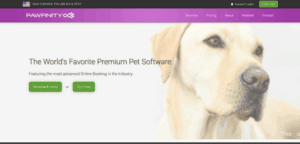
Pawfinity is a veteran in the grooming software space and a top choice for many salons that prioritize online booking and customer experience. Pawfinity markets itself as featuring the “most advanced online booking in the industry,” and it does provide a slick, customizable booking interface for your clients.
With Pawfinity, pet owners can go onto your website (or the Pawfinity client portal) and book a grooming 24/7, selecting specific services, add-ons, and even preferred groomers if you allow – all while the software smartly prevents scheduling snafus. The system knows, for example, not to let a client book a 30-minute slot for a breed or service that usually takes 90 minutes.
This helps avoid the self-scheduling nightmares we discussed earlier. Pawfinity’s scheduler also supports complex calendars like multi-groomer scheduling (e.g., two groomers on one dog, or several dogs at once with different groomers) – it was designed with high-volume salons in mind. The calendar views are clear, and you can easily toggle staff schedules, so managing a team of groomers is straightforward.
When it comes to pet record-keeping, Pawfinity offers detailed pet and client profiles. You can store grooming notes, upload photos of previous haircuts, track appointment history, and even log things like pet birthdays or behavioral flags. Groomers appreciate being able to quickly pull up what was done on a pet’s last visit (and whether that “summer cut” worked well or not!). Pawfinity also doesn’t skimp on the POS side: it includes a complete point-of-sale module to ring up services, retail products, and accept payments (including support for cards and digital payments).
It can send out electronic invoices and even let clients pay online, which some grooming shops use for deposits or to settle no-show fees. The software also has built-in marketing tools – for instance, you can send automated reminders for vaccines or promotional emails for grooming packages – and recent updates have focused on improving marketing email deliverability rates.
Pricing of Pawfinity
Pawfinity’s pricing is in the mid-range. Here’s a breakdown of Pawfinity’s flat‑rate subscription tiers (all prices in USD) once your 7‑day free trial ends (no credit card required):
- Groom & Train – $55 per month billed annually (save 10%) or $60 per month month‑to‑month: Focused on salon and mobile grooming (including nail, dental, training services). Includes everything you need for: rich client & pet profiles; Booking Genius™; advanced online booking; mapping & route optimization; auto notifications; fully featured POS with stored payments; inventory; time clock & payroll; review‑boosting tools; 2‑way SMS (with complimentary credits); secure document storage; and more.
- Stay & Play – $55 per month billed annually or $60 per month month‑to‑month: Tailored for boarding, daycare, and pet‑sitting businesses. Contains the same core platform as Groom & Train (online booking, POS, inventory, payroll, SMS, etc.), plus guest‑specific features like run/daycare reservations and food & medication tracking.
- Royal Package – $100 per month billed annually or $110 per month month‑to‑month: All‑in‑one for grooming + boarding + daycare + training + therapy. Includes every feature from the other tiers – plus up to 250 complimentary SMS credits each month and premium add‑ons enabled by default.
They do offer a free 7-day trial, so you can test it in your salon. Overall, Pawfinity is often reviewed positively by groomers (about 4.6 out of 5 stars on Capterra) for its reliability and rich feature set. It’s a strong contender if you want a user-friendly yet powerful grooming software that covers online booking, client management, and POS in a very balanced way.
5. PetExec

PetExec is like the Swiss Army knife of pet business software – it’s a cloud-based platform used not just by groomers but by boarding kennels, daycares, trainers, and more. For a grooming-focused business, PetExec offers all the core scheduling and POS functions you’d expect, plus a few unique perks. One hallmark of PetExec is its “two-sided” approach: there’s a robust backend for staff and an integrated customer portal for pet owners. This means clients can log in to request grooming appointments, upload pet vaccination records, view invoices, and even pay balances online.
It’s a very comprehensive system – you can tell PetExec grew out of kennel management roots, because it has features like customizable forms (helpful for grooming intake or consent forms), feeding/medication schedules (if you also board pets), and extensive pet profiles. In everyday grooming salon use, PetExec’s appointment calendar will handle groomer scheduling, automated reminders to clients, and even staff task assignments. It also has marketing and analytics modules, so you can send newsletters or track how your business is performing at a glance.
PetExec does include integrated payment processing and POS capabilities. You can process credit cards through the system (they partner with payment processors), and it supports things like prepaid packages, membership discounts, and tips. Inventory tracking is part of the package too – if you sell pet shampoos, toys, or treats at your shop, PetExec can manage stock levels and sales right in the software.
The user interface of PetExec is web-based and functional, though some find it a bit dated or less visually slick compared to newer apps (it prioritizes function over form).
Pricing of PetExec
One consideration with PetExec is cost: at roughly $100+ per month, it is one of the pricier solutions for a single-location business. Smaller grooming boutiques might find it more than they need, whereas a larger pet facility (or a grooming salon that’s part of a kennel/daycare operation) will see the value in its all-in-one approach.
Suppose you’re looking for enterprise-level features or you want to offer a client-facing portal/app for easy client self-service. In that case, PetExec is a strong candidate – just weigh whether its broad feature set aligns with your grooming business needs (and budget) before jumping in.
Here’s a detailed look at PetExec’s costs:
- Basic Subscription: At $105 per month, the Basic Subscription offers a single flat-rate plan that includes all core modules – grooming, daycare, boarding, and training. It supports unlimited client and pet records, provides access to an online owner portal and mobile app, and includes scheduling, resource management, a fully featured point-of-sale system, inventory tracking, payroll and commission tools, detailed reporting, QuickBooks integration, and live support via phone, chat, and email.
- Unlimited Texting Add-On: For an additional $19.99 per month, this add-on enables SMS and MMS messaging with features like two-way texting, automated appointment reminders, message templates, and complete message history logging.
- Integrated Payment Processing: PetExec partners with Stripe and Braintree for handling card payments. Card-present transactions are charged at 2.7% plus $0.05 per transaction, while card-not-present transactions (such as on-file, portal, or mobile payments) are charged at 2.9% plus $0.30. Businesses can optionally purchase the WisePOS E terminal for $249 as a one-time cost.
If you’re not satisfied after signing up, you can cancel within 30 days for a full refund. Nothing else is hidden in tiered fees or per‑user charges – one plan covers all your core needs, with optional add‑ons for texting and payment hardware.
At roughly $100 per month, PetExec sits toward the higher end of the market. Still, for facilities that need an all‑in‑one solution (and the ability to add modules without juggling separate subscriptions), its simplicity and breadth can justify the investment.
6. Groomsoft
Groomsoft is a popular option, especially among independent and mobile groomers who want a solid scheduling and client management system without a hefty price tag. It’s a cloud-based software that is deliberately kept straightforward and user-friendly. Groomsoft’s interface is clean and accessible from anywhere – whether you’re in the salon or out with a mobile grooming van, you can pull up your calendar on a laptop or tablet and get the info you need.
The calendar scheduling lets you book appointments in just a few clicks, assign them to specific groomers, and it will send out automated email/text reminders to clients so they don’t forget Fido’s grooming appointment. One of Groomsoft’s standout features for mobile groomers is its route optimization and mileage tracking. If you groom pets at the client’s home, Groomsoft can help map efficient routes and even log your travel distance for the day – a great time-saver that helps maximize how many grooms you can do.
On the client management side, Groomsoft stores each client’s contact info and pet profiles with grooming history. You can save notes on each pet (like “Scruffy hates the blow dryer noise” or which blade was used for a past haircut) and even set automated reminders for rabies expirations. It covers the essentials of pet grooming and client management without a lot of unnecessary frills, which many users find refreshing.
When it comes to payments and POS, Groomsoft provides basic invoicing and checkout features – you can record services, add taxes, and mark payments. It does integrate with credit card processing in a limited way (for example, it might connect to a third-party processor like PayPal or Square). Still, it lacks a comprehensive retail POS system for selling products and tracking inventory, unlike some larger platforms. In other words, it will handle the service charges and receipts just fine, but if you need advanced retail management, you might need an external solution.
Pricing of Groomsoft
The pricing of Groomsoft is beautiful. Here’s how Groomsoft’s pricing breaks down once your 30‑day free demo ends (all prices in USD, month‑to‑month billing):
- Grooming Shops – $24.95 per month (flat rate): Ideal for brick‑and‑mortar salons. Includes 2‑way SMS appointment reminders; bulk messaging for marketing; automated vaccination tracking; online booking; built‑in time clock; Google Calendar sync; unlimited users; unlimited file & pet photo uploads; and fully digital waivers/contracts.
- Mobile Groomers – $34.90 per month (flat rate): Designed for van‑based ops. All Grooming Shops features plus route optimization with “Show when I’m close” mapping; automatic mileage tracking; and optimized routing to streamline on‑the‑road appointments.
Must-Have Features: A Groomer’s Checklist
When evaluating pet grooming software, it helps to have a checklist of the key features that make a groomer’s life easier. Below is a groomer’s checklist of must-have capabilities – essentially a list of questions to ask about any dog grooming scheduling app or POS system before you buy. Make sure the software you choose can tick these boxes:
- Does it allow online booking for clients? Can pet owners conveniently book appointments 24/7 through a website or app (without calling you)? This is crucial for filling your calendar and catering to today’s digital-savvy customers.
- Can I store detailed pet profiles (and photos of a pet’s previous haircuts)? The software should maintain each pet’s history – including grooming notes, clipper settings, allergies, and even before/after photos – so you can deliver consistent, personalized service every visit.
- Does it send automated appointment reminders (via text or email)? To reduce no-shows, the system should automatically send clients a reminder notification before their appointment. Bonus points if it offers 2-way texting, allowing clients to confirm or ask questions back and forth.
- How easy is the checkout and tipping process? A good grooming POS will streamline payment processing – allowing you to ring up services and products, accept credit/debit cards (ideally with integrated processing to avoid separate terminals), and prompt for tips at checkout in a friendly way. This not only saves time but also increases your tip income.
- Can it handle multi-groomer and complex scheduling needs? If you have a team or occasionally need two people for a single pet, ensure the software allows for assigning multiple groomers to an appointment or overlapping appointments. It should also accommodate custom durations for different breeds or services without confusion.
- Does it include client communication tools? Beyond reminders, it’s great if the system lets you message clients directly – for example, sending “Fluffy is ready for pickup!” texts or sharing a photo of the finished groom through the app. Integrated communication keeps all client interactions in one place.
- Is it cloud-based and mobile-friendly? You’ll want to access your schedule and client info from anywhere – be it the front desk, your grooming table via a tablet, or your phone at home. Cloud software with a good mobile app or web portal ensures you’re not tied to a specific computer. This is especially critical for mobile groomers who need their schedule and route on the road.
Using this checklist, you can evaluate which appointment software for groomers hits the mark on all the features that matter most. The ideal solution will simplify booking, keep your client and pet data organized, send reminders so you have fewer no-shows, and make checkout a breeze – all while being easy to use and accessible wherever you are.
Conclusion
Running a pet grooming business is already hands-on – your software shouldn’t add more work. The right POS and scheduling system will help you stay organized, reduce missed appointments, improve client communication, and streamline payments. Whether you’re a solo mobile groomer or managing a full-service salon with daycare and boarding, this guide shows there’s a solution that fits your workflow and budget.
From feature-rich platforms like DaySmart Pet and PetExec to streamlined, mobile-friendly options like MoeGo and Groomsoft, each provider has its strengths. Use the included pricing details, feature breakdowns, and groomer-focused checklist to zero in on the software that will make your day easier. The best system is the one that saves you time and helps you deliver consistent, professional service – without making you fight your calendar.
Frequently Asked Questions
-
Do I need special software for pet grooming or will a basic scheduler work?
Generic schedulers often can’t handle breed-specific timing, multi-groomer tasks, or pet records. Grooming-specific software is better suited for managing all of this in one place without manual workarounds.
-
Can grooming software help with mobile route planning?
Yes, many platforms offer built-in routing tools. These help group appointments by location and time, suggest the most efficient order, and notify clients about updates.
-
What features should grooming POS and scheduling software have?
Look for online booking, breed-based timing, team scheduling, reminders, payments, reporting, and mobile access. For mobile groomers, route optimization tools are also a must.
-
Is there a free trial or demo before buying?
Most vendors offer free trials or demos. Some include a 7-day trial without a credit card, while others give your first month free along with live walkthroughs.
-
What kind of support and training is included?
Top providers offer live chat, email, phone support, and training videos. Many also provide onboarding help, screen-share assistance, and data imports at no extra charge.