Host Merchant Services – Credit Card Processing and Point of Sale for Small Business

Festivals and food truck rallies thrive on excitement – but they can also grind to a halt when lines form. In a festival setting, speed is everything. Industry experts point out that at significant events, “long lines…frustrate fans – they cut into revenue”. Every second shaved off wait time means happier customers and more sales. To keep crowds moving, you must rethink optimizing your POS hardware and software.
Instead of relying on a single slow register, build a system where orders and payments can happen anywhere. Multiple checkout points – from tablet or smartphone terminals to self-service kiosks and QR-code ordering – can turn a single bottleneck into a network of fast lanes. The payoff is vast, less idle time in line, more orders processed, and customers smiling as they walk away satisfied.
Line Busting 101: Your Hardware Setup for Peak Rush

Equipping your festival booth with extra checkout stations is the first step to busting lines. Assign staff to walk the crowd with mobile POS devices (tablets or phones running your POS app), so they can take orders and payments on the spot. Tablets and handheld terminals are ideal for pop-up events and can shorten the time in line dramatically.
You might also consider adding a second service window or table with its card reader to prevent guests from funneling through a single opening. And don’t forget modern payment methods: enabling NFC/contactless (Apple Pay, Google Pay) and mobile wallets lets customers pay in seconds. Each additional payment point – whether a countertop card reader or a mobile swiper – multiplies how many orders you process at once.
- Mobile Order-Takers: Have at least one team member roaming with a handheld POS (tablet or smartphone). They can punch in orders and accept payments right in line. This “mobile hawking” takes pressure off the central register.
- Multiple Checkout Points: Whenever possible, run 2–3 registers or payment stands in parallel. One person handles the window, while others use portable terminals by the line.
- Quick Swipe Readers: Even at the window, use a fast, user-friendly card reader. Ensure it accepts EMV and contactless payments to enable instant transactions with taps and chips. Modern readers also track orders in the POS in real time, so nothing gets lost in the shuffle.
- Power and Connectivity Backup: Festivals often lack reliable Wi-Fi. Equip your devices with 4G/LTE hotspots or backup networks, and keep extra batteries or chargers on hand. A strong network (and charged devices) ensures you never stall during a rush.
Breaking one big queue into many small ones and arming staff with handheld POS, you turn a chaotic mob into a smooth assembly line. Each order is taken and paid for swiftly – often before the customer even reaches the pickup window. The result is fewer frustrated festival-goers and more happy repeat customers.
The “Festival Menu”: Optimizing Your POS for Speed
In fast-service settings, a long or complicated menu is your enemy. Food truck operators often streamline their offerings for each event. For example, a common strategy is to prepare a special “festival menu” with just your top 4–6 crowd-pleasers.
This not only cuts ingredient costs and waste, but also speeds up every step from prep to point of sale. In practice, operators might hide off-menu items in their POS or even use a separate event profile in the system that only shows popular specials. On the software side, design the POS interface for one-touch ordering. Use large, clearly labeled buttons for each item so staff (or customers) can tap orders with a thumb or stylus in an instant—group related items into categories or combos to avoid deep menus. For example, if “BBQ Combo” sells fast, make it a single button instead of three separate items.
Remove or minimize screens that offer obscure modifiers – only include essentials. Many QSR POS systems even have “quick order” modes or favorite-item buttons; configure these for your top sellers. In a festival rush, every second counts, so anticipate repeat orders and eliminate unnecessary taps.
POS Layout Tips:
- Build a dedicated event menu in your POS with only the essential dishes. Hide or disable off-menu items temporarily.
- Arrange the GUI so the five or six best-sellers are front-and-center. Use bright, color-coded buttons to draw quick taps.
- Create preset combos or “meal deals” as single entries to reduce multiple inputs.
- Incorporate any digital menu changes in real time. When a side sells out, remove it instantly so staff can’t select it by mistake. (Digital menus ensure customers won’t waste time on sold-out items.)
With a razor-focused menu and an intuitive button layout, each transaction takes just a few taps. These small time-savings add up. In the thick of a crowd, a streamlined POS means you serve more people in less time, keeping lines short and sales rolling.
Let Them Order Themselves: The Power of QR Codes and Kiosks
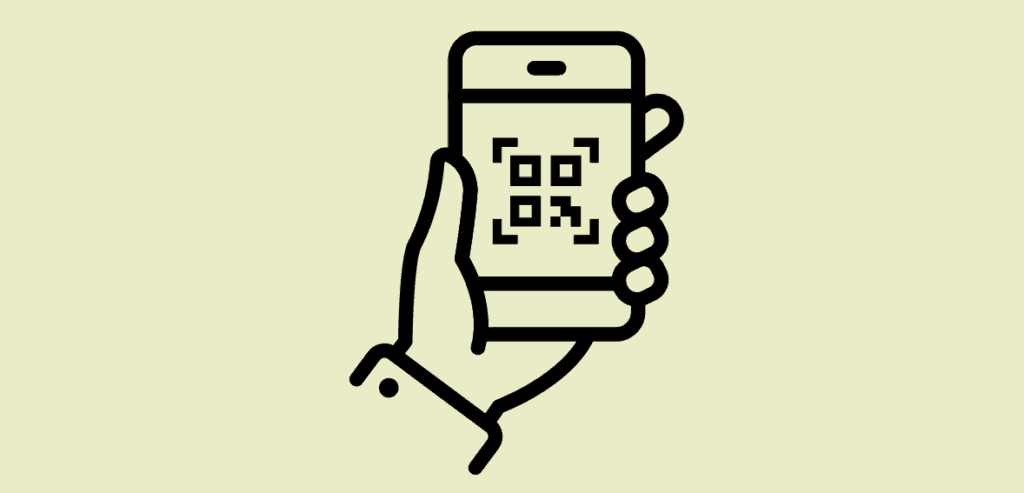
Even with the fastest staff, the ultimate speed-up is to let customers place orders on their own. A well-placed QR code or self-order kiosk can turn the service window into a pickup counter only. For example, each vendor can display a large QR code prominently at the start of the line. Attendees scan it with their phone to open a digital menu: they browse, order, and pay online.
Behind the scenes, the order hits your POS and kitchen immediately. The customer gets a confirmation (and often a text alert when the order is ready) without blocking anyone else. This could help eliminate lines by allowing staff to focus solely on food preparation while customers manage their orders.
Self-service kiosks offer the same effect as traditional booths. Instead of one cashier handling all orders, several touchscreen kiosks let multiple guests order simultaneously. Industry reports show that putting out even two or three kiosks can drastically reduce queues. Quick-service chains have seen 25-40% shorter lines after adding kiosks, and even a ~30% jump in ticket size as guests upsell themselves.
In practice, position kiosks near your booth entrance. Make their interfaces simple: big images of menu items, explicit modifiers, and built-in payment (cards or contactless). Train staff to assist newcomers initially, but otherwise let the kiosks process orders directly into the system.
Self-Service Setup:
- QR Code Ordering: Print a large QR code linked to your online menu. Place it on a sign or tent pillar where people line up. The code should open a mobile-friendly ordering page with your current festival menu. Encourage use with a note like “Scan here to order – skip the line!”
- Smartphone Payments: Ensure the mobile ordering page supports digital wallets (Apple Pay/Google Pay) or card entry right on the phone. Completing payment in-app closes the loop instantly.
- Self-Order Kiosks: If crowds are enormous, add a kiosk or tablet station. Guests can touch-select their meals and pay at the machine. When choosing hardware, pick units with a big screen (easy to tap) and secure card readers.
- Staff Role: Shift staff roles to meet-and-greet and food drop-off. Once people order on their device or kiosk, servers only verify pickup codes and hand out meals. This “fulfillment only” model eliminates the usual checkout traffic jam.
Surveys show that about 70% of diners now prefer contactless, self-serve options. Beyond sheer speed, letting guests order themselves improves accuracy (no misheard items) and frees staff to focus on service.
When QR ordering covers the basics, servers have extra time to engage guests or solve problems – turning a mechanical transaction into a friendly experience. And because customers handle payment on their own devices, the final handoff is frictionless. A quick scan and tap replaces the traditional slow bill-paying moment, leaving diners with a great last impression.
Bringing It All Together
Running a festival booth means preparing for peak rushes of hungry customers. By busting lines with hardware, slimming down menus for speed, and embracing self-service tech, operators can transform chaos into efficiency. Think of it as building multiple express lanes instead of one crowded tollbooth—each tactic, from extra mobile checkout points to QR-based pre-orders, chips away at wait times.
The result is that guests get served faster and vendors sell more. Every second removed from the line makes a happier customer – and a customer who’s more likely to come back for the next event. In the end, optimizing your POS for festivals is about flow. The order-taking process should feel seamless, whether it’s happening in someone’s hand or via a screen. When done right, your POS isn’t a bottleneck – it’s the engine that keeps the festival fun moving.