Host Merchant Services – Credit Card Processing and Point of Sale for Small Business

Small businesses must be able to react to the trends in the market to stay on top of the game. One of those trends is the increased adoption of mobile point-of-sale systems that allow customers to pay with credit cards no matter where they are. This not only makes the payment process easier on customers but gives businesses that accept mobile payments an edge over their competitors.
If you are looking for a way to accept credit card payments on your phone, but don’t know where to start, you’ve come to the right place.
In this article, you’ll learn the process of accepting payments using a mobile POS, your phone, and Host Merchant Services.
What is a Mobile POS System?
Mobile point-of-sale (mPOS) smartphones, tablets, or specialized wireless devices can perform the same functions as a cash register or POS terminal.
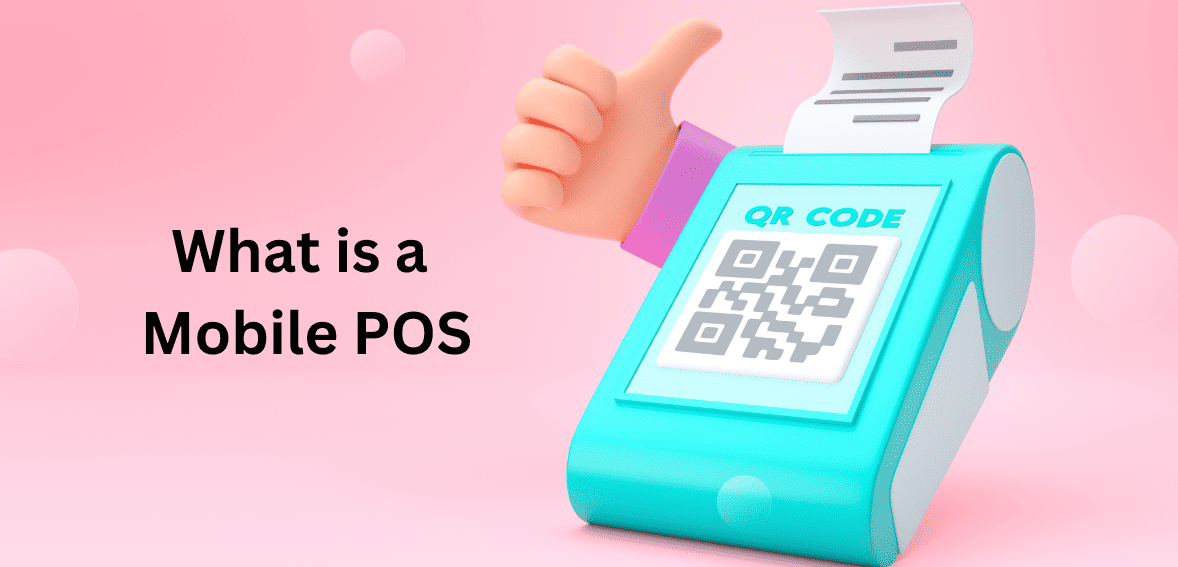
mPOS systems are useful for businesses that want to take transactions on the go, like market vendors, food trucks, or any other business that will interact with customers regardless of their location.
Businesses that want to implement a mobile POS need an internet connection, a credit or debit card reader, and an application downloaded to whichever device they wish to use for transactions. A POS app can then be downloaded and connected to the mobile device. The mPOS can also be used with additional POS hardware, such as a barcode scanner and a cash drawer.
What Is a Mobile Card Reader and How Can You Get One?
Merchants can accept credit card payments using a mobile credit card reader by plugging in or purchasing a peripheral device.
There are four types of mobile credit card readers:
- EMV: Payment by credit card chip is referred to as EMV. Due to the dynamic encryption of chip data, scammers have a much more difficult time accessing customer payment information. However, your company can be held liable if it swipes cards with EMV chips. EMV transactions can also take longer to process due to the complexity of the data.
- Magstripe: magstripe is a payment method where the information of the card is stored on its magnetic strip, where it is static and unencrypted. The drawback to this method is how vulnerable it is to scammers, making it a less secure option to EMV payments.
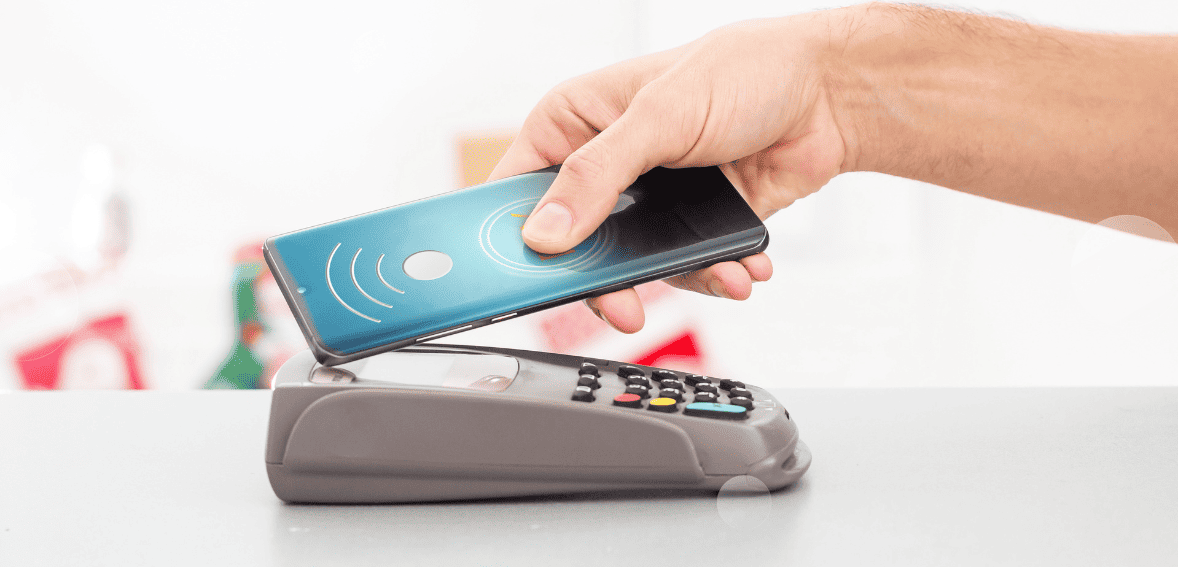
- Near-field communication (NFC): NFC facilitates wireless transmission of customer payments directly from the customer’s phone to a mobile credit card reader, also known as contactless pay. Because NFC data is dynamically encrypted and changes with each transaction, contactless payments are extremely secure. Customers can also approve NFC transactions by entering their PIN or scanning their fingerprints, adding a layer of security. Near-instant processing is another advantage of this technology.
- Bluetooth-enabled: In contrast to the three categories above, any magstripe, EMV, or NFC card reader can be Bluetooth-enabled. Using a Bluetooth-enabled reader, you can accept customer payments within a short distance of your smartphone or tablet. Or, to put it another way, Bluetooth-enabled readers eliminate the need for you to bring your smartphone or tablet with you to every transaction – the reader itself is all you need within a reasonable distance.
As for how to get a mobile card reader, there are two main ways to do so:
- Using your current merchant account provider: A mobile card reader can be added to an existing business setup by contacting the merchant account provider for more information on adding a mobile app to the current setup.
- Using a third-party processor: Signing up with some processors, such as PayPal, will allow you to receive an inexpensive card reader. Often, you can get one for free as part of a promotional offer.
How to Accept Credit Card Payments On Your Phone in 6 Steps?
Setting up an mPOS system to start accepting payments using your phone is much simpler than you would think. Here are the steps you need to follow:
Open an Account with Host Merchant Services
The first thing you’ll need is to open an account with Host Merchant Services. There’s no way around it: if you want to accept credit card payments on your mobile device, you’ll need an account with a payment processor. You’ll also need a mobile reader as we explained above.
Why Choose Host Merchant Services as Your Payment Processor?
When you choose Host Merchant Services as your provider, you work with a time-tested business. HMS uses the Interchange Plus pricing model, which is more transparent and generally more cost-effective for businesses.
On top of that, working with HMS offers you these benefits:
- No hidden fees
- No EMV or PCI compliance fees
- No contract
- No equipment leases
- No account closure fees
Get a Compatible Mobile Device
You’ll need a compatible mobile device before you can purchase a mobile credit card reader. There are options for almost every mobile device, including Android and iOS, and even BlackBerry or Windows Phone.
A major benefit of modern credit card readers is that they work with your existing devices. As a result, there is no additional hardware to carry around, apart from the reader add-on. A credit card reader attaches to your device via the headphone jack or charging port and is small enough to fit in your pocket.
When you wish to process payments without a separate adapter, many services allow users to enter credit card information manually into any internet-connected phone. Nevertheless, most small businesses should invest in an add-on card reader for convenience, lower fees, and privacy reasons.
For clarity, it’s not a bad idea to confirm with the company before purchasing the processor whether it accepts debit cards and credit cards. It is helpful to ensure that using different card types doesn’t cause any added complications for customers wanting to pay with a debit card. Debit cards may also require different procedures for payment. To provide a better customer experience, make sure you understand the specifics of each payment type.
Get a Mobile Card Reader
If you are looking to set up mobile payment processing through Host Merchant Services, then you might as well get your mobile card reader through us. Among the options we have available you can choose:
- SwipeSimple Mobile: SwipeSimple has an impressive lineup of card readers. They are EMV enabled, have NFC functionality, can work without an internet connection, and accept payments. Apple Pay, Android Pay, PayPal, Google Wallet. With SwipeSimple you get a full mobile point-of-sale system at an incredibly affordable price, making it the best choice for the mPOS system available.
- Vital Mobile: Vital has two excellent mobile readers in the C3 and C4 models. The C3 model is cost-effective and can support mag-stripe and EMV payments. The C4 can also accept NFC and contactless payments.
Both are compatible with Android and iOS, feature cloud-based office management, support electronic signatures, and can send receipts by email. While not as cost-effective as SwipeSimple, Vital is still a solid choice for an mPOS.
- CardPointe Mobile: CardPointe Mobile’s terminal supports EMV and NFC payments and it is pretty easy to set up. Their app also features a product catalog that allows you to organize, label, and price your products.
Install a Mobile POS App on Your Phone and Open It
Some of the features of your mPOS will require a mobile app in most cases. You will be able to use either the mobile credit card reader or a mobile device that is connected to the internet with that app. There is a difference in how each business utilizes its payment gateway, so be aware of what you’re receiving. Check that the app is open and that you are logged in before you start taking payments.
Take a Few Minutes to Update Everything
You should take the time to update your software and your device’s security before processing your first credit card payment. You must install the latest software updates on your mobile device.
Make sure to only install apps from trusted sources. You probably don’t have to worry about apps you download from the Apple App Store, Google Play, BlackBerry World or Windows Phone Store, but apps you download elsewhere on the internet may not be as reliable.
The fallout from a hacked mobile card reader could damage your small business’ reputation, so it’s important to do this right.
Connect Your Mobile Device to the Card Reader
When you sign up for most services, you will receive a free card-reader attachment for your mobile device. Once you receive your reader, you’ll probably have to download an app.
Almost all apps need to be set up, but not all. You can likely specify whether to display a field for tips and ask customers for their email addresses, among other things.
You should also test the credit card reader before you use it as your main payment method at an event. If you lose sales because your payment processor was not set up correctly, that would be a negative event. Before accepting payments from customers, take the time to properly set up and test your device. Ensure your customers can pay without any problems.
Alternative: Use a Payment Link or QR Code
As an alternative, payment links or QR codes can be used in place of a reader. However, the payment will be processed as a card-not-present transaction, which is generally more expensive.
Swipe the Customer’s Card
If everything goes according to plan, the reader will capture the customer’s payment information when they swipe their card. And that’s it.
If you use a QR code for payments, this step is not relevant.
Optional: Select the Tip
Customers who want to add a tip can do so and can also choose how they’d like their receipt to be sent, if applicable. Touchscreen transactions may also require the customer to sign for them.
Pros and Cons of Accepting Mobile Credit Card Payments
With a mobile device, merchants can accept credit card payments without having to purchase expensive payment terminals. They are also easy to move around should you need to conduct business away from traditional POS installations. If you don’t want to handle cash, this can be particularly useful.
There are many advantages to accepting payments on your phone, but also a few disadvantages. These include:
Pros
- Much safer than handling cash
- You can take cashless payments without much hassle
- Keeping records is easier
- Give customers a cashless payment option to increase sales
- Setup is simple
Cons
- Can be slower than dedicated POS terminals
- Dedicated terminals have more features
- You may drain your battery quickly because most interfaces are Bluetooth
- A multipurpose device may wear out over time
Who Benefits from an mPOS System for Credit Card Payments?
Many different industries and businesses benefit from setting up a mPOS system to accept payments with your phone. These include:
Direct Sales
In direct sales, that is, if you are a consultant who sells makeup, clothing, candles, kitchen products, and other items, you almost certainly depend on parties to hawk your products as well as sell them online and at pop-up events. Instead of relying on your customers to bring cash or waiting for checks to clear, you can accept credit cards on the spot with your phone, ensuring that you get those last-minute impulse purchases. It makes a world of difference to have a mobile POS with advanced inventory, discounting, and flexible tax settings.
Arts and Crafts Businesses
Would you consider attending conventions, art shows, and pop-up events to sell your product? Artists, authors, quilters/seamstresses, and jewelry makers are some of the options available. If you sell your wares at local events rather than in a storefront, a mobile POS system designed for low-volume businesses with no monthly fee is ideal for your company since you won’t have to pay for the software when it’s not in use. Keep in mind that you can get pretty good inventory management on a mobile platform even if you don’t need many advanced features.
Restaurants and Retailers
POS apps have been adopted even by established restaurants. When you have the entire menu loaded on your handheld device, you can take orders more accurately, especially if, for example, the POS asks you what sides and toppings you would like rather than going for a standard order. Casual restaurants may still use mobile devices, with roaming servers stopping by tables and taking orders rather than requiring customers to get up and go to the counter.
Having card readers available on phones offers another big advantage: the ability to process credit cards right at the table. Many restaurant-specific mobile POS systems now have functionality that allows tablets to function as self-service kiosks, allowing customers to place their orders and pay their bills at the table without the need for a server.
Food Trucks and Farmers Markets
In a food truck with limited space, a small POS system can be essential. In any case, a mobile system is the right choice, regardless of whether you opt for a tablet stand with a small footprint or simply a smartphone and mobile reader. With the ability to send digital receipts (SMS or email), you no longer have to worry about a printer taking up space or connecting it to the internet.
Choosing an mPOS System with Host Merchant Services
Look for a mobile POS system that is easy to use, affordable, and secure when choosing one for your business:
- Simplicity: Make sure the mobile POS system you choose has an intuitive interface so employees can be trained quickly.
- Affordability: Ensure you know how much it will cost you before you buy a mobile POS. Other fees may be associated with each credit card transaction, in addition to hardware costs and the processing fee. Some mPOS companies charge monthly fees in addition to other costs.
- Security: The mPOS must be PCI compliant, provide encrypted payment methods such as chip cards and NFC payments, and offer chargeback protection to resolve payment disputes.
Final Thoughts
Setting up a mPOS system for credit card payments on the move is a great investment for any business, particularly those that already need a mobile staff. Host Merchant Services makes this process easier on you by providing you with a customized processing system, reducing your merchant services fees, and improving your customer service. We can provide you with a solution for all your credit card processing needs.