Host Merchant Services – Credit Card Processing and Point of Sale for Small Business

![Top Ways to Enhance Your Checkout Experience [2025 Guide]](https://stage-feb2026.hostmerchantservices.com/wp-content/uploads/2025/09/Enhance-Your-Checkout-Experience.png)
A smooth and efficient checkout process is crucial for any online retailer. In 2025, consumers expect fast and user-friendly payments; even small hurdles can cause many shoppers to abandon their carts.
By simplifying each step and leveraging modern conveniences, businesses can reduce drop-offs, boost conversions, and earn customer loyalty. This guide covers proven strategies (with a focus on U.S. shoppers) on how to optimize your checkout flow and make payments as easy and secure as possible.
Enhance Your Checkout Experience – 10+ Strategies For Online Retailers
1. Simplify and Streamline the Checkout Flow
A complicated or lengthy checkout process can discourage customers from completing their purchase. To keep it simple, limit the steps involved and collect only the details necessary to fulfill the order. A single-page checkout that combines shipping, billing, and payment fields enables buyers to complete their purchase more quickly. Enabling browser autofill or stored profiles lets returning customers or guests quickly populate their information without retyping.
Unnecessary fields, optional surveys, and excessive data requests should be avoided. Conditional fields can be used to display extra inputs only when needed. When the form is short and focused, the process feels easier and less time-consuming. Over time, merchants can also store shipping and billing information, so repeat shoppers spend even less time at checkout in the future.
2. Optimize Mobile Checkout
With mobile shopping now the norm, checkout must run smoothly on phones and tablets. A responsive design with large buttons, clear fonts, and touch-friendly fields makes forms easy to tap and read without pinching or zooming. Supporting mobile wallets, such as Apple Pay, Google Pay, or PayPal, enables one-tap payments that utilize stored card and address details, secured by fingerprint or facial recognition.
Reducing typing further improves the experience. Utilize smart keyboards that display a numeric keypad for ZIP codes, enable address auto-completion via geolocation or postal lookup, and allow customers to scan card numbers using their camera. These steps eliminate friction, allowing the shoppers to complete purchases quickly and confidently on any mobile device.
3. Allow Guest Checkout and Express Options
Forcing account creation is a common checkout killer. Many shoppers want to make a purchase quickly without having to sign up first. Improve conversions by:
- Guest Checkout: Let customers pay without logging in or creating an account. Label it clearly (e.g. “Checkout as Guest” vs. “Register”). Once their order is placed, you can offer to save their info for next time, but don’t block the sale behind a login wall.
- Social/Express Login: As an option, allow payment via social logins (like Google, Facebook, or Amazon) or one-click checkouts if the shopper is already logged in. These pull in verified user details, eliminating the need for form filling.
Offering these options makes the process feel welcome and fast. Studies have shown that a majority of shoppers will abandon their cart if they can’t check out as a guest, so this step alone can yield significant sales increases.
4. Provide Pricing Transparency

Hidden charges at checkout often cause shoppers to abandon their carts, so pricing should be transparent from the start. Display shipping costs, taxes, and any additional fees as early as possible, ideally on product pages or in the cart, to avoid any last-minute surprises.
Promote free shipping or discounts tied to a minimum order value with visible notices, such as “Spend $50 more to get free shipping,” which sets expectations and can encourage larger purchases. Keep the order summary updated in real time as customers add or remove items, and present the total price in a clear, easy-to-read format throughout the process. When every cost is transparent, buyers are more likely to stay engaged and complete their purchase.
5. Build Trust and Security
Checkout is a sensitive moment: shoppers are about to enter personal and payment data. Instill confidence by displaying trust signals:
- Secure Connection: Always use HTTPS with a valid SSL certificate. Show the browser’s lock icon and use “https” in your URL so users know the site is encrypted.
- Trust Badges: Place recognizable security logos (e.g., Norton, McAfee, SSL seals) and payment logos (Visa, MasterCard, PayPal, etc.) near the payment form. These familiar icons reassure customers that you use legitimate, secure systems.
- Policy Links: Include visible links to key policies (returns/refunds, privacy policy, terms of service). When customers see that returns and data protection are handled professionally, they feel more secure about completing the order.
Be cautious of any red flags, such as missing trust marks or forced redirects, during the payment process. A clean, professional checkout page with clear security cues allows the customer to focus on completing the purchase without worrying about fraud.
6. Offer Diverse and Modern Payment Methods
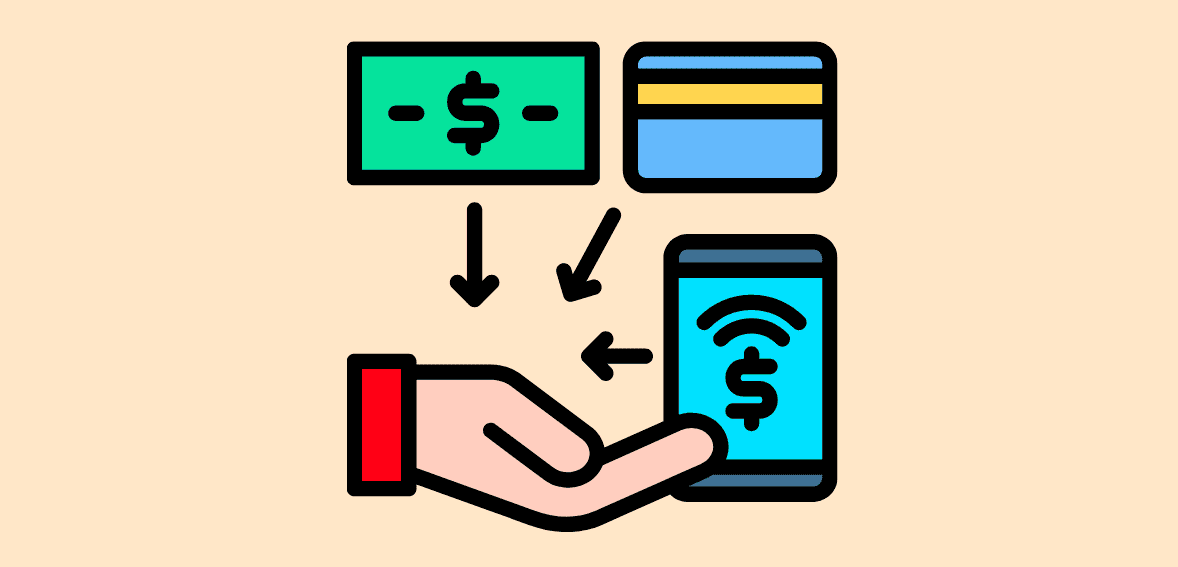
Shoppers are more likely to complete a purchase when they can pay the way they prefer, so checkout should offer a wide range of secure options. Alongside standard credit and debit cards, include popular digital wallets such as Apple Pay, Google Pay, PayPal, Venmo (in the U.S.), or Amazon Pay for quick one-click transactions.
Consider adding buy-now, pay-later services like Afterpay, Klarna, or PayPal Credit to accommodate those who want to spread out their payments — a feature especially appealing to younger customers. If you sell internationally or across diverse regions within a single country, support local payment methods and multiple currencies so buyers everywhere can check out with ease. Keeping payment choices current with emerging trends helps reduce friction and capture more sales.
7. Guide Users with Progress Indicators and Feedback
To keep checkout stress-free and conversion-friendly in 2025, guide shoppers with a single, transparent flow that combines visual progress cues and instant feedback. A clear progress bar or breadcrumb trail, e.g., Shipping → Payment → Review, shows exactly where customers are, how many steps remain, and lets them revisit earlier steps to make edits without starting over, which reassures and motivates them to finish.
Real-time inline validation catches issues such as invalid ZIP codes or mistyped emails as they’re entered, preventing the frustration of last-minute errors, while positive signals (like green check marks) confirm correct inputs. Before payment, a concise yet comprehensive order review screen should list every item, quantity, shipping method, tax, and fee, ensuring there are no hidden surprises. It should also include quick links to adjust the cart or address details. Together, these practices keep shoppers informed and in control, reduce cognitive load, and cut abandonment caused by uncertainty or unpleasant end-stage discoveries.
8. Streamline Form Filling

Reducing manual entry speeds up the checkout process and reduces errors. To make forms easy:
- Autocomplete & Autofill: Allow browsers and OS to automatically fill in common fields (such as name, address, and email). Use HTML input attributes (like autocomplete=”name”) so the browser can help.
- Address Lookup: Integrate address suggestion or lookup services to enhance user experience. When a customer types part of their address or ZIP code, offer the full address in a dropdown. This ensures accuracy and speeds entry.
- Card Scanning: If possible, support camera scanning of credit cards for mobile users. Many smartphones allow users to take a picture of their card and automatically fill in the number.
Also, save payment credentials in an account (with proper security) so repeat buyers can check out instantly. The goal is to enable customers to complete forms with minimal typing and effort.
9. Provide Real-Time Assistance
Providing real-time assistance during checkout is a powerful way to prevent abandonment and build trust, because even the smoothest, most intuitive checkout can raise last-minute doubts. A live chat window or AI chatbot integrated directly into the checkout page provides customers with immediate access to answers, without interrupting their flow.
Modern chatbots can recognize hesitations, such as prolonged inactivity or repeated edits, and proactively offer help, while seamlessly transferring the conversation to a human agent if needed. Visible contact options reinforce this safety net: a phone number, email address, or WhatsApp link fixed in the header or footer signals that expert help is one tap away, which is especially reassuring for high-value or complex purchases.
Complementing live support, contextual micro-aids such as tooltips and brief, expandable FAQs clarify common pain points, explaining what a CVV code is, how shipping estimates work, or what the return policy covers, right where the user needs them. This layered approach transforms potential friction into a positive interaction, keeping customers engaged and confident throughout the payment confirmation process and beyond.
10. Personalize and Upsell Carefully
Thoughtful personalization can lift order value and loyalty, but it must never interrupt the checkout flow. Offer only a few highly relevant cross-sells or minor upgrades, ideally in a similar price range and clearly tied to the items in the cart, to avoid choice overload. If the shopper is logged in, greet them by name and display recently viewed or frequently purchased products. For repeat buyers, reference past orders or suggest complementary items to “complete the set.” Automatically applying loyalty points, free-shipping thresholds, or first-purchase discounts adds convenience without friction.
Keep layouts clean, fast-loading, and mobile-friendly, and avoid aggressive pop-ups or surprise fees. By respecting privacy and consent while providing genuinely helpful and timely suggestions, you create a checkout that feels personal, trustworthy, and conversion-friendly.
11. Ensure Speed and Accessibility
Technical performance and accessibility affect every visitor:
- Fast Loading: Optimize images and scripts on the checkout page so it loads quickly, even on slower connections. A delay can cause impatient customers to abandon the checkout.
- Accessible Design: Follow web accessibility best practices. Use high-contrast text, label form fields clearly, and ensure the page is accessible to screen readers. This way, all customers (including those with disabilities) can complete checkout with ease.
- Error Handling: If the system encounters an error (e.g., the payment gateway is down), display a clear message and outline the next steps. Avoid generic mistakes that leave the customer guessing.
- Mobile Optimization: Ensure the checkout is fully responsive and easy to navigate across all screen sizes, featuring touch-friendly buttons and minimal typing requirements. Mobile shoppers now account for the majority of e-commerce traffic.
- Resilient Checkout & Autosave: Save cart and form data in real time so that if a connection drops or the browser closes, customers can resume where they left off without re-entering details.
- Security & Trust Signals: Display SSL certificates, secure-payment icons, and clear privacy statements. Visible trust cues reduce last-minute hesitations.
- Minimal Steps & Distraction-Free Layout: Reduce the number of screens/fields to the essentials, and keep optional upsells unobtrusive so nothing slows completion.
- Localization & Multiple Payment Options: Support local languages, currencies, and popular regional payment methods (e.g., UPI in India, Apple Pay, PayPal, BNPL) to prevent drop-offs.
A responsive, reliable checkout keeps shoppers engaged. When pages load instantly and navigation is seamless, the path to purchase remains open for everyone.
12. Embrace Omnichannel Convenience
Shoppers now seamlessly transition between social media, apps, and physical stores, so checkout must be equally seamless across every touchpoint. Make buying possible wherever customers engage: integrate quick-pay links into marketing emails, enable shoppable posts on platforms like Instagram or Facebook, and support in-app purchases in your own mobile app. Maintain consistency in the look, steps, and payment options across the website, app, and point-of-sale terminals to foster trust and minimize learning curves.
Where possible, implement a unified cart that saves items to the user’s account or browser, allowing them to start on one device and complete on another without re-entering details. A cohesive system not only removes friction and boosts conversion, it also simplifies fraud checks and keeps inventory and customer data in sync behind the scenes.
13. Analyze and Iterate Continuously
A smooth checkout isn’t a one-time achievement; it requires ongoing refinement and improvement. Track key metrics, such as cart abandonment rates, page load times, and conversion funnels, to pinpoint where shoppers drop off. Use A/B testing to experiment with button styles, wording, or form layouts and quickly determine which elements improve completion rates.
Pair this data with a direct feedback loop, short surveys, post-purchase polls, or periodic usability tests, to catch subtle frustrations that analytics can miss. As technologies, payment options, and customer expectations evolve, regular reviews and data-driven adjustments keep your checkout secure, efficient, and consistently user-friendly.
Conclusion
Enhancing the checkout experience is an ongoing process. By simplifying the flow, offering modern conveniences, and removing uncertainties, you’ll see fewer abandoned carts and happier customers. Implement these strategies and continually refine them to stay ahead in the 2025 competitive e-commerce landscape.
Frequently Asked Questions
Why is mobile optimization critical for checkout in 2025?
Most online shopping now happens on phones and tablets. A mobile-friendly checkout with larger buttons, minimal typing, and wallet integrations reduces friction and cuts abandonment.
What’s the difference between guest checkout and requiring registration?
Guest checkout allows shoppers to buy without creating an account, reducing drop-offs. You can invite them to register after purchase rather than forcing it upfront.
How can merchants be transparent about pricing without overwhelming customers?
Show product price, shipping, taxes, and fees early, ideally on product pages or in the cart. Use precise language and real-time totals to avoid surprises.
What are the best practices for showing security and building trust during checkout?
Use HTTPS, display familiar security or payment logos near payment fields, and link to privacy/return policies. Keep error messages clear and avoid sudden redirects.
How should a retailer decide which payment methods to add?
Check what your customers use, consider geographic preferences, weigh the costs of adoption against the benefits, and review trends regularly to add or retire options.